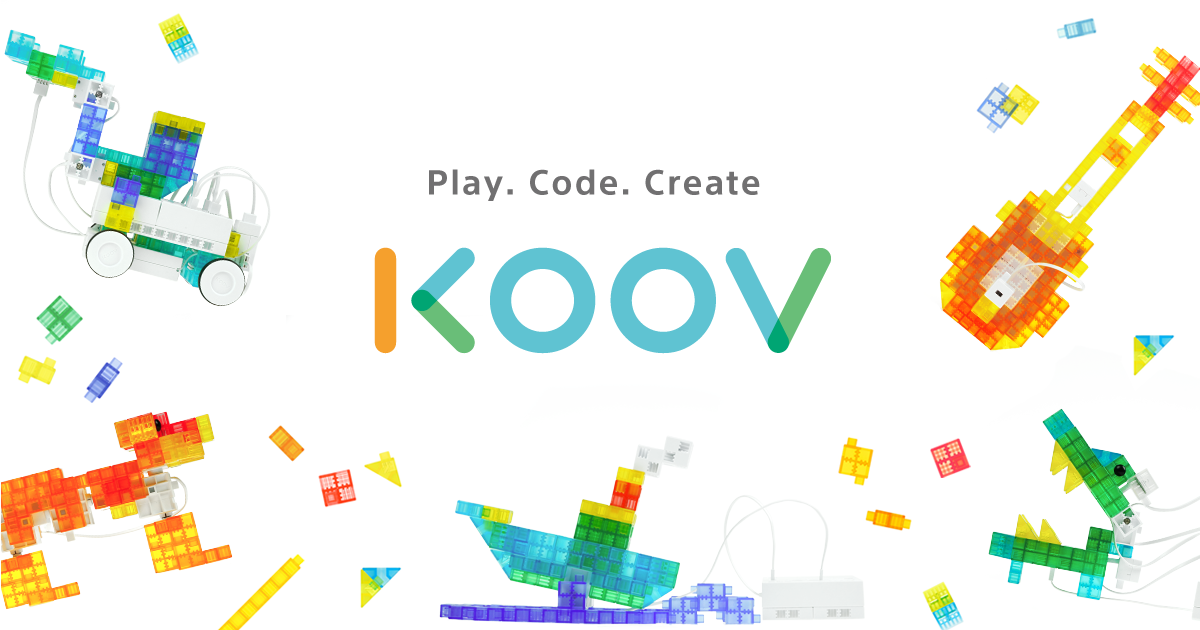
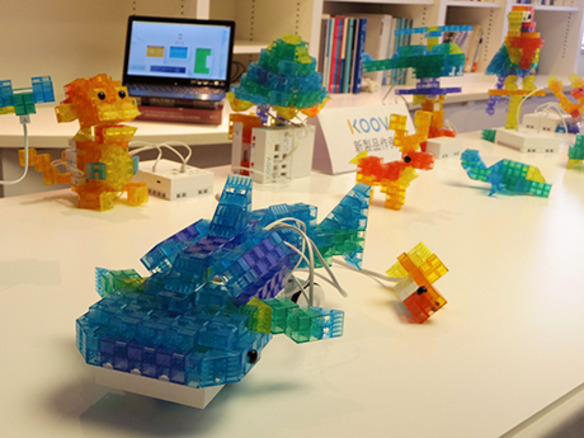
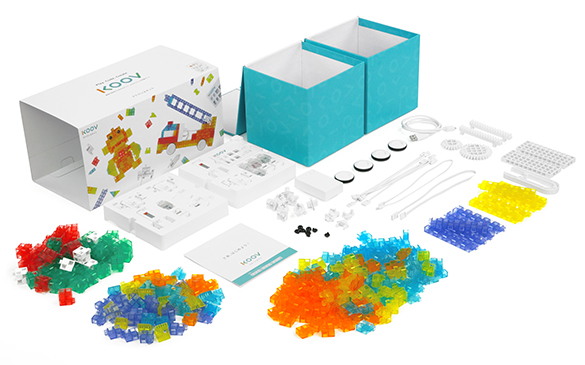
KOOV is a robotics and programming learning kit developed by Sony Global Education, which allows users to build robots by combining blocks and electronic parts. The most distinctive feature of KOOV is a group of uniquely shaped, translucent, and colorful blocks. The most appealing feature of KOOV is its highly artistic design, which overturns the conventional image of robots as mechanical and inorganic, and makes it easy for girls as well as boys to pick up.
Product Overview: What is KOOV?
By writing a program to the attached core (CPU), the robot can move freely and intricately. The dedicated application uses “visual programming” (a method of creating commands by connecting blocks) that can be operated intuitively even by beginners.
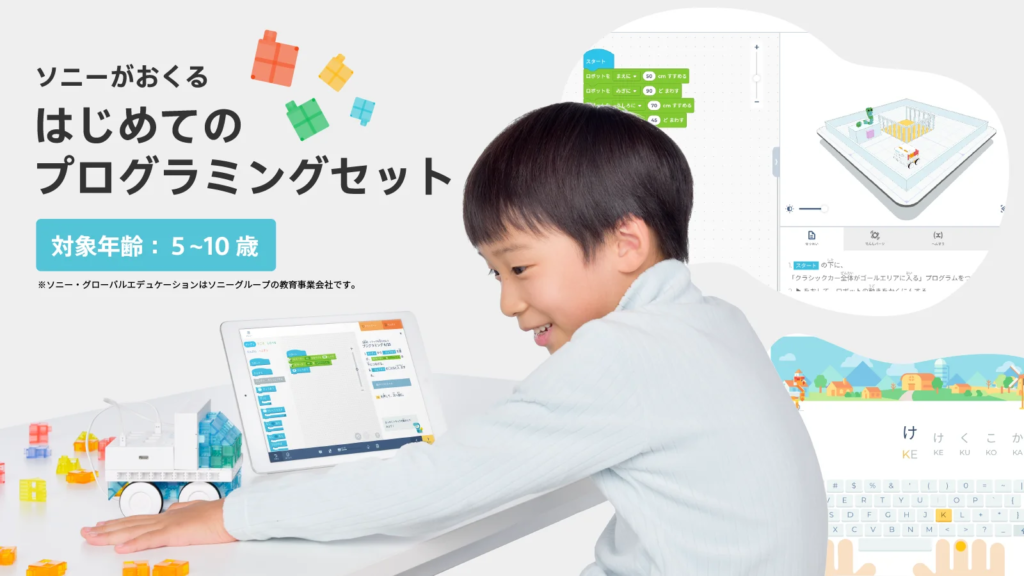
Furthermore, in recent years, a simulator function called “VIRTUAL KOOV” has been introduced, allowing programming learning to proceed even in environments where actual blocks are not at hand, further advancing the fusion of the digital and real worlds.
Summary of key points
- What is KOOV? KOOV is a robot production kit proposed by Sony that nurtures sensitivity and logical thinking at the same time.
- Good point:
- Unparalleled design quality: The blocks are so beautifully sculpted that you will want to display the finished product as interior decoration.
- Friendly material design: The tutorial (learning course) of the application is very detailed and does not get lost in self-study.
- Global exchange: Online communities that allow users to share their work with users around the world are a source of inspiration.
- High versatility: Infinite patterns can be created by combining sensors and motors.
- Points of concern:
- Initial cost: Pricing is a bit premium compared to other programming materials (Lego, etc.).
- Device restrictions: Not compatible with Android devices (iPad, iPhone, Windows, and Mac required).
- Depth of parts: the “expandability trap” where the entry kit limits the recipes you can make, and you immediately want a higher-end kit.
- Users who may be suitable:
- Creative and curious children: children 8 years old and up who like building things, puzzles, and playing with Legos.
- Families who value STEAM education: parents who want to nurture not only science and math but also artistic sensibilities at the same time.
- Home-schoolers: If you do not have time to attend a programming class but want to expose them to professional-level materials at home.
rough conclusion
It is “the most beautiful and highly educational creative kit that allows students to develop full-fledged logical thinking as an extension of play before they know it.
Frequently Asked Questions (FAQ)
- Price: 14,800 yen to 64,800 yen (varies depending on the kit. (Varies depending on the time of sale)
- What you can do: play with blocks, create complex robots, learn logical programming, and share your work globally
- Supported OS: Windows 10/11, macOS, iPadOS, iOS (*Consistently unsupported by Android)
- Disadvantages: high initial cost, difficulty in managing parts, and force required to remove some blocks
- Updates: App features, study recipes, limited-time contests, etc., are frequently updated and held.
What is the price?
KOOV offers several lineups to suit different learning levels. The most affordable “Entry Kit” starts at around 14,800 yen (tax included). The “Starter Kit,” which includes all the major parts, costs around 30,000 yen, and the “Advanced Kit,” which includes all the parts, ranges from 54,800 yen (including tax) to 64,800 yen. At first glance, this product may seem expensive, but if you consider paying monthly fees (10,000 to 15,000 yen) for a programming class for several months, the cost performance of this product, which can be bought outright and played for a long time, is not low at all.
What exactly can you do?
First, the colorful blocks are used to create “shapes” such as animals, vehicles, and musical instruments. Next, electronic parts such as light sensors, infrared sensors, acceleration sensors, and DC motors are placed. Finally, the user programs commands on the app, such as “turn on the LED when it gets dark” or “turn to the right when it detects an obstacle. This allows you to create your own robot that is not just a mere figurine, but one that reacts to its surroundings and moves as if it has a mind of its own.
Which operating systems and devices are supported?
It is compatible with iPads, iPhones, Windows PCs, and Macs. An important point to note is that even as of 2025, Android tablets and smartphones are not supported. If your main device is Android, you will not even be able to install the app, so be sure to check for compatible devices before purchasing. Having Bluetooth 4.0 or later is also a requirement.
Are there any disadvantages or cautions that I should be aware of after purchase?
Apart from the “high price,” many customers say that it is difficult to manage the parts. Because there are hundreds of small parts, they can easily be lost unless a special divider case is provided, and purchasing additional parts individually is somewhat time-consuming. In addition, the blocks are so tightly connected that children may have trouble disassembling them once assembled (a special block remover is included, but it requires a knack for disassembly).
Are there any updates to the software or learning content?
Yes, it is very active. Sony is focusing on operating it as an educational platform, not only improving the app’s UI, but also adding new robot recipes each season and holding the KOOV Challenge, a global robotics contest, on a regular basis. The strength of KOOV as a digital toy is that by updating its software, it can do more than when it was purchased.
Specifications Summary
| (data) item | Details |
| Manufacturer | Sony Global Education |
| Kit Development | Entry / Basic / Starter / Advanced (expandable) |
| Example of Electronic Parts | Core (CPU), LED, buzzer, DC motor, servo motor, infrared photo reflector, light sensor, acceleration sensor, push button, etc. |
| Connections and Communications | Bluetooth 4.0 or higher (wireless), USB port (wired connection) |
| Power Specifications | AA alkaline batteries x 3 (*Sold separately. Rechargeable batteries such as eneloop recommended) |
| Age Range | Recommended age: 8 years old and up (with the assistance of a parent or guardian, experience is possible from 5 years old and up) |
| App Support | iOS / iPadOS / macOS / Windows |
Reviews (word of mouth): Dig deep into users’ true opinions
Good national and international reviews: why choose us?
The blocks are very beautiful, and my child is happy to assemble them, saying that they look like jewels . The UI of the app is excellent, and the video explanations are very easy to understand, so it is wonderful that the children can proceed on their own through trial and error without parents having to teach them by their side.
(Source: Amazon.co.jp Customer Reviews )
“A Perfect Bridge Between Art and Logic”.
“The translucent blocks are much more appealing to my daughter than the standard gray/black robot kits from other brands. It bridges the gap between She doesn’t feel like she’s ‘studying’-she’s creating digital pets.”
(Source: Reddit r/STEM )
“Gamified Learning at Its Best”.
“The ‘Learning Courses’ are structured like a high-quality video game. my kids earn badges and progress through levels, which makes the learning process They actually look forward to the next ‘mission’.”
(Source: Kickstarter Backer Reviews )
The community is very enthusiastic.” “It’s stimulating to see other people’s work online from all over the world. It seems to give him confidence to try imitating others and to receive ‘likes’ and comments on his own creations from users overseas.”
(Source: Yodobashi.com Product Reviews )
Neutral, Dissatisfied, and Improvement Wish Reviews: What You Need to Know When Considering
The only complaint I have is the lack of Android support.” “I have no complaints about the product’s performance or educational value, but I really miss the fact that I can’t use it on my Android tablet.” I used my old iPad as a dedicated KOOV device when it was time to replace my phone. Checking the environment before purchasing is a must.”
(Source: Price.com Review )
“Engineering Requires Some Strength.”
“Some connections are so strong that a child under 10 can’t pull them apart without the removal tool. We’ve had a few moments of tears when the tool was misplaced. Also, the advanced sensors are fragile-handle with care.”
(Source: Reddit r/Robotics )
“High Entry Barrier for Families” “The basic kits feel a bit limited after the first week of intensive play. Be prepared to invest in the larger sets or expansion packs eventually.”
(Source: Facebook KOOV Community )
The AC adapter is basically sold separately, so we strongly recommend that you prepare two sets of rechargeable batteries, such as eneloop, and rotate them around. “
(Source: Personal Blog: Childcare Gadget Comparison )
comprehensive evaluation
KOOV is one of the definitive educational materials that successfully combines “engineering” and “art. In addition to the acquisition of technical skills, KOOV is designed to satisfy both the desire for recognition and the intellectual curiosity of children of the digital native generation through the social networking fun of “showing” and “sharing” their creations.
The biggest challenges are the initial cost and the limited number of compatible devices. However, considering the reliability of a global company like Sony, the continuous software updates that will continue in 2025, and above all, the quality of the user experience that “children will not be bored and will want to learn on their own,” it is a very low-failure option as an investment for the future.
Comparison with “Mia,” a talking cat-shaped robot
We objectively compared KOOV for learning programming and Mia for the main purpose of daily healing.
| Comparison items | KOOV | Mia |
| Appearance and Design | Mechanical beauty of assembled and translucent blocks | Cat-shaped, plush softness and affection |
| Installation price (approximate) | Approx. 15,000 – 65,000 yen (expandable) | Programming learning, logical thinking, and robot creation |
| Main applications | Parts management and battery replacement are required | Healing of the mind, daily conversation, communication in dialect |
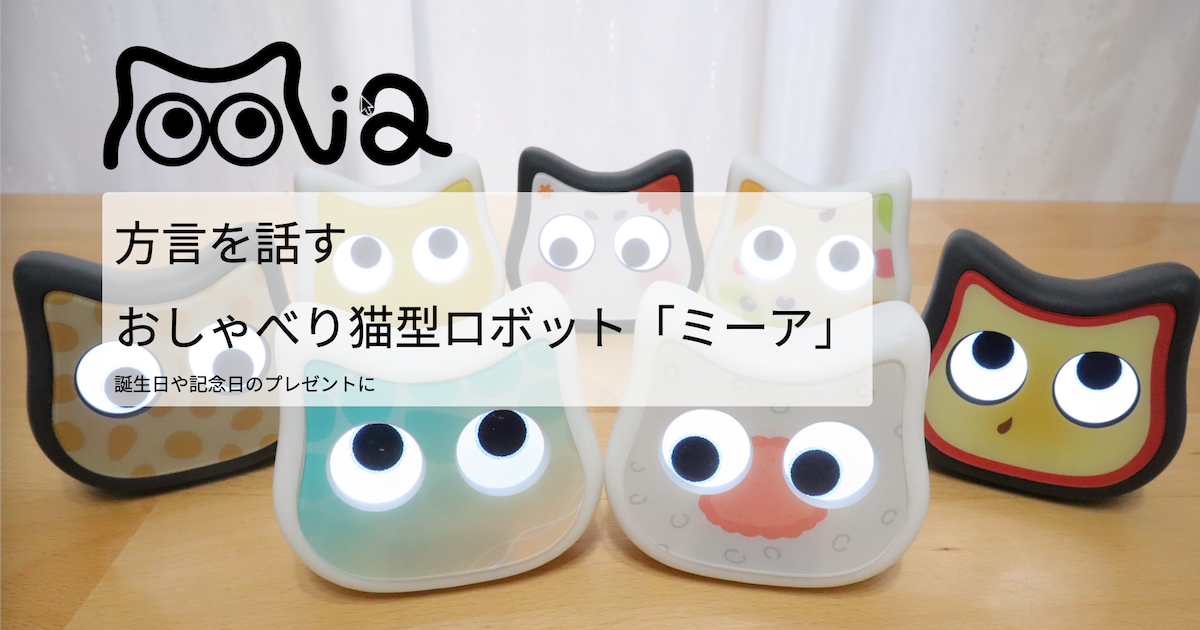
| Movement and Reaction | Works autonomously according to a written program | With more than 8,000 phrases in 47 dialects and 10 personalities across the country, speak |
| Long-term experience | Creating new recipes and challenging contests | Daily greetings, seasonal topics, and family-like snuggles through dialect |
| maintenance | Parts management and battery replacement required | Regular recharging and Wi-Fi access are the main |
In conclusion: If you want to learn practical programming skills and teach the joy of making things, KOOV is the right choice. On the other hand, if you want someone to “talk to” or “heal” your daily life and be a part of your family, Mia is the right choice. It is best to choose according to your purpose, whether it is the education of your children or the enrichment of your family’s soul.
👇 Talking cat-shaped robot “Mia” that speaks 47 dialects nationwide
summary
KOOV is a tool that gives children with creative minds, who want to “not only move, but also create beautiful things with their own hands,” no better weapon in their arsenal. It is not an inexpensive purchase, but the high-quality educational content provided by Sony and the experience of connecting with peers around the world will nurture a lifetime of “logical thinking” and “creativity” that will help your child in whatever path he or she chooses in the future.
Final definition of target audience:
- Those who seek “fun” and “beauty” in programming education.
- Parents who want to develop their children’s “concentration” and “problem-solving skills
- For those who want to take tablet learning one step further and give students the experience of moving real “objects”.
Key points of comparison: Mia emphasizes “warmth that accompanies daily life. With its unique Japanese dialect of speech and affordable price of less than 10,000 yen, it is a suitable choice for those who want to easily incorporate everyday healing and familiarity into their daily lives.
👇 Talking cat-shaped robot “Mia” that speaks 47 dialects nationwide