How to & Features | Mia

How to & Features

How to & Features

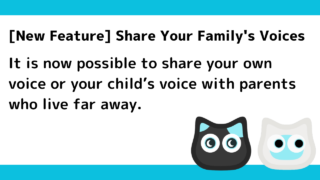
What Is Mia’s “Family Voice Message” Feature? How to Use It

Mia, the cat-shaped AI robot, now has a Family Voice Message feature that lets you send your own or your child's recorded voice directly to your parents' Mia, even from far away. Your parents just touch Mia's head to play it — no smartphone or app needed. This article covers how to use it, what to keep in mind, and how it differs from existing features.
How to & Features

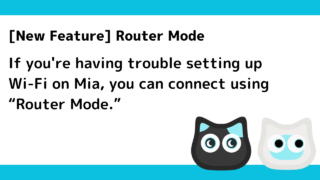
Set Up Wi-Fi at Home Before Sending Mia to Your Parents with Router Mode

When giving Mia to parents who live far away, you can now finish the Wi-Fi setup at your own home before shipping it. With the new Router Mode, your parents don't need to install an app or touch any settings screens — they just plug it in and it connects to their home Wi-Fi automatically.
How to & Features

Mia’s Two-Way Conversation Mode: How It Works and How to Use It [Coming Late July 2026]

Mia, the AI cat robot, is adding a two-way conversation mode in late July 2026. Learn what you'll need (the two-way model hardware and a $2/month Premium subscription), how to start a conversation by tapping Mia's head, the 3-minute auto-timeout, and how it differs from the standard model.
How to & Features

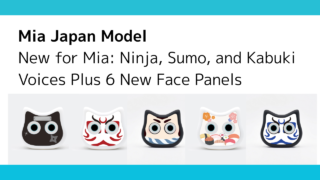
[New Feature] Mia now supports seven character voices! For an even more enjoyable English experience!

Seven new character voices are now available for Mea! Enjoy everyday life even more with a variety of voices, including Trump, Homer, Snow White, and more. Perfect for learning English, chatting with family and friends, or as a gift. Check out the new healing and entertainment experience delivered by this cat-shaped robot!
How to & Features

[New function] Multiple devices can now be registered and named.

The Mia app has been updated! You can now manage multiple Mias with a single account. Nickname settings and individual settings for each device are also supported. To use these convenient new features, you need to update to the latest version of the app (1.10.1).
How to & Features

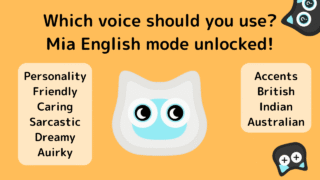
[New feature] Mia supports English mode! You can enjoy 5 different personalities and 3 different accents!

The cat-shaped robot “Mia” now supports English mode! It plays everyday greetings and encouraging phrases in easy English. You can choose from five personalities and three accents (British English, Indian English, and Australian English) and play pre-recorded English phrases at random.
How to & Features

How to initialize the Mia device

If your Mia cat robot stops talking or its eyes don’t move, and restarting doesn’t help, try initializing the device. You’ll need a Phillips screwdriver to open the unit and follow steps to enter Safe Mode. Easy-to-follow for beginners.
How to & Features

Wi-Fi connection via ESP Touch app

If Wi-Fi connection fails in the Mia app, the following screen will appear.If you're unable to connect to Wi-Fi after multiple attempts, please tap the "If Wi-Fi connection fails repeatedly" button. Then, a button labeled "How to connect Wi-Fi using ESP Touch app" will appear.
How to & Features

[New feature] A mute function has been added.

The mute function has now been added to Mia.What is the mute function?This feature allows Mia to stop talking even durin...
How to & Features

Mia can be made into a built-in battery with a lithium-ion battery.

Introduction.Mia, currently in beta release, is rechargeable, but it can be disassembled and fitted with lithium-4 batte...
Share Mia
Copied title and URL