Makeblock is a company that has gained tremendous support in STEM education at home and in the educational field. The mBot2, a legitimate evolution of the company’s flagship mBot product, has completely transcended the realm of mere educational toys and is attracting attention around the world as a “full-scale engineering and programming educational tool” for upper elementary through high school students and even adults.
Product Overview
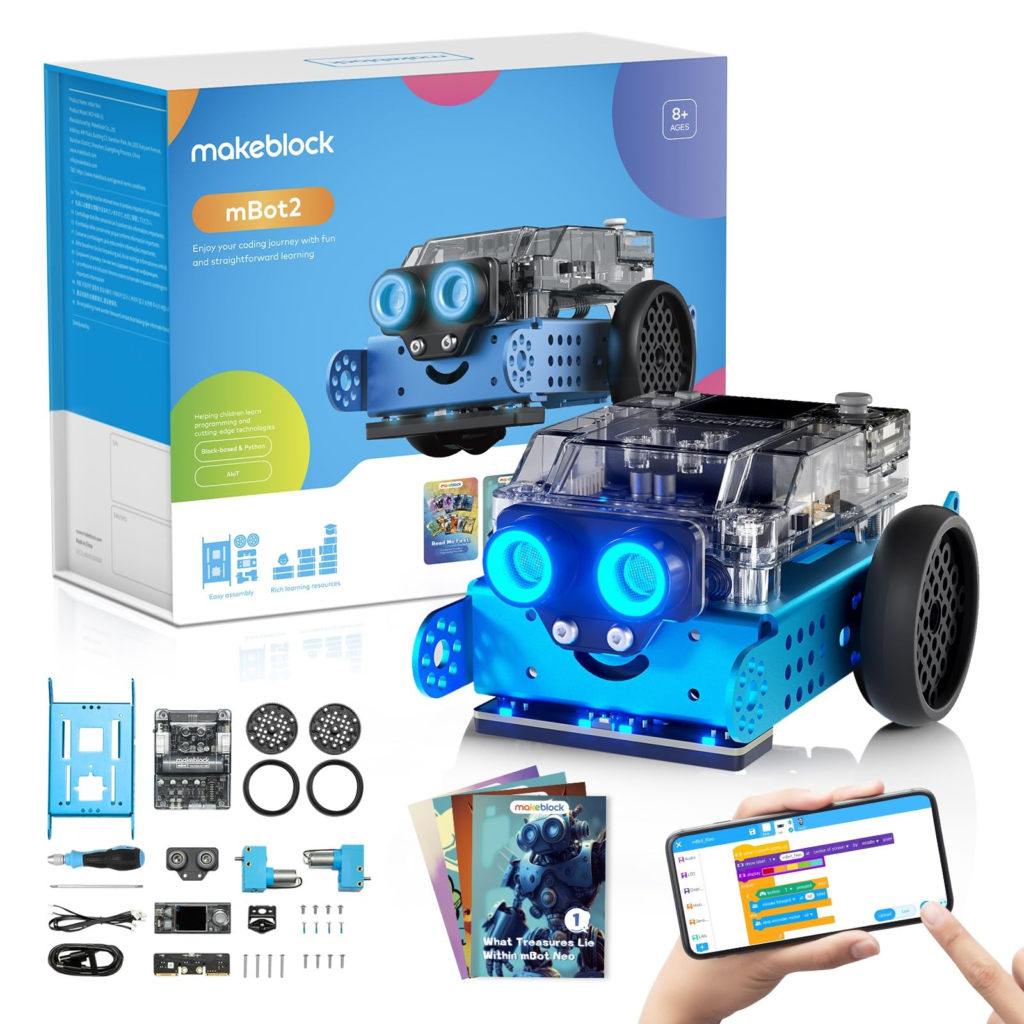
The mBot2 is a next-generation programming robot with dramatically enhanced internal systems, while inheriting the “fun of assembly” and “joy of movement” concepts of the mBot, which has been installed in several million units worldwide.
The biggest change is the adoption of the CyberPi, a high-performance microcomputer, as the central unit that serves as the robot’s “brain. CyberPi is equipped with a full-color LCD display, speakers, and multiple high-precision sensors as standard equipment, making it a powerful learning tool on its own, but its true value is demonstrated when combined with the mBot2 chassis.
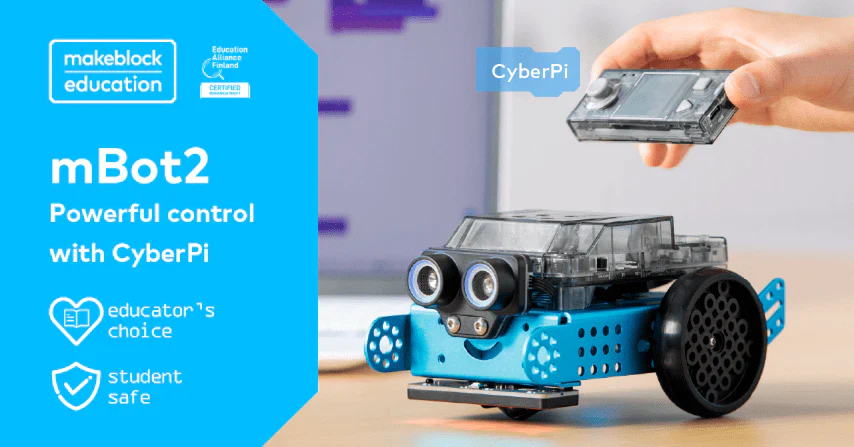
On the hardware side, the product uses an aircraft-grade aluminum alloy chassis. The design is highly robust and does not easily lose accuracy even after repeated disassembly and reassembly by children. Furthermore, the newly adopted “encoder motor” enables “millimeter-by-millimeter travel control” and “precise specification of rotation angle,” which were difficult to achieve with conventional DC motors, providing an environment for learning the basics of robotics with greater precision.

Summary of key points
What is mBot2?
- Next-generation learning platform: “CyberPi,” equipped with a high-performance CPU, enables learning of cutting-edge technologies such as AI (voice and image recognition), data science, and IoT.
- From “making” to “learning”: Assembly time is approximately 30 minutes to one hour. Provides an experience of building while understanding the physical structure using bolts and nuts.
- Multi-language support: Build a foundation in Scratch-based “block coding” and then move directly to text programming by generating “Python” code.
good point
- Unparalleled sensor performance: In addition to the built-in 3-axis gyro, 3-axis acceleration, optical sensor, and microphone, an externally connected “quad RGB sensor” can handle complex line tracing without difficulty.
- Precision Mobility: Encoder motors allow precise execution of instructions such as “go forward 10 cm and turn 90 degrees. Ideal for maze escape and automated driving simulations.
- Broad ecosystem: Hundreds of additional parts unique to Makeblock and compatible with LEGO bricks for unlimited expandability into your own original robot.
points of concern
- Installation cost: Since the original mBot was inexpensive, the price tag of 15,000 to less than 20,000 yen is an additional hurdle to overcome when introducing mBot at home.
- Wireless connection specifications: Direct connection may be unstable depending on the PC’s Bluetooth standard, and a dedicated Bluetooth dongle (sold separately) is recommended to build a comfortable environment.
- Slope of the learning curve: Too rich in features to allow a complete beginner (e.g., early elementary school student) to use all the features by himself/herself; requires an adult guide and appropriate curriculum.
Users who may be suitable for
- Kids looking to step up: Middle and high school students who are familiar with visual programming, such as Scratch, and want to try more advanced control and Python.
- Educators: School and cram school teachers who want to teach the basics of IoT mechanisms, data measurement, and AI in one package.
- Tech hobbyist adults: those who enjoy DIY projects like sending sensor data to the cloud or controlling appliances with AI voice recognition.
rough conclusion
It is the best educational robotics platform available today that allows you to quickly move up to the world of Python used by professional engineers while maintaining the excitement of play.
Frequently Asked Questions (FAQ)
- Price: Approx. 15,000-18,000 yen (varies depending on set contents and time of sale)
- Things that can be done: automatic driving, operation by voice recognition, acquisition of weather information by cloud linkage, display of home-made games, dance with multiple units, etc.
- Supported OS: Windows, macOS, iOS, Android, Chromebook.
- Demerit: Requires physical disassembly, so it is not as easy as replacing batteries (solved by the built-in battery system).
- Software update: New functions, such as AI functions, will be added as needed through the integrated development environment “mBlock 5”.
What is the price?
On the official website and major e-commerce sites, the basic set sells for around 15,000 yen to 18,000 yen. Compared to the original mBot, which was priced at less than 10,000 yen, this seems high, but considering the performance of the built-in CyberPi unit (with full-color LCD and Wi-Fi chip), the expensive rechargeable lithium battery as standard equipment, and the upgrade to a more powerful motor In fact, the cost-performance ratio has improved.
What will you be able to do?
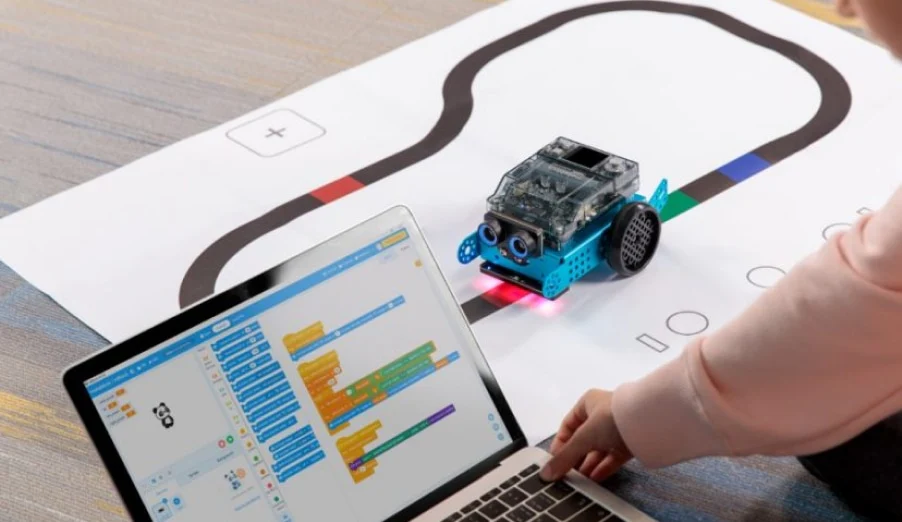
In addition to basic radio-controlled operation and obstacle avoidance, visitors can also experience the latest technology. Typical examples include “smart automatic driving,” which uses a microphone to recognize a voice saying “turn right,” and a quad-RGB sensor to detect differences in road color and stop. Furthermore, by linking with APIs on the Internet via Wi-Fi, it is even possible to learn to build real-life IoT systems, such as “If the weather is rainy tomorrow, the LCD screen will glow blue, and a speaker will sound an alert.
What OS and connection environment is supported?
Windows, macOS, iOS, Android, and Chromebooks can all be programmed using the dedicated “mBlock 5” software. The “Bluetooth dongle” for classroom use allows wireless transfer of driving programs without being tied down by cables. For tablets and smartphones, use the standard Bluetooth function to connect wirelessly.
Are there any disadvantages for beginners?
Due to its multifunctionality, the application (mBlock 5) has many menu items, and users who touch it for the first time may be confused about where to start. In addition, when venturing into advanced areas such as AI functions or data science, some of the official documentation may be English-based, or connection problems may occur immediately after the latest OS update. The key to avoiding frustration is for parents and instructors to initially support the user in setting up the environment and basic ways to run the system.
Are there any software updates available?
Yes, very often. mBlock puts a lot of effort into software development, and its control software, mBlock 5, is constantly evolving to keep up with the latest technology trends. One of its strengths is that it continues to offer new ways to play and learn even after purchase, for example, by adding extensions that incorporate the latest AI technologies, such as ChatGPT, into the programming.
Specifications Summary
| (data) item | Contents |
| Main board (brain) | CyberPi (ESP32-WROVER-B / Xtensa® LX6 240MHz) |
| display | 1.44″ full color IPS LCD (128 x 128) |
| Communication Functions | Wi-Fi / Bluetooth / USB Type-C |
| Built-in sensor | Optical sensor, microphone, 3-axis gyro, 3-axis acceleration |
| External Sensor | Ultrasonic sensor 2.0, Quad RGB sensor |
| Motor Performance | 2 high-precision encoder motors (controllable in 1-degree increments) |
| battery | 2500mAh Li-Ion (built into CyberPi Shield) |
| input-output port | 5V/12V compatible expansion port, mBuild port (daisy-chain compatible) |
| Manufacturer | Makeblock |
Reviews (Word of mouth)
Good Reviews
The thing that impressed me the most after switching from the original mBot was the ‘accuracy’ of its running. The previous DC motor would slow down or not run straight when the battery ran low, which was frustrating, but the mBot2, thanks to its encoder motor, follows its programmed trajectory perfectly. I realized that this accuracy is essential for learning to draw the shapes we learn in math.”
Source: Reddit r/STEMeducation
It is interesting that CyberPi can be played by itself as if it were a game console. At first, the kids were more interested in displaying dots on the LCD screen and making games by tilting the built-in sensor (using the acceleration sensor) than in making it run as a robot. Gradually, they became motivated to say, “I want to put this on a moving car! and naturally his interest shifted to robotics.”
Source: Amazon.com Global Reviews
It is different from others in its completeness as a teaching tool. The hardware is robust, and the software is excellent in that it converts blocks into Python code with a single click. It’s a great tool.”
Source: Trustpilot / Makeblock Reviews
The powerful Wi-Fi communication functionality of multiple robots made it easy to demonstrate ‘cooperative driving,’ where one robot spots an obstacle and the other robots stop. It was like building a miniature version of the logistics system of the future, and the students’ eyes lit up.” Source: Reddit r/RoboticsEducation
Neutral and Dissatisfied Reviews
The hardware has evolved wonderfully, but there is room for improvement in software connectivity. In particular, direct Bluetooth connectivity on a Windows PC is unstable, and I ended up having to buy a special dongle (sold separately). I really wish it came as a set from the start.”
Source: Kickstarter mBot2 Comments
It’s great for older children, but may be a bit of a hurdle for younger children.” The components are more detailed than the first generation, and the app interface is a bit more complex due to its many functions. For younger children, it may be safer to start with the original mBot or a simpler toy.” Source: Reddit r/ParentingTech
The higher price makes it difficult to let them touch it casually for fear that they might break it (laughs). But thanks to the built-in lithium battery, I no longer have to prepare four AA batteries to change them each time, and I don’t have to deal with the hassle and waste.
Source: Education Tech Blog (US)
comprehensive evaluation
The mBot2 is one of the best educational robots at the moment, with a perfect combination of “precise physical control of hardware” and “advanced intelligence of software”. The days of “just assembling it and turning it into a radio-controlled robot,” as in the past, are over, and now the question is “how to utilize AI, IoT, and cloud computing in programming”.
The mBot2 connects that gateway to professionalism in a single path. Although the initial cost is a bit high, it has the scalability and depth to be used from elementary school to high school graduation and beyond for a long time, making it the best choice as an investment for future engineers.
Comparison with “Mia,” a talking cat-shaped robot
Although the category of robots is the same, their purpose and user experience are completely different. mBot2 provides the joy of “actively creating,” and Mia provides the happiness of “passively healing”.
| Comparison items | mBot2″ learning robot | Mia, a cat-shaped robot |
| Appearance and Design | Mechanical and cool aluminum body | Fluffy and affectionate cat-shaped design |
| Main applications | Mastery of programming skills, logical thinking | Mental care, daily talk, help with habits |
| User behavior | Write and modify your own programs | Exchange greetings and enjoy chatting in dialects |
| Key Technologies | Python control, encoder motors, IoT integration | ChatGPT linkage, speech recognition, dialects of 47 prefectures in Japan |
| Long-term experience | Evolving with each new feature and project | Daily conversations strengthen ties like a “family”. |
| Suitable installation location | Study desk top, large living room floor | Bedside, next to the desk at work, living room shelf |
| Price | Around 15,000-18,000 yen | From 9,800 yen (tax included) |
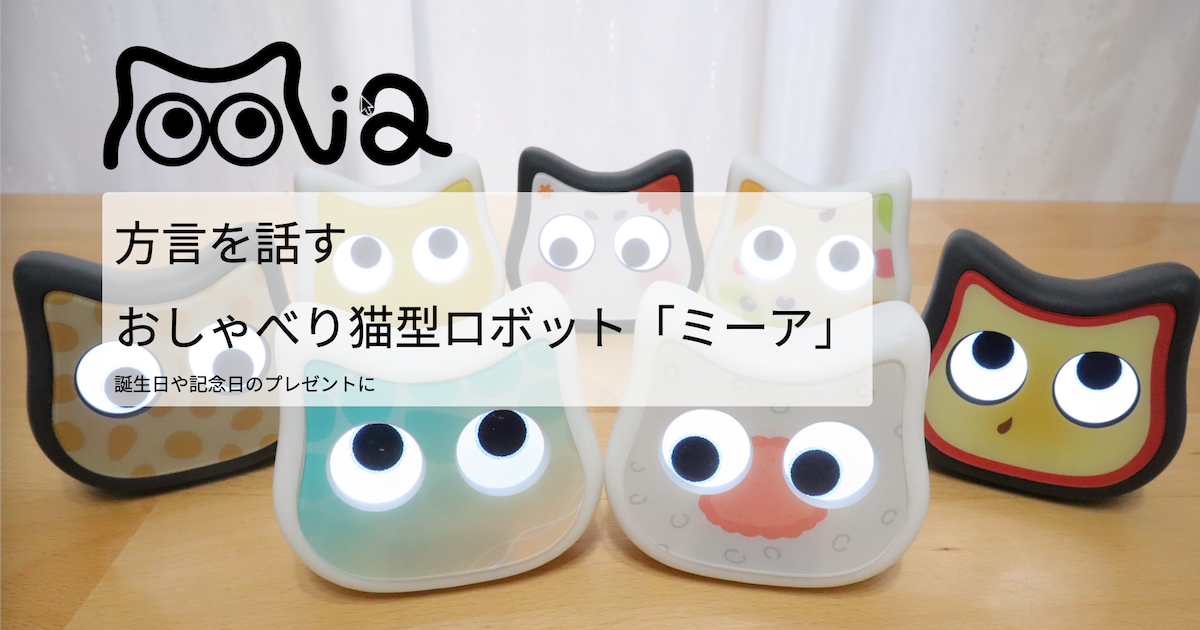
Key points of comparison: Mia emphasizes “warmth that accompanies daily life. With its unique Japanese dialect of speech and affordable price of less than 10,000 yen, it is a suitable choice for those who want to easily incorporate everyday healing and familiarity into their daily lives.
👇 Talking cat-shaped robot “Mia” that speaks 47 dialects nationwide
summary
mBot2 is recommended for:
- Those who want to take their first steps into “the world of serious engineering.”
- Those who want to learn Python naturally, not just Scratch (blocks), but also Python for future work.
- Curious parents and children who want to build and run AI voice recognition and smart home appliance mechanisms with their own hands.
- The educational field is feeling inadequate with “toy robots” of low precision.
The mBot2 is an extremely dense educational tool that simultaneously fosters logical thinking, problem-solving skills, and the ability to adapt to the latest technology. The moment you assemble a single robot and finish writing its first code, you will find yourself in a vast digital horizon.
👀 Also read this article.
👉 [2026 Edition] 6 Latest Pet Robots to Heal Pet Losses – Thorough Comparison of Cat, Dog, and Healing Models
👉 [2026 Edition] Recommended pet robots for under 10,000 yen
👉What is “Mia”, an AI pet robot that speaks 47 dialects nationwide?