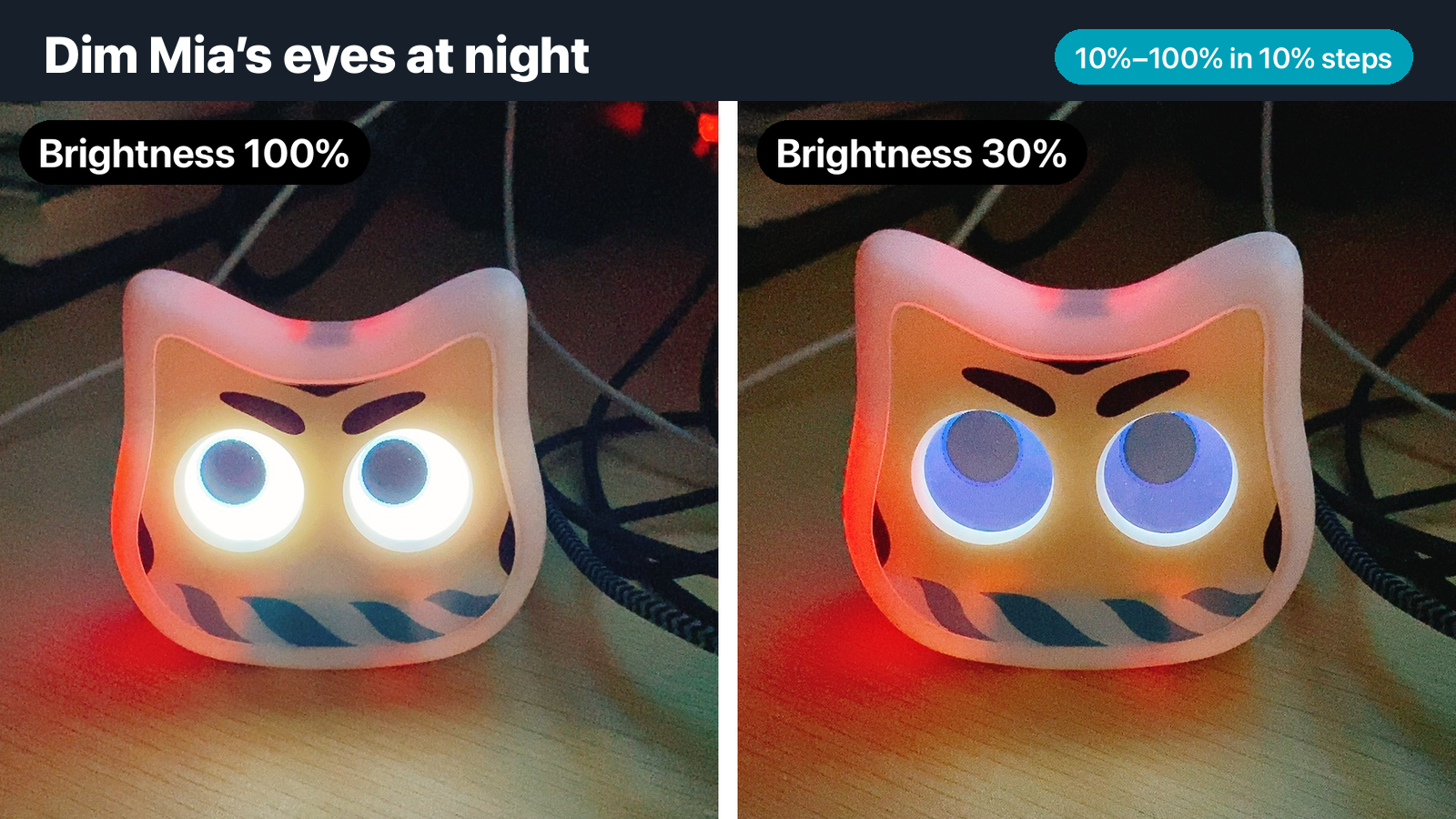
When the room is dark at night, Mia's eyes can be too bright. We heard that feedback, and you can now change the brightness of Mia's eyes from the app (app version 1.24.0).
You can keep Mia's eyes dim at night, for example in a bedroom or living room.
Requirement
Mia's firmware must be version 1.14.0 or later. If yours is older, see "Update the firmware" below.
Supported models
| Model | Supported |
|---|---|
| Standard Model | Yes (firmware 1.14.0 or later) |
| Conversation Model | Yes (firmware 1.14.0 or later) |
What does it do?
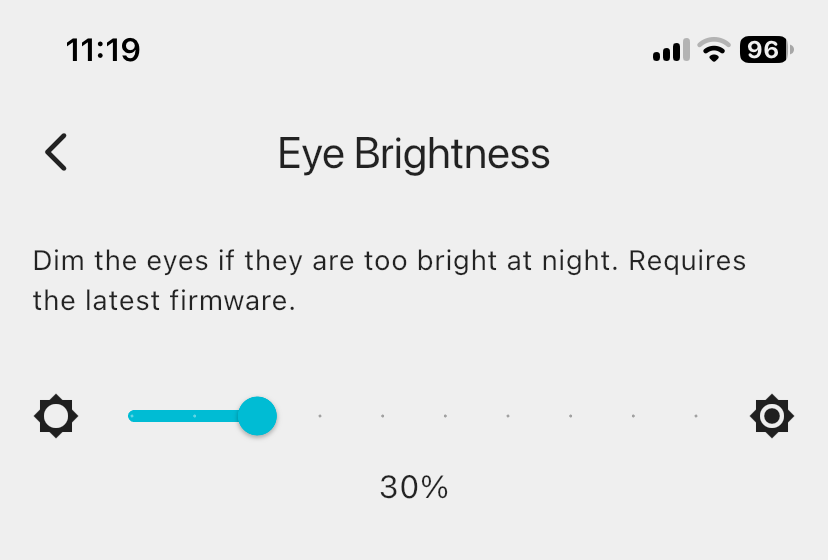
You adjust the brightness of Mia's eyes with the slider in the app. You can choose from 10% to 100% in 10% steps (10%, 20%, 30% … 100%). The default is 100%.
You can't set 0%, because eyes that go completely dark would look like a malfunction.
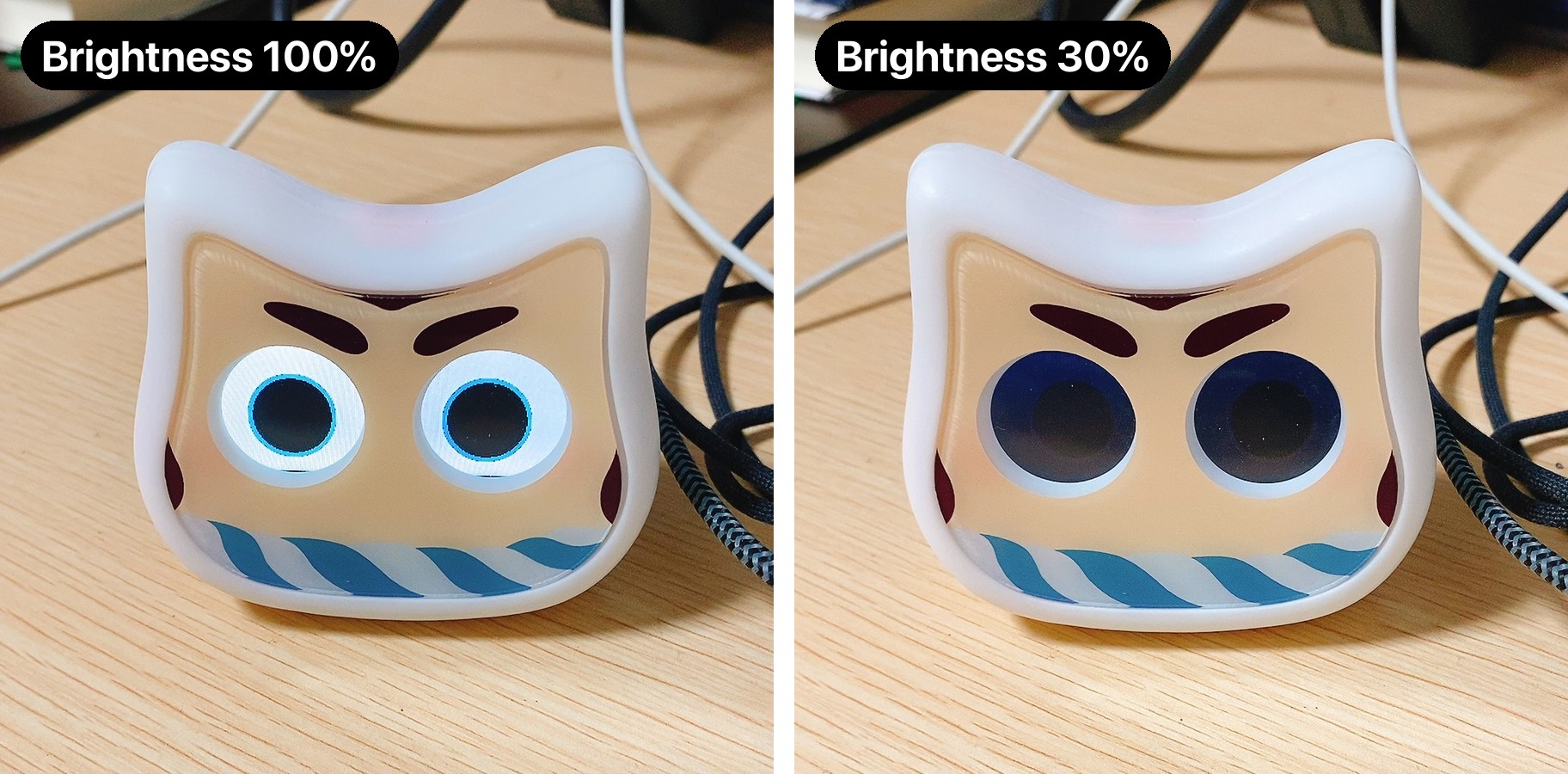
The photos below show the same Mia at 100% and at 30%.
In a bright room
In a bright room, the eyes are still clearly visible at 30%.
In a dark room
When the room is dark, the eyes at 100% glow strongly enough to light up Mia's face. At 30% the light is softer and less distracting in a room where you sleep.
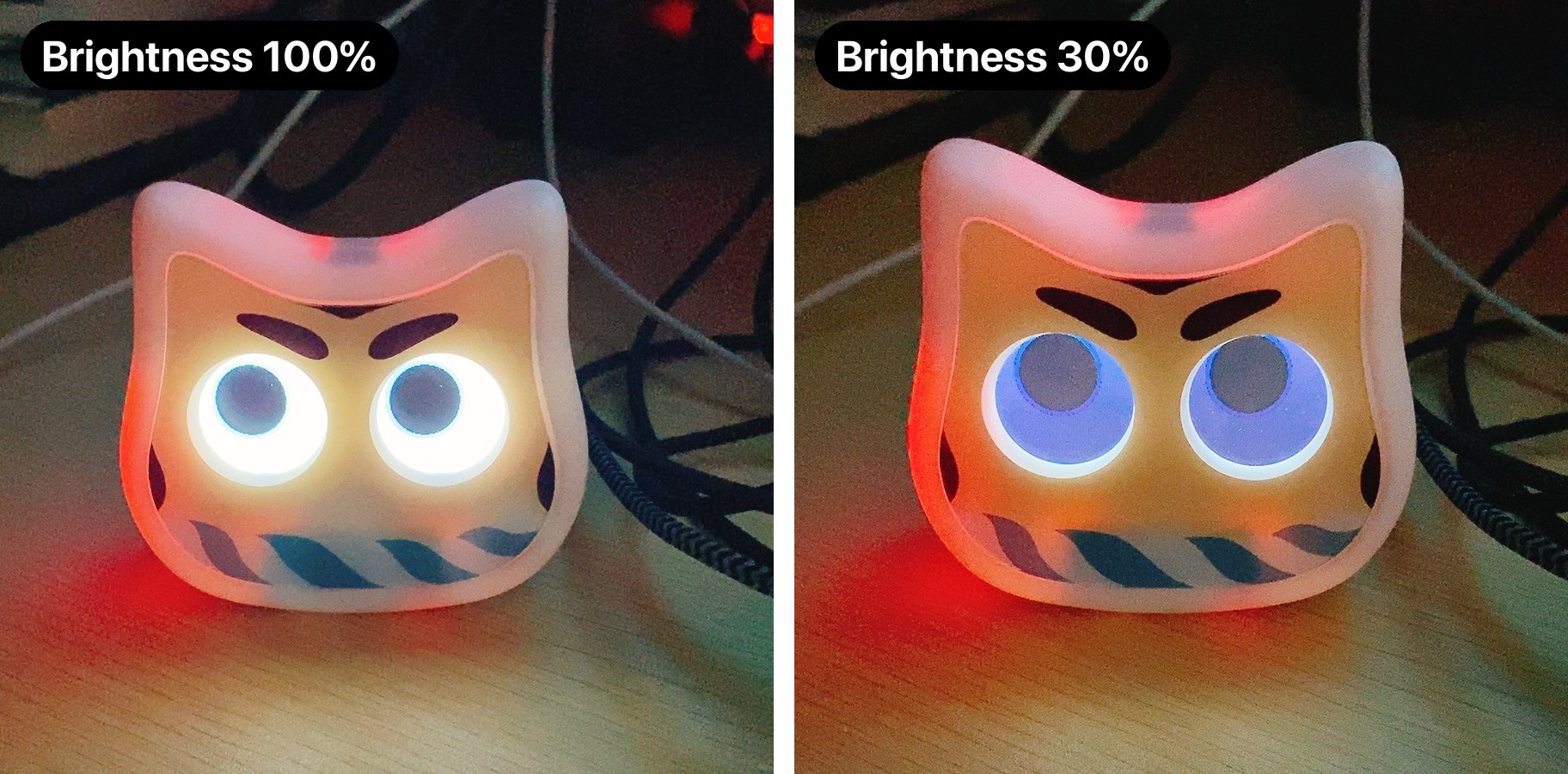
The photos were taken with a smartphone camera. Because of the camera's automatic adjustment, they may look different from what you see in person.
How to set it
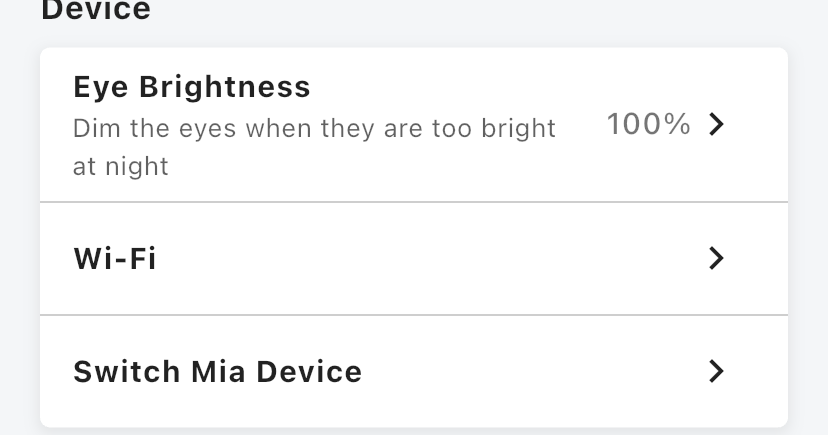
1. Tap "Eye Brightness" on the Home screen
Scroll down the Home screen. "Eye Brightness" is the first item in the "Device" section, and it shows the current brightness (%).
2. Choose the brightness with the slider
Move the slider to the left to dim the eyes and to the right to brighten them. It moves in 10% steps. The setting is sent to Mia when you lift your finger.
Update the firmware
To change the eye brightness, Mia's firmware must be 1.14.0 or later. If a firmware update is available, the app shows a notice. Follow the notice to update.
Suggested ways to use it
- Mia is in your bedroom: around 30% at night, as in the photos above, keeps her eyes from being too bright in a dark room.
- You want day and night settings: lower it in the evening and set it back to 100% in the morning.
FAQ
Will it be harder to see Mia's eyes?
The picture of the eyes stays the same. Only the displayed colors are made darker.
The setting doesn't take effect
Check that the firmware is 1.14.0 or later and that Mia is connected to Wi-Fi. If Mia is offline, the setting can't reach her.
With the Conversation Model
Even with her eyes dimmed at night, the Conversation Model lets you talk to Mia by touching her head. It's a nice way to have a short chat before bed.
🐱 Conversation Model details and purchase
Mia (Black) Conversation Model / Mia (White) Conversation Model
Summary
- Adjust Mia's eye brightness with a slider, from 10% to 100% in 10% steps
- Open "Eye Brightness" in the "Device" section of the Home screen
- Firmware 1.14.0 or later is required
If you have any questions, please contact us from "Help & Contact" in the app.
👀 You may also like:
👉 2026 Guide: AI Pet Robots for Elderly Loneliness – A Comparison of 10 Companion Robots
👉 2026 Edition: 9 Recommended Pet Robots Under $150 – Cheap, Cute, and Healing Models
👉 Monthly and Maintenance Costs of Pet Robots: Moflin, LOVOT, Mia, and More
👉 Mia – Your Chatty AI Cat Companion Robot with 100+ Expressions