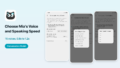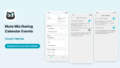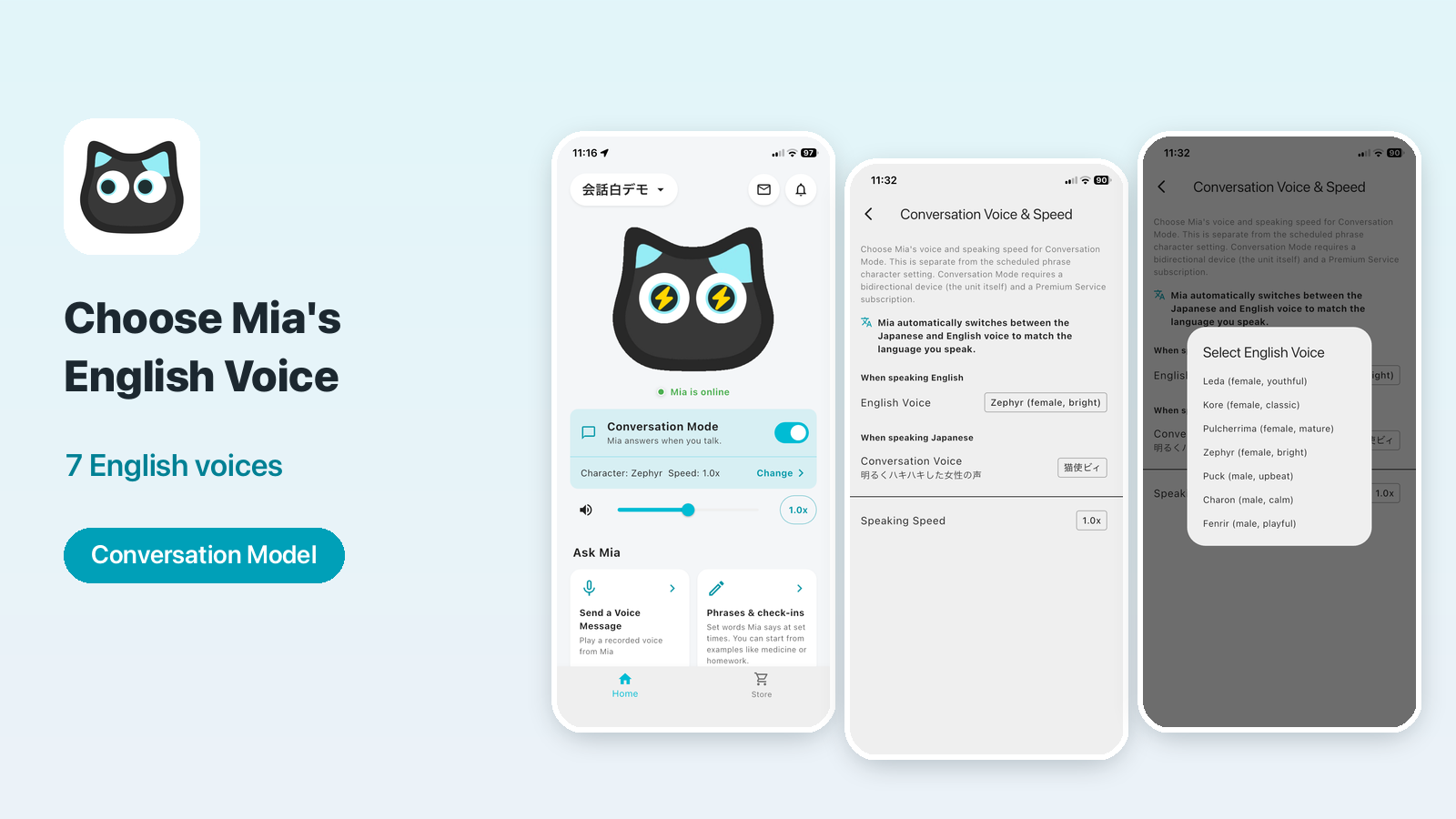
With the Mia app (version 1.24.0), you can now choose Mia's English voice in Conversation Mode from 7 voices.
The English voice and the Japanese voice are set separately. Mia switches between them automatically to match the language you speak. The English voice you choose is also used when Mia reads out things like the weather in English.
Requirement
Conversation Mode needs a Conversation Model (the device) and the monthly Premium service. See Mia's Two-Way Conversation Mode for details.
Supported models
| Model | Supported |
|---|---|
| Conversation Model | Yes: English conversation voice and read-aloud voice (Premium service required) |
| Standard Model | Partly. English conversation isn't available. If the app is set to English, you can choose from the same 7 voices for read-aloud (weather, calendar and phrases) |
For English mode on the Standard Model, see the English mode article.
What you can do
- Choose Mia's English conversation voice from 7 voices
- Set the English voice and the Japanese voice (conversation character) separately
- Mia switches automatically: Japanese voice when you speak Japanese, English voice when you speak English
It's useful when your child practices English with Mia, or when you have family from overseas. You can pick the voice you like best.
How to set it
1. Open "Conversation Voice & Speed"
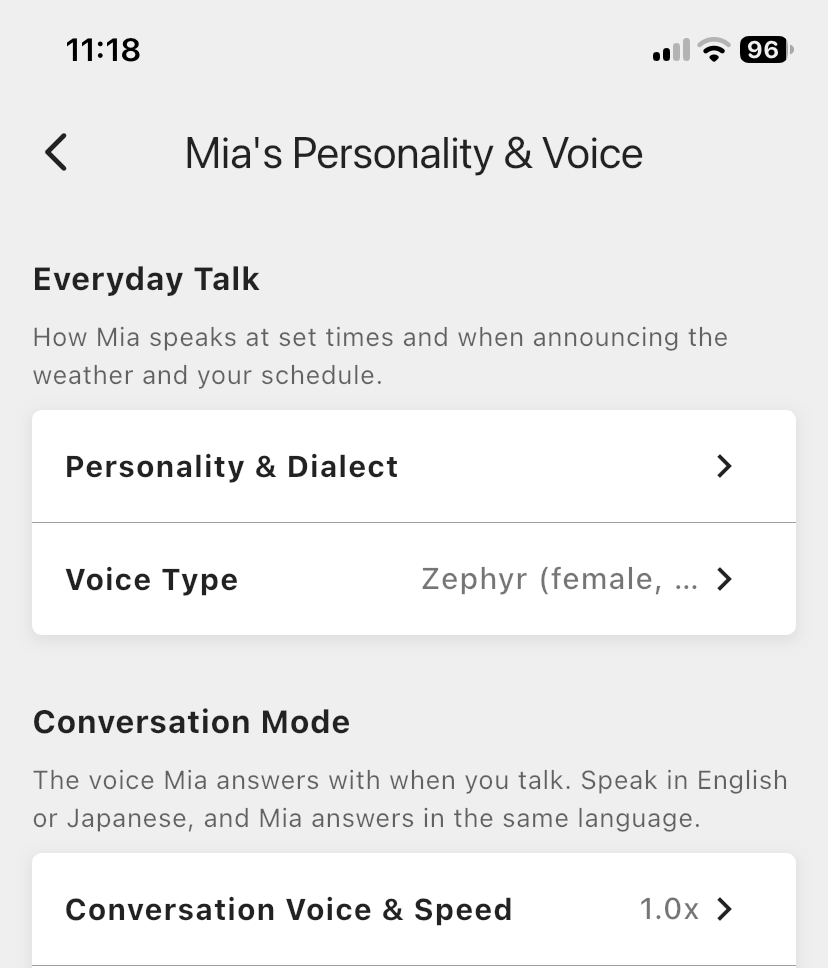
Tap "Change Personality & Voice" on the Home screen. On the "Mia's Personality & Voice" screen, choose "Conversation Voice & Speed" in the "Conversation Mode" section.
2. Choose "English Voice" under "When speaking English"
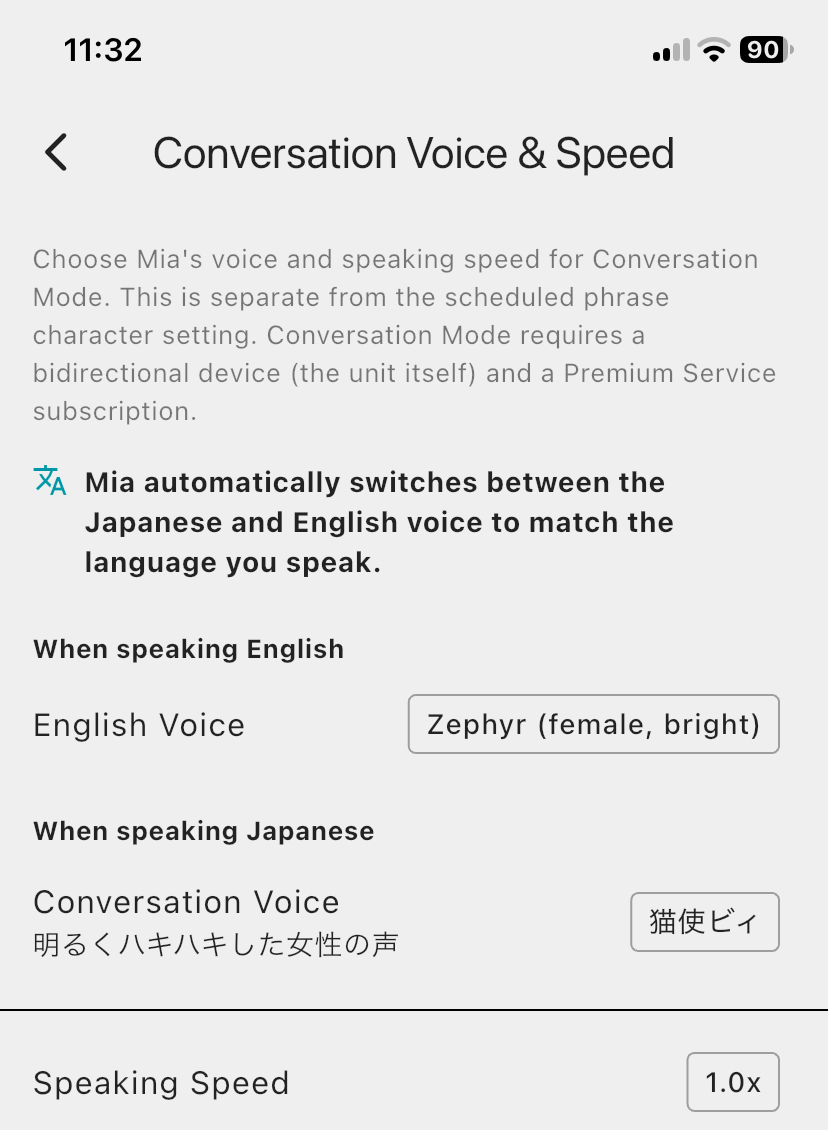
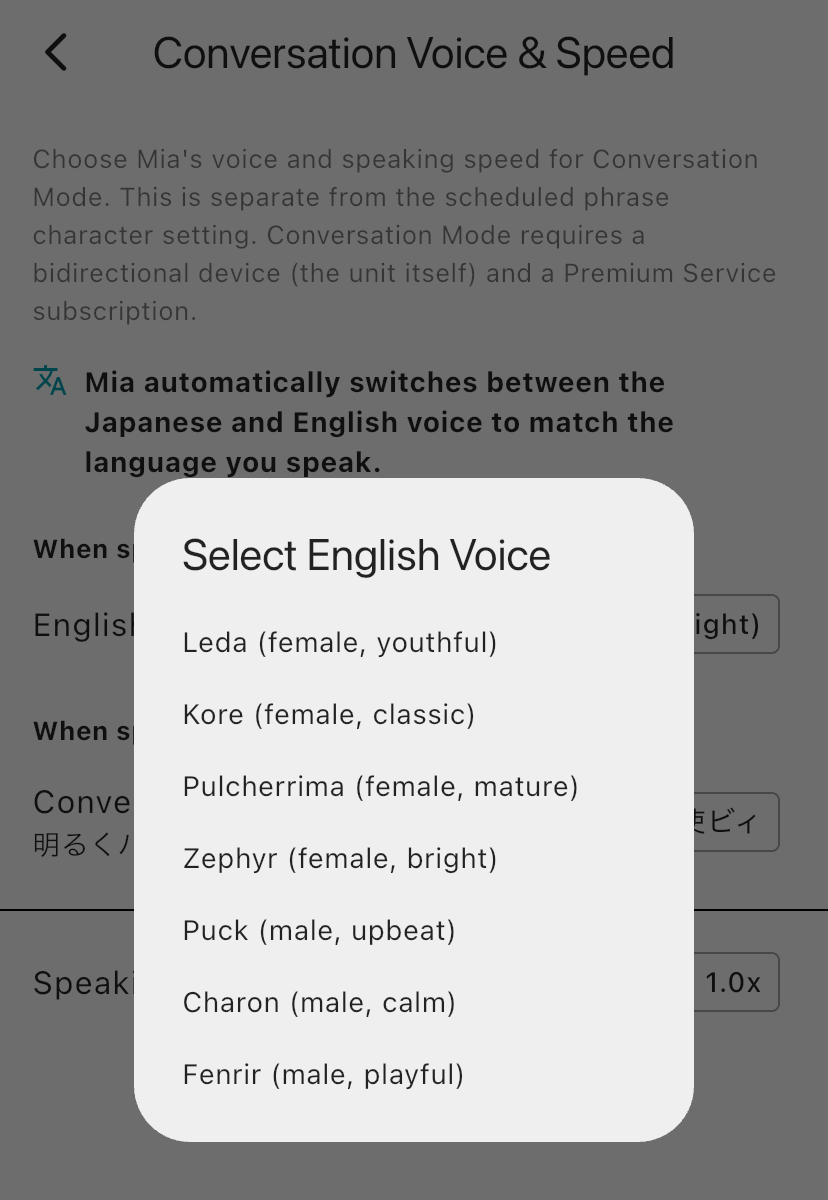
The screen has two sections: "When speaking English" and "When speaking Japanese". Tap "English Voice" in the English section and choose a voice. The text at the top of the screen says "Mia automatically switches between the Japanese and English voice to match the language you speak."
The 7 voices
| Voice | Description |
|---|---|
| Leda | Female, youthful |
| Kore | Female, classic |
| Pulcherrima | Female, mature |
| Zephyr | Female, bright |
| Puck | Male, upbeat |
| Charon | Male, calm |
| Fenrir | Male, playful |
They appear in this order in the list.
The same voice shows up under "Voice Type"
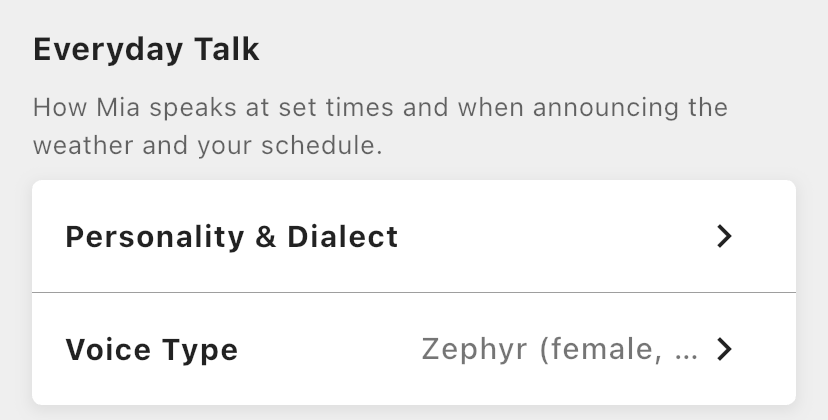
The English voice is the same setting as "Voice Type" in the "Everyday Talk" section of the "Mia's Personality & Voice" screen. If you change one, the other changes too. That is why the voice you choose is also used when Mia reads out the weather and similar things in English.
If you use the Standard Model
English conversation is available only on the Conversation Model. The Standard Model mainly reads out phrases and the weather in English mode. If the app is set to English, you can still choose the read-aloud voice from the same 7 voices.
With the Conversation Model, your child can speak English to Mia and Mia answers in English. There are 7 voices, so you can choose one your child likes.
🐱 Conversation Model details and purchase
Mia (Black) Conversation Model / Mia (White) Conversation Model
FAQ
Can I change the Japanese voice too?
Yes. In the "When speaking Japanese" section, you can choose from 15 characters. See the Conversation Voice & Speed article.
Does it change the voice for the weather forecast too?
Yes. The English voice is the same setting as "Voice Type", so the voice you choose is used for English conversation and for English read-aloud of the weather, calendar and phrases. The Japanese read-aloud voice is chosen in "Voice Type" as female or male. For how to use English mode, see the English mode article.
Summary
- Choose Mia's English conversation voice from 7 voices
- Set the English and Japanese voices separately
- Mia switches automatically to match the language you speak
- The English voice you choose is also used for English read-aloud
If you have any questions, please contact us from "Help & Contact" in the app.
👀 You may also like:
👉 2026 Guide: AI Pet Robots for Elderly Loneliness – A Comparison of 10 Companion Robots
👉 2026 Edition: 9 Recommended Pet Robots Under $150 – Cheap, Cute, and Healing Models
👉 Monthly and Maintenance Costs of Pet Robots: Moflin, LOVOT, Mia, and More
👉 Mia – Your Chatty AI Cat Companion Robot with 100+ Expressions