Mia, the AI cat robot, now has conversation mode. Tap her head, talk to her, and she answers you in her own voice.
The Standard Model plays dialect phrases, weather updates, calendar reminders and family voice messages on a schedule. With conversation mode, you can talk back, and Mia replies in real time, in English or Japanese.
This article covers what you need, how to use it, and how it differs from the Standard Model.
🐱 Get the Conversation Model
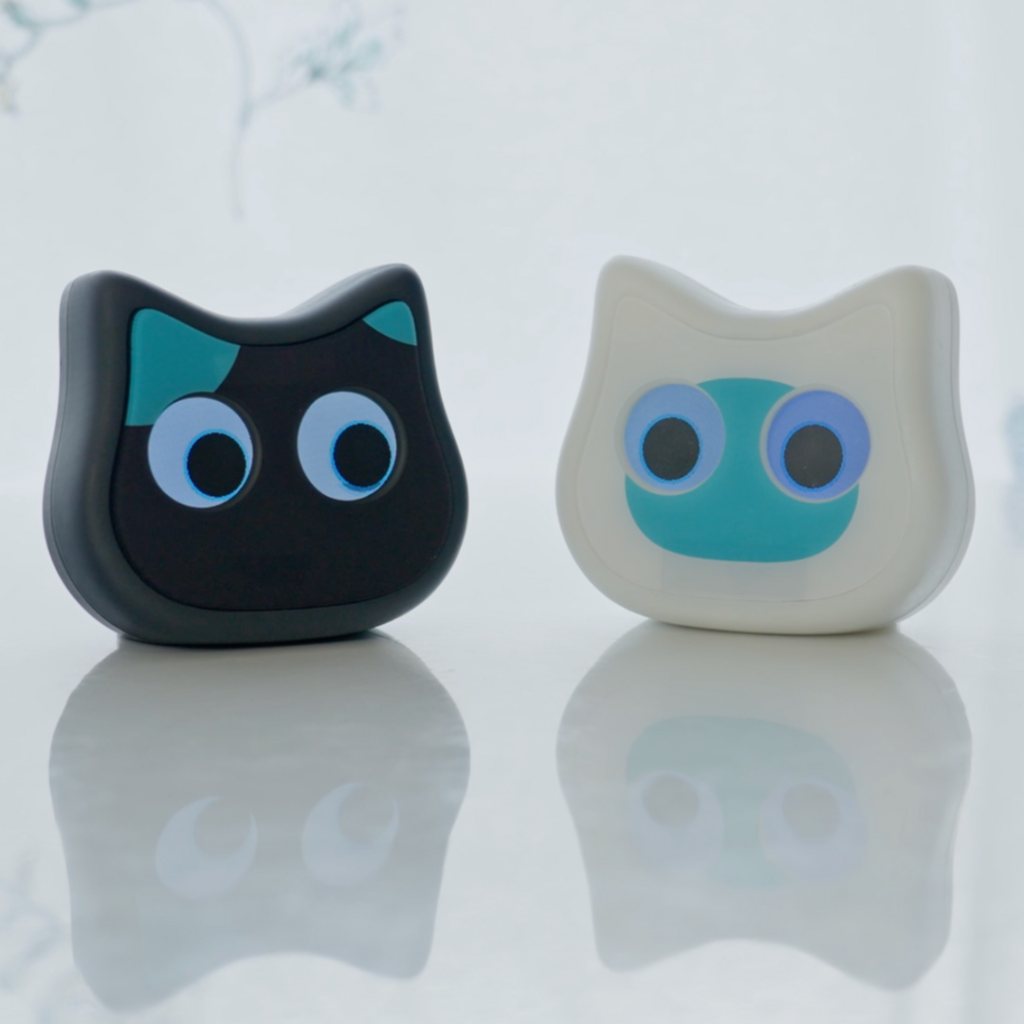
Mia Conversation Model (Black) / Mia Conversation Model (White)
What you need to use conversation mode
Conversation mode doesn't work on every Mia. You need two things.
1. The Conversation Model (Mia hardware)
Conversation is only available on the Mia Conversation Model (shown in the store as the "Two-Way Model"), US$199 in white or black.
The Standard Model plays recorded phrases. It doesn't have the microphone and audio processing needed to listen and reply, so to use conversation mode you need the Conversation Model.
2. The Premium plan (/month)
The Conversation Model alone isn't enough. You also need the Premium plan, $2/month.
When you talk, your voice is sent to a server, an AI writes a reply, and Mia speaks it in her voice. The Premium plan covers that processing. It includes up to 5 hours of conversation per month.
How to use conversation mode
Turn on conversation mode in the app
Once you have the Conversation Model and the Premium plan, turn on conversation mode from the Home screen of the Mia app.
Start a conversation: tap Mia's head
Step 1: Tap Mia's head to begin
Tap Mia's head once and she greets you. That means the conversation has started.
Step 2: Talk to Mia
After the greeting, just talk. Mia hears what you say, an AI writes a reply, and she answers you. Questions, small talk, what happened today: there is no special way to say things.
Here, "I'm bored. Tell me a riddle." gets a riddle, and a short pause to think before each answer (English audio, English subtitles).
Step 3: Tap her head again to finish
To end the conversation, tap Mia's head again.
It ends on its own after 3 minutes of silence
If about 3 minutes pass without anyone talking, the conversation ends automatically. You don't need to do anything.
Turn conversation mode off to go back to normal
When you turn conversation mode off, Mia goes back to her usual behavior. Dialect phrases, weather updates and Google Calendar reminders keep working as before.
What you can talk about
There is no fixed list of commands. A few things owners often do:
- Small talk and how your day went. Mia listens and responds to how you feel
- Ask about the weather. "What's the weather like today?"
- Have her remember things. Tell her about a plan, and she asks how it went later. See how Mia's conversation memory works
- Switch between English and Japanese. Speak English and she answers in English; speak Japanese and she answers in Japanese. See Mia's English conversation voices
- Set an alarm by voice. "Wake me up at 7." See how to use Mia's alarm
You can also choose her voice, speaking speed and personality in the app. See conversation voice and speed and tone and dialect.
Standard Model vs. Conversation Model
| Feature | Standard Model | Conversation Model |
|---|---|---|
| Price | US$149 | US$199 |
| Dialect voice prompts | ○ | ○ |
| Weather & Google Calendar | ○ | ○ |
| Family voice messages | ○ | ○ |
| Conversation mode (answers when you talk) | × | ○ (Premium plan, $2/month) |
| Core features without Wi-Fi | ○ | ○ |
Everything the Standard Model does, the Conversation Model does too. If you want Mia to answer you, you need the Conversation Model and the Premium plan.
When conversation mode helps
- When you are home alone and want someone to talk to
- When you want to tell someone how your day went
- When your kids want to chat with Mia
- When an older family member could use a daily conversation partner
Here, "I had a rough day." gets a kind word, and Mia asks if there's anything you'd like to talk about (English audio, English subtitles).
If you only want daily greetings in a dialect, weather updates or calendar reminders, the Standard Model already does that with no subscription.
FAQ
Q. Can I use conversation mode on my Standard Model Mia?
A. No. Conversation mode only works on the Conversation Model.
Q. Is the $2/month Premium plan required?
A. Yes, to use conversation mode. Owning the Conversation Model alone doesn't enable it.
Q. What happens when I use up the 5 hours in a month?
A. Conversation mode stops for the rest of that month. It resets at the start of the next month.
Q. Does it work in English?
A. Yes. Speak to Mia in English and she answers in English. You can choose from 7 English voices.
Q. Does Mia always listen?
A. No. She listens only after you tap her head to start a conversation, and stops when you tap again or after about 3 minutes of silence.
Summary
Mia's conversation mode needs the Conversation Model (US$199) and the Premium plan ($2/month, up to 5 hours a month). Tap her head to start, talk freely, and tap again to finish. Dialect phrases, weather and Google Calendar reminders work the same as on the Standard Model.
Mia Conversation Model (Black) / Mia Conversation Model (White)
👀 You may also like:
👉 2026 Guide: AI Pet Robots for Elderly Loneliness – A Comparison of 10 Companion Robots
👉 2026 Edition: 9 Recommended Pet Robots Under $150 – Cheap, Cute, and Healing Models
👉 Monthly and Maintenance Costs of Pet Robots: Moflin, LOVOT, Mia, and More
👉 Mia – Your Chatty AI Cat Companion Robot with 100+ Expressions