App name: Mia (Android package name: com.earbrain.mia)
Provider: EarBrain, Inc.
This page explains how to delete your Mia app account and the user data linked to it.
Delete your account from the app
You can delete your account and user data from within the app. The steps differ slightly by app version. These are the steps for app version 1.24.0 or later.
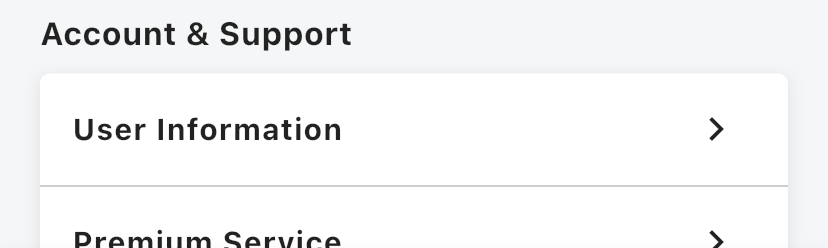
1. Tap "Help & Contact" in the "Account & Support" section of the Home screen
Scroll down the Home screen. The "Account & Support" section is at the bottom.
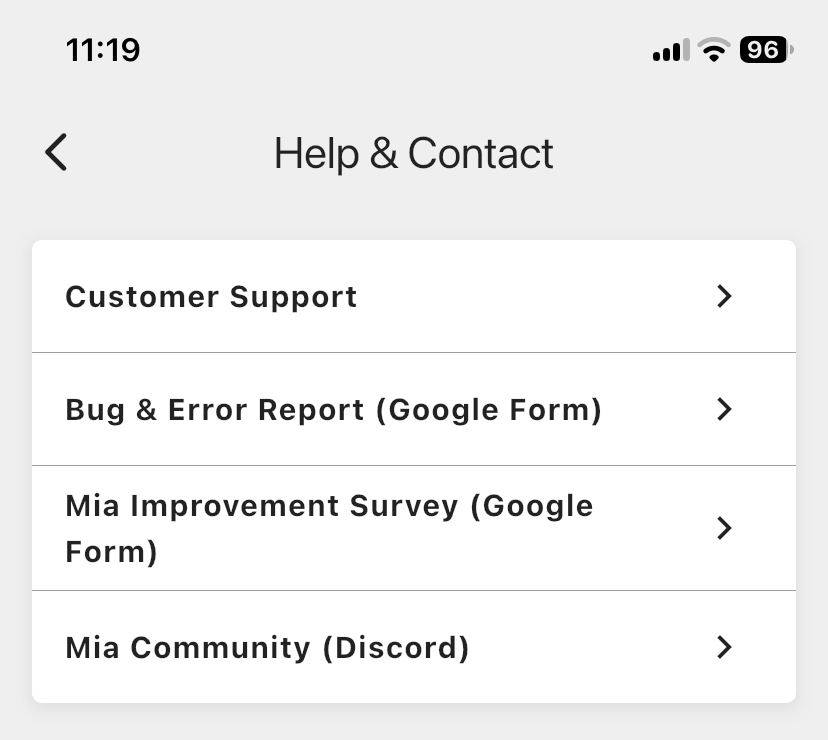
2. Tap "Customer Support"
3. Tap "Withdraw"
"Withdraw" is below "Logout".
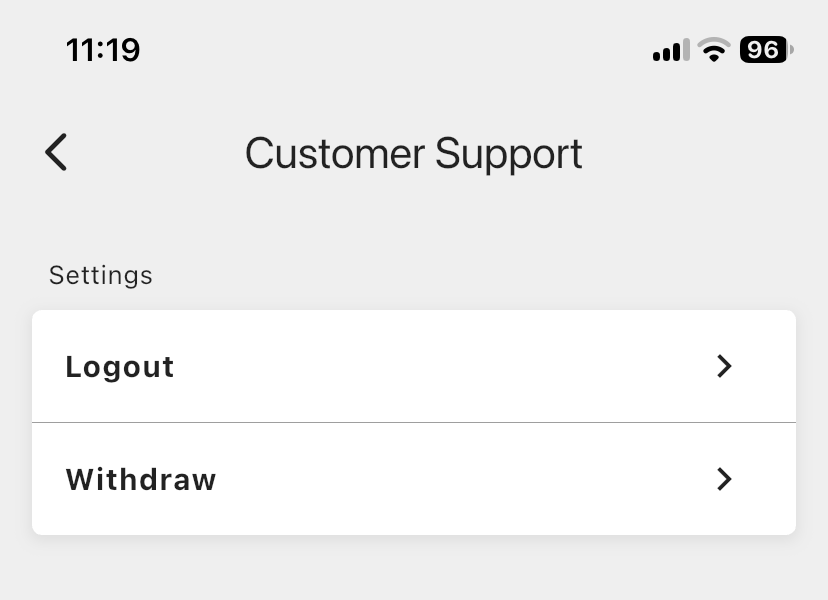
4. Confirm on the confirmation screen
The app asks "Are you sure you want to withdraw? This action cannot be undone." Confirm to complete the withdrawal.
Once the withdrawal is complete, your account and user data are deleted. They can't be restored, so please check before you proceed.
If you use app 1.23.0 or earlier
In versions that have a "Settings" tab at the bottom, open the "Settings" tab, scroll down, and open "Customer Support" inside "About This App". Then go to "Withdraw". The remaining steps are the same.
If you can't use the app
If you can't withdraw from the app, for example because the app isn't installed or you can't log in, please email us and tell us you want your account deleted.
- To: support@mia-cat.com
- Subject: Account deletion request
- Include in the message: the email address you registered with
We may contact you for identity verification.
Contact
EarBrain, Inc.
4-21-3-303 Midori, Sumida-ku, Tokyo 130-0021, Japan
support@mia-cat.com
👀 You may also like:
👉 2026 Guide: AI Pet Robots for Elderly Loneliness – A Comparison of 10 Companion Robots
👉 2026 Edition: 9 Recommended Pet Robots Under $150 – Cheap, Cute, and Healing Models
👉 Monthly and Maintenance Costs of Pet Robots: Moflin, LOVOT, Mia, and More
👉 Mia – Your Chatty AI Cat Companion Robot with 100+ Expressions