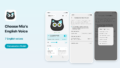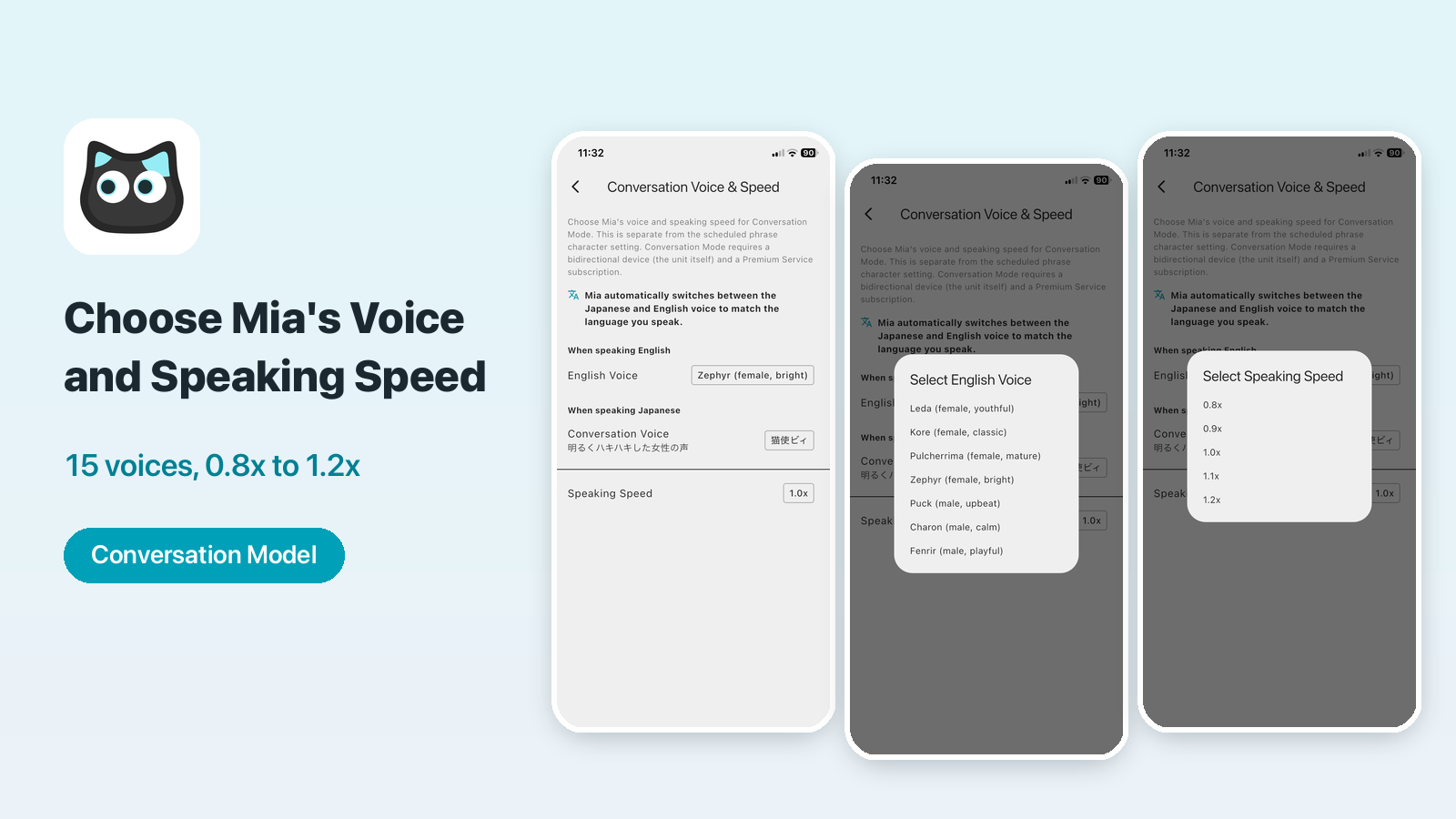
With the Mia app (version 1.22.0), you can now choose Mia's voice and her speaking speed in Conversation Mode.
Maybe you want Mia to speak a little more slowly, or you'd like a calm male voice. This article shows where to set it and how.
Requirement
Conversation Mode needs a Conversation Model (the device) and the monthly Premium service. See Mia's Two-Way Conversation Mode for details.
Supported models
| Model | Supported |
|---|---|
| Conversation Model | Yes (Premium service required) |
| Standard Model | No (it has no Conversation Mode) |
What you can do
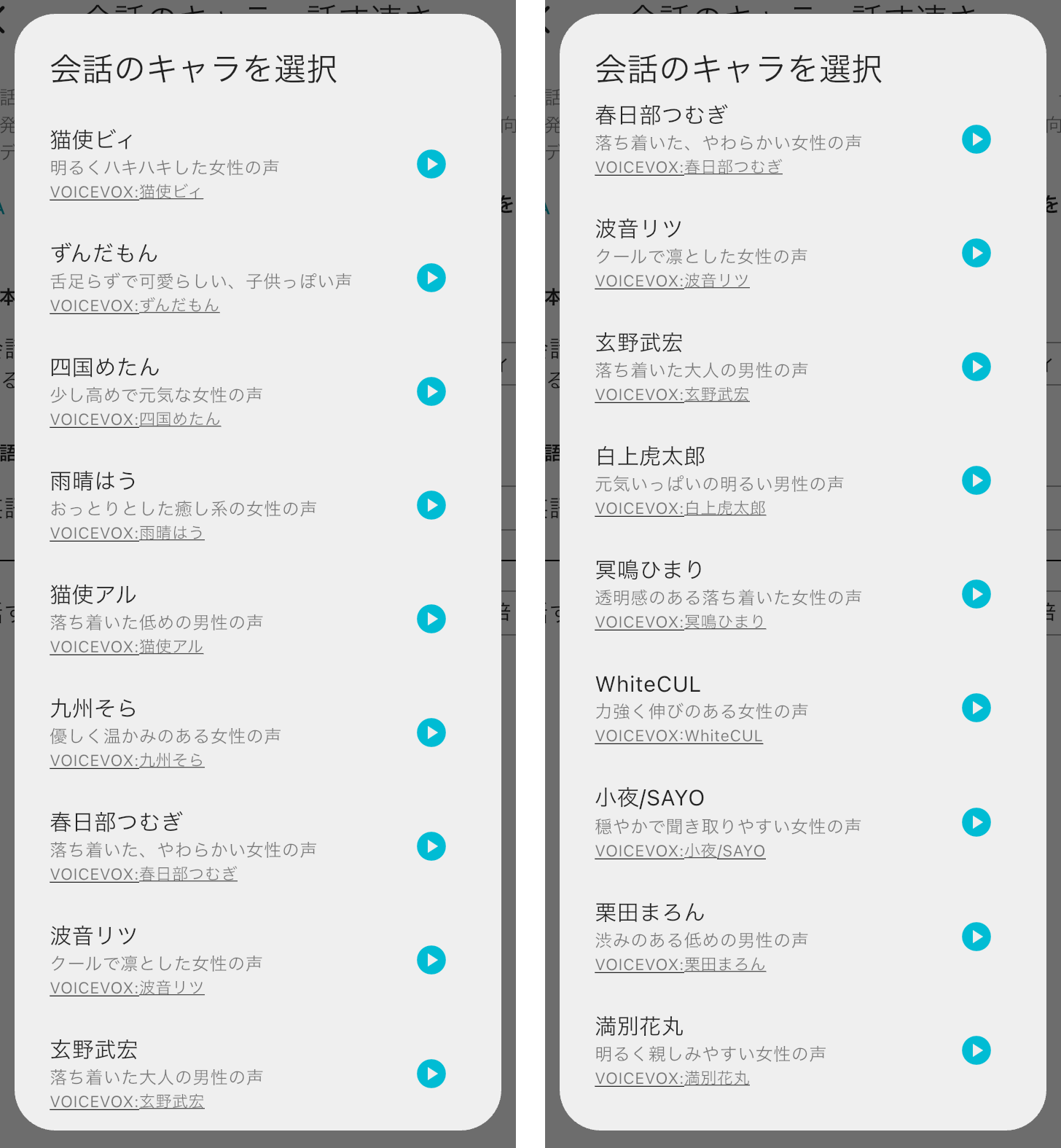
- Choose Mia's voice in Conversation Mode (the "conversation character") from 15 characters
- Preview a voice before you choose it
- Choose the speaking speed from 0.8x to 1.2x in 0.1 steps (the default is 1.0x)
This setting is for Mia's replies in Conversation Mode. The voice for the weather, calendar and phrases is a separate setting.
How to set it
1. Open "Conversation Voice & Speed"
The place depends on your app version.
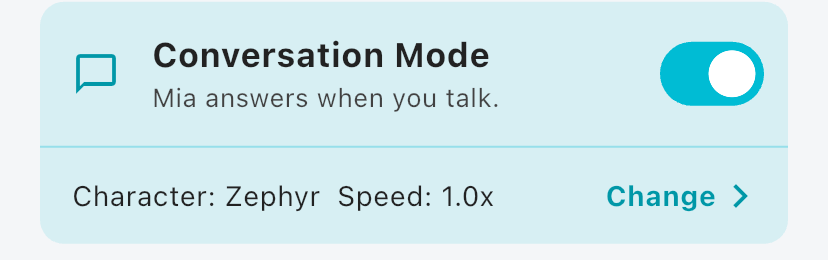
- App 1.24.0 and later: tap "Change Personality & Voice" on the Home screen. On the "Mia's Personality & Voice" screen, you find "Conversation Voice & Speed" in the "Conversation Mode" section. You can also open it with "Change" in the Conversation Mode card on the Home screen.
- App 1.22.0 to 1.23.0: choose "Conversation Voice & Speed" from the "Settings" tab at the bottom.
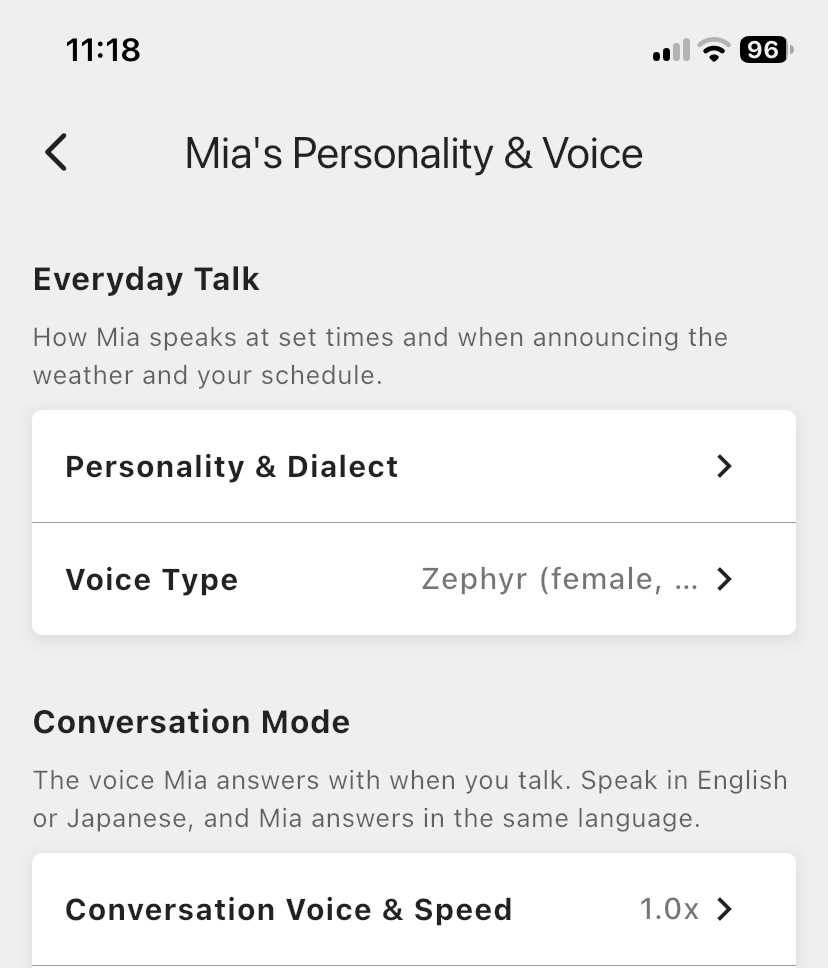
2. Choose a voice under "Conversation Voice"
The "When speaking Japanese" section has "Conversation Voice". Tap it to see the list of voices. Use the play button to preview each one before you choose.
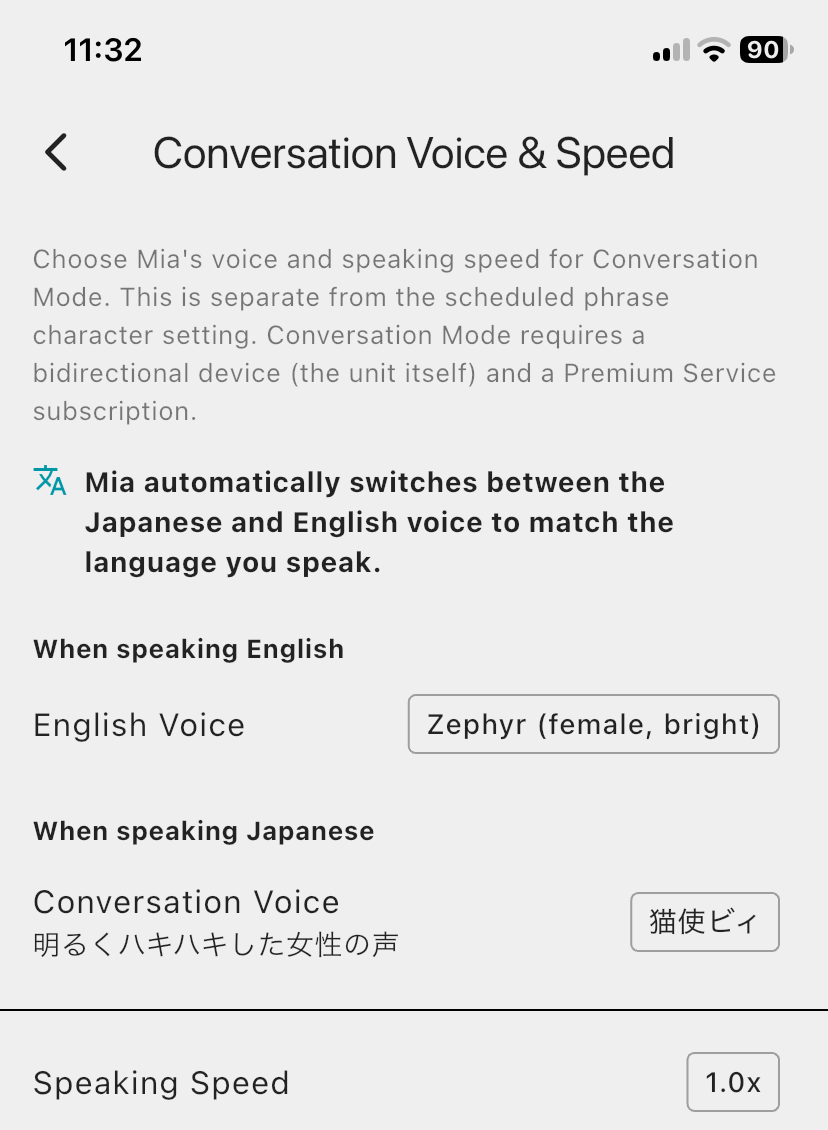
3. Choose the "Speaking Speed"
Tap "Speaking Speed" and choose from 0.8x to 1.2x. Use a smaller number if it's hard to follow, and a bigger number if you want Mia to speak at a brisk pace.
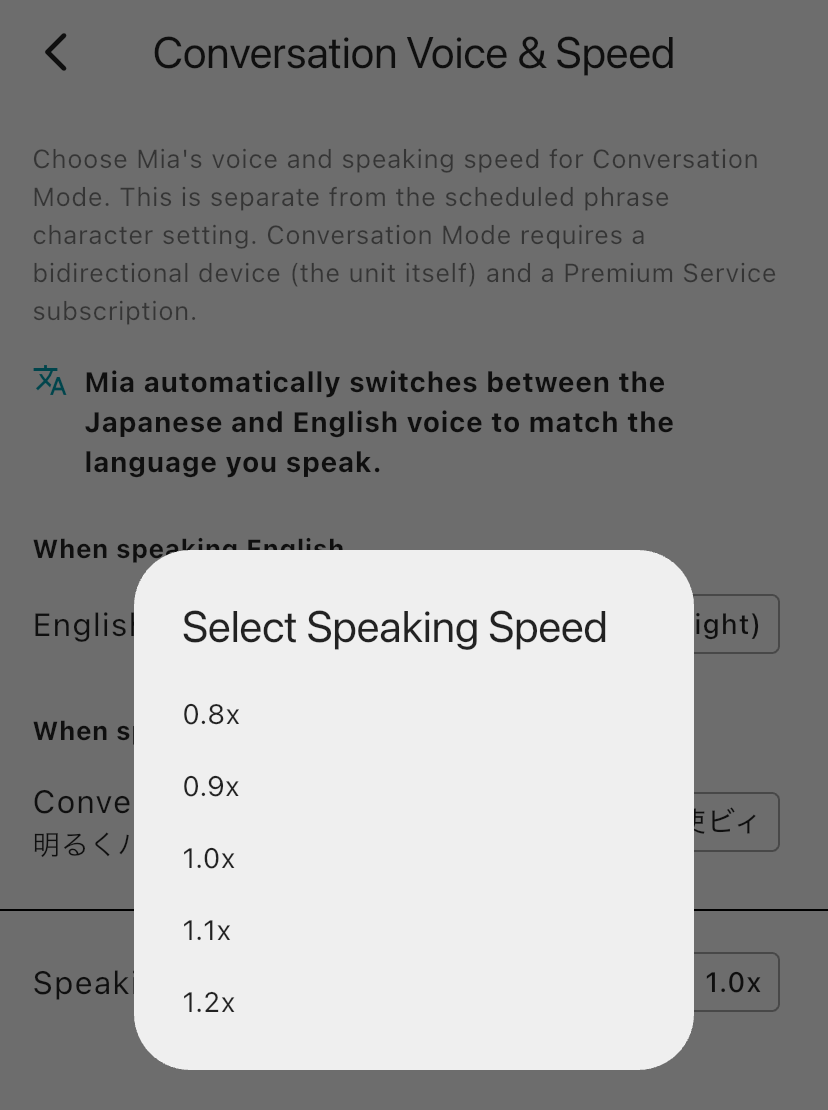
With app 1.24.0 and later, you can also change the speed with the speed button to the right of the volume slider on the Home screen.

The 15 voices
The descriptions are based on the ones in the app.
| Character | Description |
|---|---|
| 猫使ビィ (Nekotsukai Bii) | A bright, crisp female voice |
| ずんだもん (Zundamon) | A cute, childlike voice with a slightly lisping tone |
| 四国めたん (Shikoku Metan) | A slightly high, energetic female voice |
| 雨晴はう (Amehare Hau) | A gentle, soothing female voice |
| 猫使アル (Nekotsukai Aru) | A calm, lower male voice |
| 九州そら (Kyushu Sora) | A kind, warm female voice |
| 春日部つむぎ (Kasukabe Tsumugi) | A calm, soft female voice |
| 波音リツ (Namine Ritsu) | A cool, dignified female voice |
| 玄野武宏 (Kurono Takehiro) | A calm adult male voice |
| 白上虎太郎 (Shirakami Kotaro) | A cheerful, bright male voice |
| 冥鳴ひまり (Meimei Himari) | A clear, calm female voice |
| WhiteCUL | A strong, resonant female voice |
| 小夜/SAYO (Sayo) | A gentle, easy-to-understand female voice |
| 栗田まろん (Kurita Maron) | A low male voice with some richness |
| 満別花丸 (Manbetsu Hanamaru) | A bright, friendly female voice |
The voices are characters from the speech synthesis software VOICEVOX. The credit for each character is shown in the list in the app.
FAQ
What about the voice when I speak English?
When you speak English, Mia uses the English voice. See the English voice article for how to choose it.
Do the weather and calendar voices change too?
No. The voice for Conversation Mode and the voice for the weather, calendar and phrases are separate settings.
If you use the Standard Model
This feature is for the Conversation Model only. The Standard Model plays recorded phrases and family voice messages at set times, and has no Conversation Mode where you talk to Mia and she answers.
With the Conversation Model, you touch Mia's head, speak to her, and she answers in the voice you chose, at the speed you chose.
🐱 Conversation Model details and purchase
Mia (Black) Conversation Model / Mia (White) Conversation Model
Summary
- Choose Mia's Conversation Mode voice from 15 characters, with previews
- Choose the speaking speed from 0.8x to 1.2x
- Conversation Mode needs a Conversation Model and the Premium service
If you have any questions, please contact us from "Help & Contact" in the app.
👀 You may also like:
👉 2026 Guide: AI Pet Robots for Elderly Loneliness – A Comparison of 10 Companion Robots
👉 2026 Edition: 9 Recommended Pet Robots Under $150 – Cheap, Cute, and Healing Models
👉 Monthly and Maintenance Costs of Pet Robots: Moflin, LOVOT, Mia, and More
👉 Mia – Your Chatty AI Cat Companion Robot with 100+ Expressions