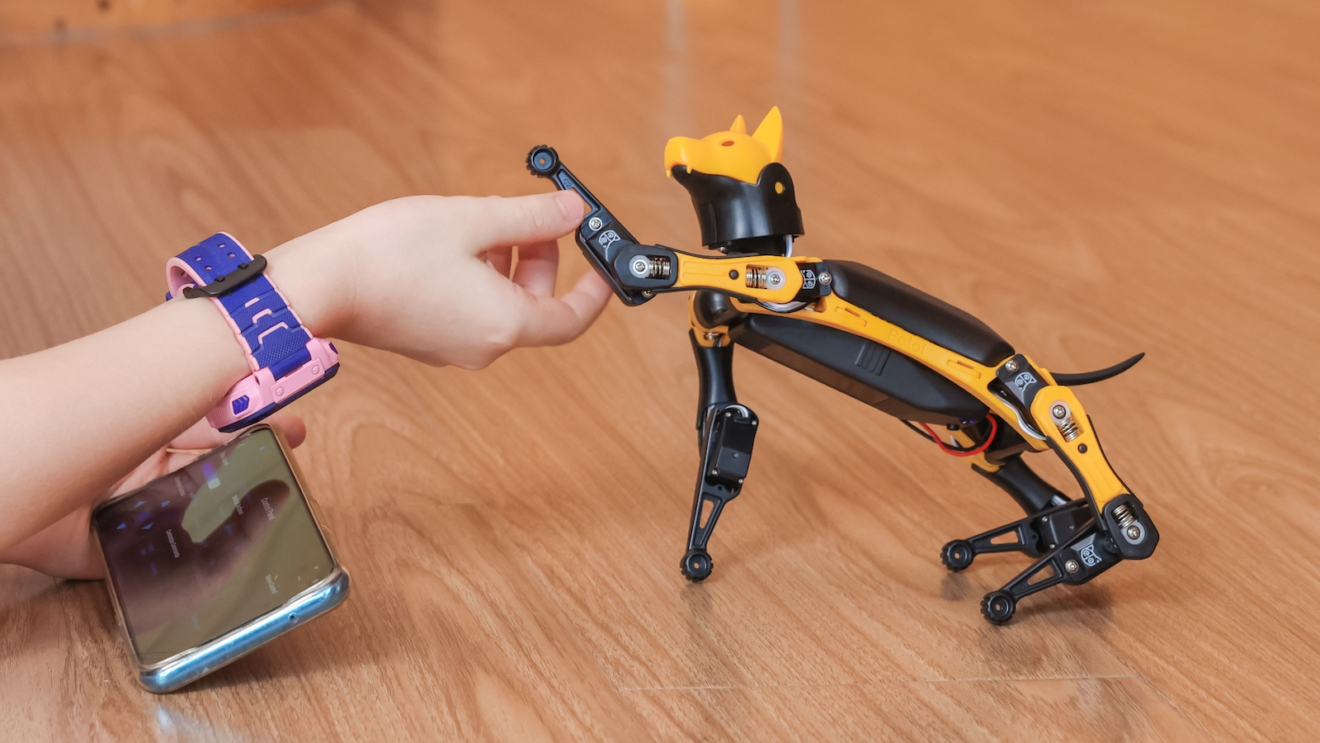
Small enough to fit in the palm of your hand, Petoi Bittle runs around like a real dog and even does backflips. Such an amazing experience is made possible by Petoi Bittle, an open-source quadruped robot.
Product Overview
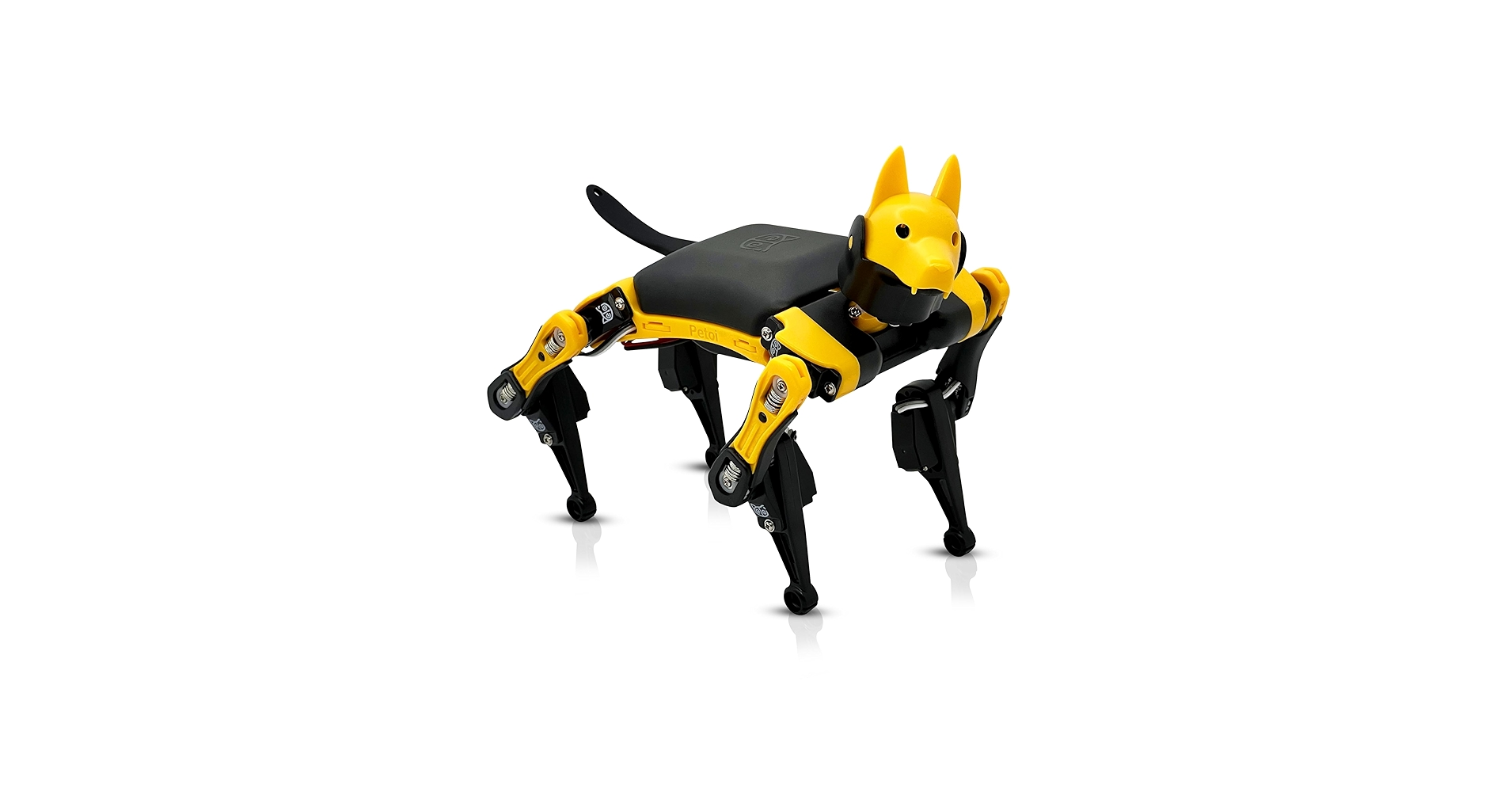
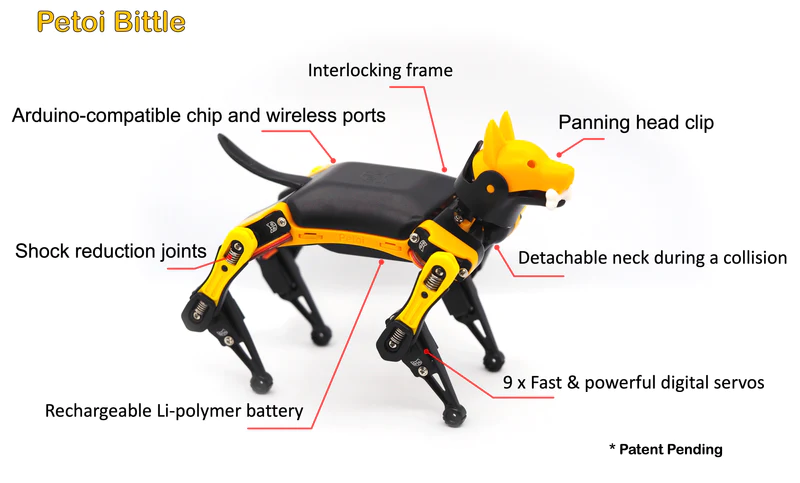
Petoi Bittle is a small robotic dog that can be assembled like a puzzle, developed for educational (STEM) and research purposes. Its greatest feature is its overwhelming athletic ability. It has nine high-performance servo motors condensed into a lightweight body weighing only 290g, and its advanced walking algorithm enables it to easily overcome obstacles and get up on its own even if it falls down.
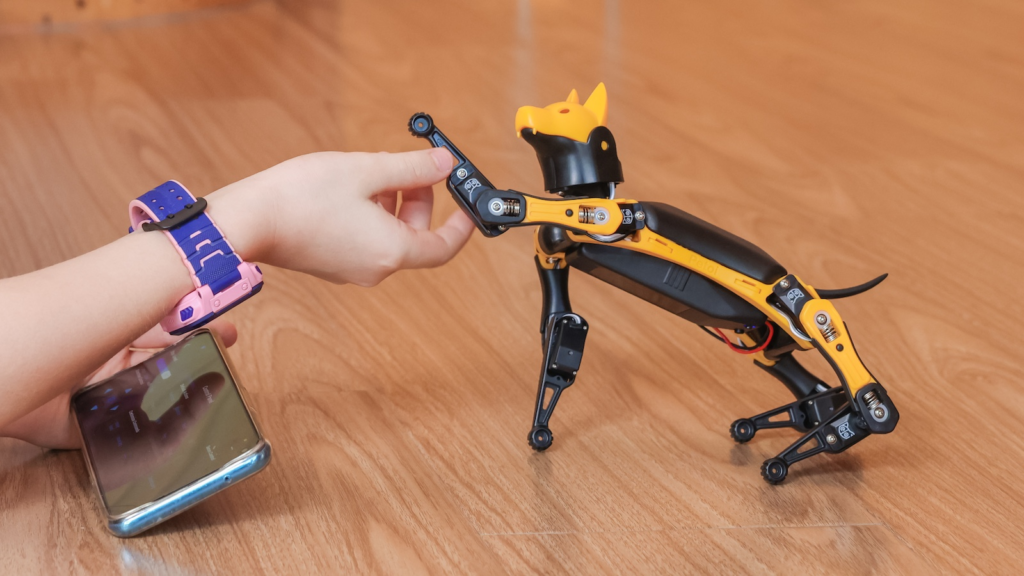
At its heart is the NyBoard, a customized Arduino UNO-based board. The board incorporates a driver capable of simultaneously controlling up to 12 servos, a 3-axis accelerometer, and a 3-axis gyro sensor to constantly correct the aircraft’s attitude in real time. In addition, the latest model can be upgraded to feedback servos that can accurately monitor joint conditions and control with the worldwide open source framework ” OpenCat ” to reproduce intelligent navigation and behavior that is more “like a real animal.

Summary of key points
- What is Petoi Bittle? Petoi Bittle: A next-generation STEM educational robot dog that is highly mobile and scalable, and supports voice commands and AI programming.
- Good point:
- More than 35 realistic actions (sitting, backflips, dancing, muscle training, etc.).
- Up to 10 custom voice commands can be configured in C++.
- Scratch (blocks), Arduino C++, Python, and a wide range of development environments for beginners and professionals alike.
- Feedback servo enables more accurate and smoother operation than conventional machines.
- Points of concern:
- Limited operating environment. Optimized for flat concrete and wood flooring; will not perform well on high-friction carpet, grass, or unstable mud.
- Because it is a precision instrument, it requires continuous maintenance, including management of the 12V battery and tightening of screws in various parts.
- Users who may be suitable:
- Engineers from children 10 years old and up who want to learn robotics, AI, and electronics from the basics to the real thing.
- Schools, robotics classes, university laboratories, etc., are looking for a platform for experimentation and validation.
rough conclusion
A masterpiece of smart AI robotics that comes to life with its own words and code.”
Frequently Asked Questions (FAQ)
First, we briefly summarize the points that users are particularly interested in.
- Price.: Around 40,000 to 60,000 yen in Japan. Pre-assembled “Pre-assembled Package” is safe.
- What can it do? In addition to executing more than 35 different actions, programming, voice control, and object detection by camera (optional) are possible.
- What operating systems are supported?: Development is possible on Windows, Mac, and Linux. Applications for smartphones are supported for both iOS and Android.
- Disadvantages.: It is not good for walking on carpets or uneven surfaces. Also, the initial “calibration” (adjustment) requires careful work.
- What about software updates?: New features are added from time to time by volunteers around the world through the open source project “OpenCat”.
What is the price?
The price varies depending on the configuration of the basic kit and the retailer, but in Japan, it ranges from about 40,000 yen to 60,000 yen. The “Construction Package,” which is assembled from scratch by yourself, is inexpensive, but requires several hours to wire servos and assemble the framework. If you want to enjoy programming and operation immediately after receiving the package, it is safer to choose the “Pre-assembled Package,” which has already been adjusted by the manufacturer.
What can I do?
In its standard state, it can call out more than 35 various actions (walking, running, greeting, back-turning, etc.). Furthermore, by using C++ to create its own voice commands, or by adding the “Intelligent Vision Sensor (AI Camera)” (sold separately), it can be made to function as an “intelligent pet” by following certain colors or people, or giving instructions through gestures.
What OS and development environments are supported?
The PC environment widely supports Windows, Mac, and Linux. Beginners can start with “Codecraft (TinkerGen),” which simply connects blocks in a browser, and move on to C++ writing with “Arduino IDE” as a step up, and then to advanced control with “Python” linked with Raspberry Pi or other software. Using a smartphone app (iOS/Android), you can also intuitively control the robot like a gamepad via Bluetooth.
Are there any disadvantages or cautions?
The most important limitation is the location of use; Bittle’s sole is optimized for hard, smooth surfaces such as wood flooring and concrete, and it does not move well on carpet, grass, gravel, or snow. In addition, because it moves at high speeds, care must be taken to avoid accidental falls from the desk. In addition, the use of high-performance lithium-ion batteries requires some specialized handling knowledge, such as charge/discharge management during long-term storage.
Are there any software updates?
Yes, Bittle is developed as part of the OpenCat open source project and has a very active community that continually improves its gait balance and adds new features by updating to the latest firmware available on GitHub. This is not a “buy it and forget it” robot, but one that will continue to grow as the software evolves.
Summary of specifications and contents
| (data) item | Detailed specifications |
| Body size | 200mm x 110mm x 90mm |
| weight | Approx. 290g (including battery) |
| Degree of Freedom (DoF) | 9 (neck x 1, legs x 8) |
| Number of Actions | More than 35 preset behaviors |
| controller | recommended system requirements (e.g., recommended hardware and software to run a package) |
| power (button on TV, etc.) | 12V 1000mAh lithium-ion battery (included) |
| number of hours worked | Approx. 60 minutes of continuous operation (depending on usage conditions) |
| recommended system requirements (e.g. recommended hardware and software to run a package) | Flooring, tiles, flat concrete (*not on carpets or dirt) |
| Main development environment | TinkerGen (Blockly), Arduino IDE (C++), Python |
Programming Tips: Evolution to AI Robots
Bittle transforms itself from “just a toy” to a “full-fledged AI platform” depending on the user’s skills.
- Level 1: Block Programming (Codecraft ). Combine “skill blocks” to create a series of movements. For example, by looping “Execute the movement” after the “Advance” block, you can easily create a program that walks only when certain conditions (such as sensor response) are met.
- Level 2: Voice Command Customization with C++ Define actions in response to your voice using the included voice recognition module (or options). It is also possible to have the robot perform a “unique dance” combining existing actions when it recognizes certain keywords.
- Level 3: AI Camera and OpenCat Linkage With the “Intelligent Vision Sensor,” you can give Bittle “vision. By programming autonomous behaviors, such as approaching when the camera recognizes a “human face” or chasing a red ball when it spots one, you can experience research-level robotics.
Reviews (Word of mouth)
We have compiled a list of user comments from Japan and overseas regarding the latest upgraded versions (e.g., models with feedback servos, etc.).
Good Reviews
Purchased 2 months ago: fun, cool, high quality
Click to Play VideoAfter purchasing and playing with it for about 2 months, I felt I had to come back here and give it 5 stars. I was looking for something more fun to play with after work and happened upon this robot while browsing Amazon. To be honest, I bought it because it looked cool, but it was actually more fun and surprising. As a software developer who loves robotics, Petoi Bittle is a great Arduino robot kit. The process of assembling the robot was very easy and took less than an hour, and I have enjoyed using Python and Arduino C++ to create different walks and movements with the sensors. I especially like using the Skill Composer to create new skills. The open source flexibility allows me to experiment with the Raspberry Pi. I also find the documentation and tutorial videos very detailed. The forum discussions are also helpful.
The other day, my middle school cousin came over to my house to play with this robot. He was able to quickly adjust the robot dog program and we had a great time together. Next, I plan to teach him more about programming the Bittle robot using block-based coding.
Robots that are fun to assemble and program
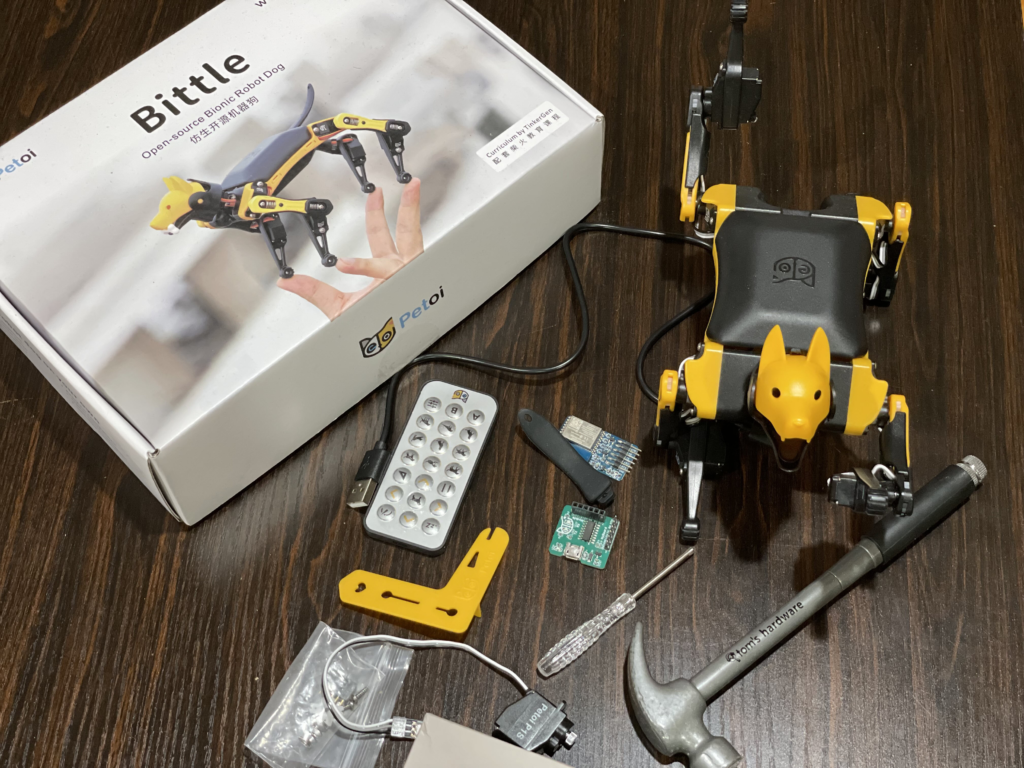
It is an interesting project to assemble and play with (Bittle can also be ordered pre-assembled for a higher price). The robot comes with several preprogrammed behaviors that can be activated with the included remote control or an app downloaded to your phone.
Assembly instructions are available online. The table of contents makes it look like the steps are explained step-by-step, but you need to move between sections to get the assembly going. Eventually I understood everything. Assembly time is 2-3 hours. The main circuit board has plug-in modules for Wi-Fi, Bluetooth, and USB. Although not mentioned in the instructions, you will need to use one of these to calibrate the robot. pc
or Mac, there is a Codecraft app that can be downloaded to your Mac. This app allows you to program different functions of the robot. Technology geeks will play with this all night long.
All in all, I am very happy with this purchase. It is a lot of fun to use, the programming is challenging, and I think it will be a good addition to our STEM robotics program.
The game comes with more than 35 different actions right from the start, so even before I wrote the code, I could play with it like a pet with just the remote control. The whole family got a kick out of it, especially when I pulled off a backflip!”
Petoi Bittle is a great project for anyone with a particular interest in robotics and programming. It’s more advanced than competing STEM robots and has a steeper learning curve, but I think it has the potential to be a more rewarding experience.”
Mid-term and dissatisfaction reviews
Servo quality is very poor
Seven of the ten included servos had poor connections. The entire kit looked used and messy.
To save time, do not buy this kit from Amazon. Buy it pre-assembled. Hopefully, the unit will be checked before delivery and should work fine.
This is not the seller’s fault, but Amazon’s.
Updated to 1 star. I wanted to order another one, but Amazon’s return process took so long that I had to hold my money for over a month.
Please avoid this seller at all costs.
Servo quality is very poor
Seven of the ten included servos had poor connections. The entire kit looked used and messy.
To save time, do not buy this kit from Amazon. Buy it pre-assembled. Hopefully, the unit will be checked before delivery and should work fine.
This is not the seller’s fault, but Amazon’s.
Updated to 1 star. I wanted to order another one, but Amazon’s return process took so long that I had to hold my money for over a month.
Please avoid this seller at all costs.
comprehensive evaluation
Petoi Bittle is truly “Boston Dynamics (Spot) in the palm of your hand. It is different from inexpensive toy robots for consumer use, and is a full-fledged research and educational platform supported by a powerful open source framework called OpenCat.
The source of its appeal lies in its overwhelming “expandability. Numerous Grove standard parts such as voice recognition, AI camera, infrared distance sensor, gesture sensor, etc., can be directly plugged into NyBoard, allowing it to evolve into a “one-of-a-kind robot” depending on the user’s imagination.
On the other hand, due to its extremely sophisticated mechanism, the robot requires “effort on the part of the user,” including use in appropriate locations, regular maintenance, and software learning. However, this is the real thrill of “mastering the robot,” and it will give you a sense of accomplishment that you cannot experience anywhere else.
Comparison with “Mia,” a talking cat-shaped robot
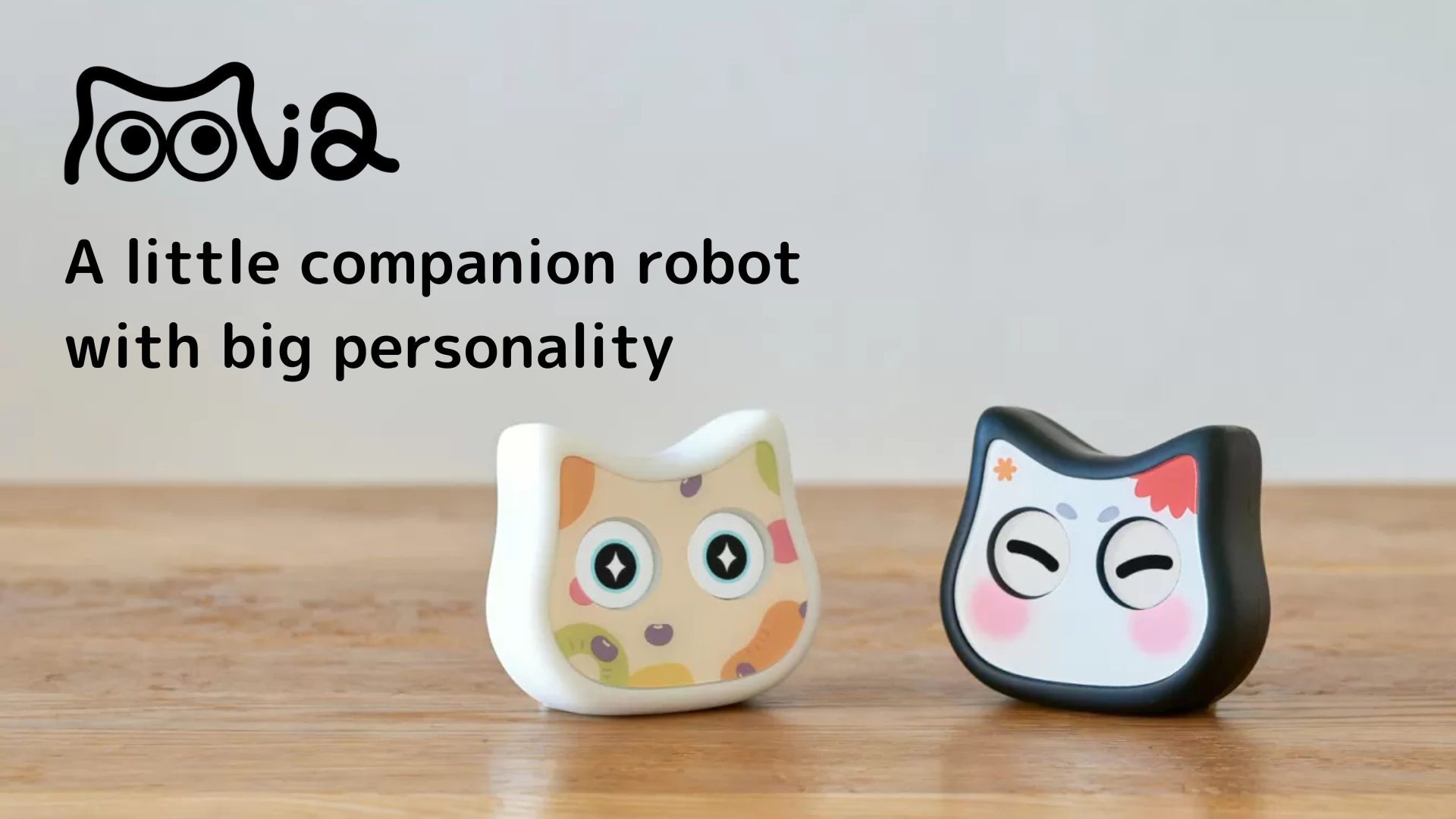
Finally, let’s compare Bittle, which is suited for active technical exploration, with our product Mia, which specializes in healing.
| Comparison items | Petoi Bittle | Mia, a cat-shaped robot |
| Appearance and Design | Mechanical four-legged dog (tech feel) | Rounded, adorable cat shape (plush feel) |
| price range | Approx. 40,000-60,000 yen | 29,800 yen (tax included) ~ |
| Main applications | Programming study and robotics research | Healing, daily conversation, interaction through dialects |
| Main Operation | Intense moving, driving and acrobatics | Stationary, change in facial expression, swing of head, voice response |
| Strengths | Execution of complex instructions, physical movement | Calling out to users, heartwarming communication |
| maintenance | Intense moving, driving, and acrobatics | No hassle with automatic software updates |
Bittle offers the “dynamic” enjoyment of wanting to challenge new technologies and create something on one’s own. Mia, on the other hand, offers “static” healing, a family-like experience that allows us to take a break from our busy lives.
👇 Talking cat-shaped robot “Mia” that speaks 47 dialects nationwide
Summary: Definition of target audience
Petoi Bittle is proudly recommended to
- Children 10 years old and up who want to learn serious programming using actual equipment with the aim of becoming future engineers
- Adults and students who want to research the latest AI technologies and quadruped algorithms at their home desks
- Technology enthusiast who truly loves gadgets that “move,” “react,” and “can be modified.
Turn your desk into a laboratory of the future with Petoi Bittle, which stimulates your technological curiosity to the max.
👀 Also read this article.
👉 [2026 Edition] 6 Latest Pet Robots to Heal Pet Losses – Thorough Comparison of Cat, Dog, and Healing Models
👉 [2026 Edition] Recommended pet robots for under 10,000 yen.
👉 [Latest in 2026] Thorough Comparison of Monthly and Maintenance Costs of Pet Robots – List of Running Costs of Popular Models such as Moflin, LOVOT, Mia, etc.
👉What is Mia, an AI pet robot that speaks 47 dialects nationwide?