May 2024 | Mia

2024-05

How to & Features

FAQ (Frequently Asked Questions)

FAQ (Frequently Asked Questions)What do I need to use Mia?You need an adapter or a PC compatible with a USB Type-C cable...
How to & Features

Web Instruction manual

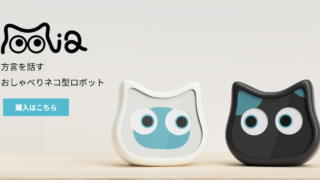
Quick Start GuideThank you for purchasing "Mia".What you can do with MiaMia is a talking cat-shaped robot that speaks va...
How to & Features

Free Repair Policy

1. If the product malfunctions during the warranty period while being used in accordance with the instructions in the in...
How to & Features

Setting up Wi-Fi connectivity between the Mia device and the app

Here are the steps for setting up the connection between the Mia device and the app. Download the app → Register as a user → Launch the Mia device and display the QR code → Launch the app's camera and scan the QR code → Connect to Wi-Fi → Enter user information → Complete.
Copied title and URL