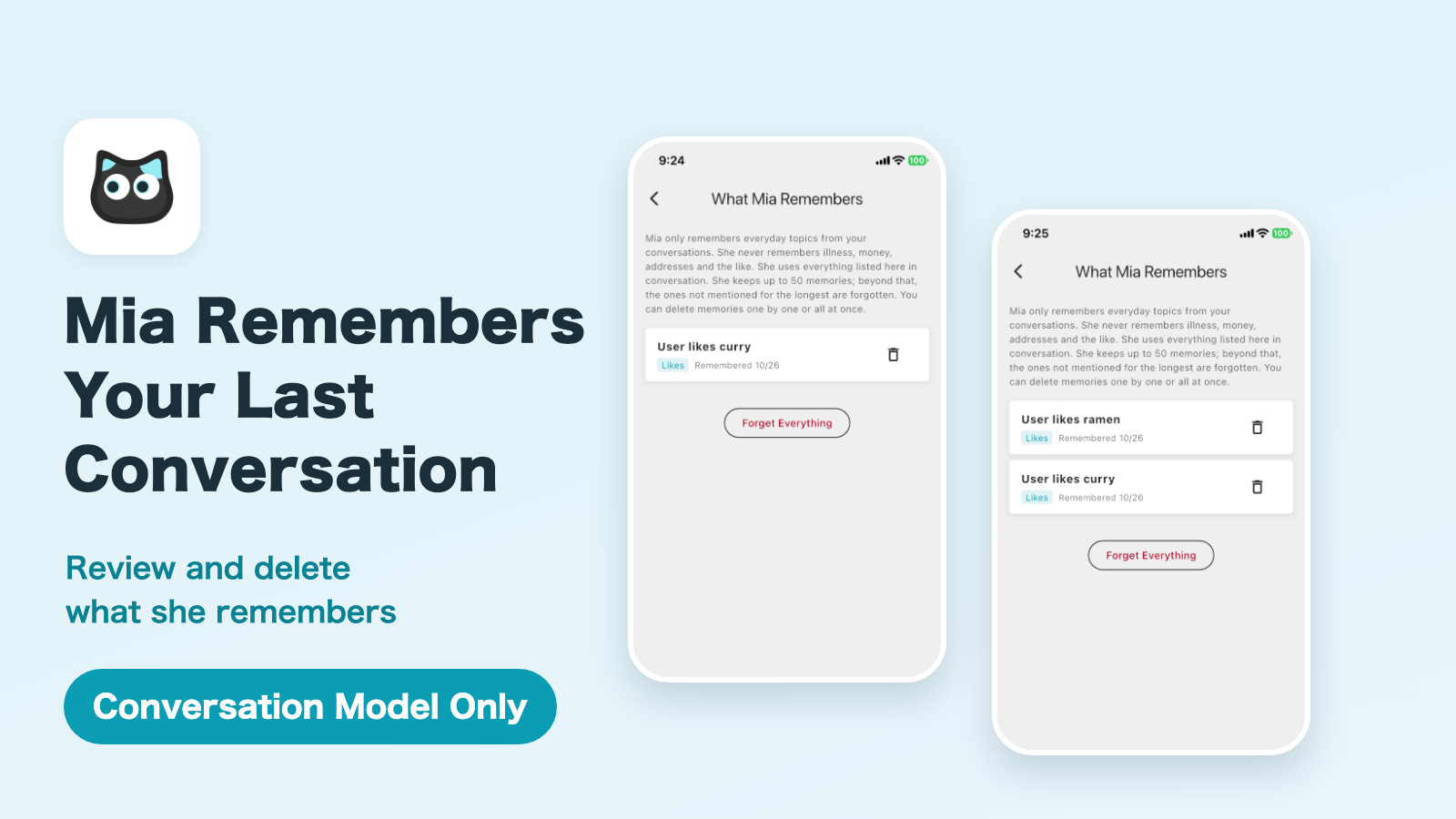
In Conversation Mode, Mia can now remember what she heard in earlier conversations and bring it up naturally next time.
For example, if you told her your grandchild was coming over, she can ask a few days later how the visit went. Each conversation no longer starts from zero.
This article explains what Mia remembers, what she never remembers, and how to review and delete her memories in the app.
Requirement
Conversation Mode needs a Conversation Model (the device) and the monthly Premium service. See Mia’s Two-Way Conversation Mode for details.
Supported models
| Model | Supported |
|---|---|
| Conversation Model | Yes (Premium service required) |
| Standard Model | No (it has no Conversation Mode) |
A real exchange
Before recording this demo, I had told Mia that I like curry. I then asked her about it, and added that I like ramen too.
You: Do you remember what kind of food I like?
Mia: I remember that you like curry.
You: Thank you. Also, I like ramen, too.
Mia: I’ll remember that you like ramen, Kazu.
Mia remembered “I like curry” from an earlier conversation. When the user added “I like ramen, too”, it appeared in “What Mia Remembers” in the app.


What Mia remembers
Mia remembers everyday topics you talk about, in four kinds.
| Kind | Example |
|---|---|
| Family | Names and relationships of family and pets (“My daughter’s name is Sakura”) |
| Plans | Upcoming plans and dates (“My grandchild is visiting on October 20”) |
| Likes | Things you like or dislike (“I like enka music”) |
| Topics | What you talked about lately (“The tomatoes in my garden are growing”) |
In the next conversation, Mia uses these as cues. She does not read them all out or bring up everything at once. She uses them when they fit the flow of the conversation.
What Mia never remembers
Mia does not remember:
- Health details such as illnesses, symptoms, treatment, hospital stays and medicine
- Money, such as amounts, income, savings and debts
- Addresses or places more specific than the city
- Phone numbers, email addresses, passwords, PINs, account numbers and card numbers
- Other people’s secrets or things you told her in confidence
Anything that falls under these is not saved. This also means that something containing words such as medicine, money, address or secret may not be saved even if you wanted Mia to remember it.
Mia does not save the whole conversation. She keeps only short notes taken from it (up to 200 characters each).
Review what Mia remembers in the app
You can check what Mia remembers at any time.
1. Open “What Mia Remembers”
On the Home screen, tap “Change Personality & Voice”. On the “Mia’s Personality & Voice” screen, choose “What Mia Remembers” in the “Conversation Mode” section.
2. See the list
The memories are listed with the newest first. Each shows its kind (Family, Plans, Likes or Topics) and the date, such as “Remembered 10/26”.
If Mia doesn’t remember anything yet, you see “Mia doesn’t remember anything yet.” The list grows little by little as you talk with Mia.
Mia remembers after a conversation ends. A memory may not appear in the list right after you talk.
3. Delete what you want her to forget
- Delete one memory: tap the trash icon on the right of it.
- Delete everything: tap “Forget Everything”.
Deleting cannot be undone. After you delete a memory, Mia no longer brings it up.
How memory works
- Memory is kept per device. What is said to one Mia is remembered together. Mia does not tell which family member is talking.
- Up to 50 memories. Beyond that, the ones not mentioned for the longest are forgotten first.
- No automatic expiry. Memories do not disappear on their own over time. They go when you delete them, when the limit is exceeded, or when the device is deleted.
- Memories are checked in later conversations. Something that comes up again stays. Something you say is wrong, or a plan whose date has passed, is forgotten.
When is it useful?
- A parent who lives alone uses Mia as a conversation partner, and you want to avoid explaining the same things every time
- You want Mia to remember the names of grandchildren and pets
- You want to pick up a conversation about favorite music or food where you left off
- You like the small warmth of Mia saying, “You mentioned that before”
If you use the Standard Model
This feature is for the Conversation Model only. The Standard Model plays recorded phrases and family voice messages at set times, and has no Conversation Mode where you talk to Mia and she answers. So it does not remember earlier conversations.
With the Conversation Model, Mia learns a little more about you each time you talk, and conversations deepen.
🐱 Conversation Model details and purchase
Mia (Black) Conversation Model / Mia (White) Conversation Model
FAQ
Can I turn memory off?
You can delete everything with “Forget Everything” in the app. After that, Mia starts the next conversation with nothing remembered.
Can a family member who lives far away see what Mia remembers?
If the family member has access to Mia in the app, they can review and delete her memories.
Is what I said saved word for word?
No. The whole conversation is not saved. Mia keeps only short notes.
What if Mia remembered something wrong?
Open “What Mia Remembers” in the app and tap the trash icon on that memory. If you tell Mia in conversation that it’s wrong, that memory is also reviewed later.
What happens when there are too many memories?
The limit is 50. Beyond that, the ones not mentioned for the longest are forgotten first.
Does Mia remember things I say in English?
Yes. She keeps a memory in the language you spoke: Japanese stays Japanese, and English stays English.
Summary
- In Conversation Mode, Mia remembers family, plans, likes and topics and uses them in the next conversation
- She does not remember health, money, addresses or phone numbers, and does not save the whole conversation
- In “What Mia Remembers” you can review memories and delete them one by one or all at once
- Conversation Mode needs a Conversation Model and the Premium service
If you have any questions, please contact us from “Help & Contact” in the app.
👀 You may also like:
👉 2026 Guide: AI Pet Robots for Elderly Loneliness – A Comparison of 10 Companion Robots
👉 2026 Edition: 9 Recommended Pet Robots Under $150 – Cheap, Cute, and Healing Models
👉 Monthly and Maintenance Costs of Pet Robots: Moflin, LOVOT, Mia, and More
👉 Mia – Your Chatty AI Cat Companion Robot with 100+ Expressions