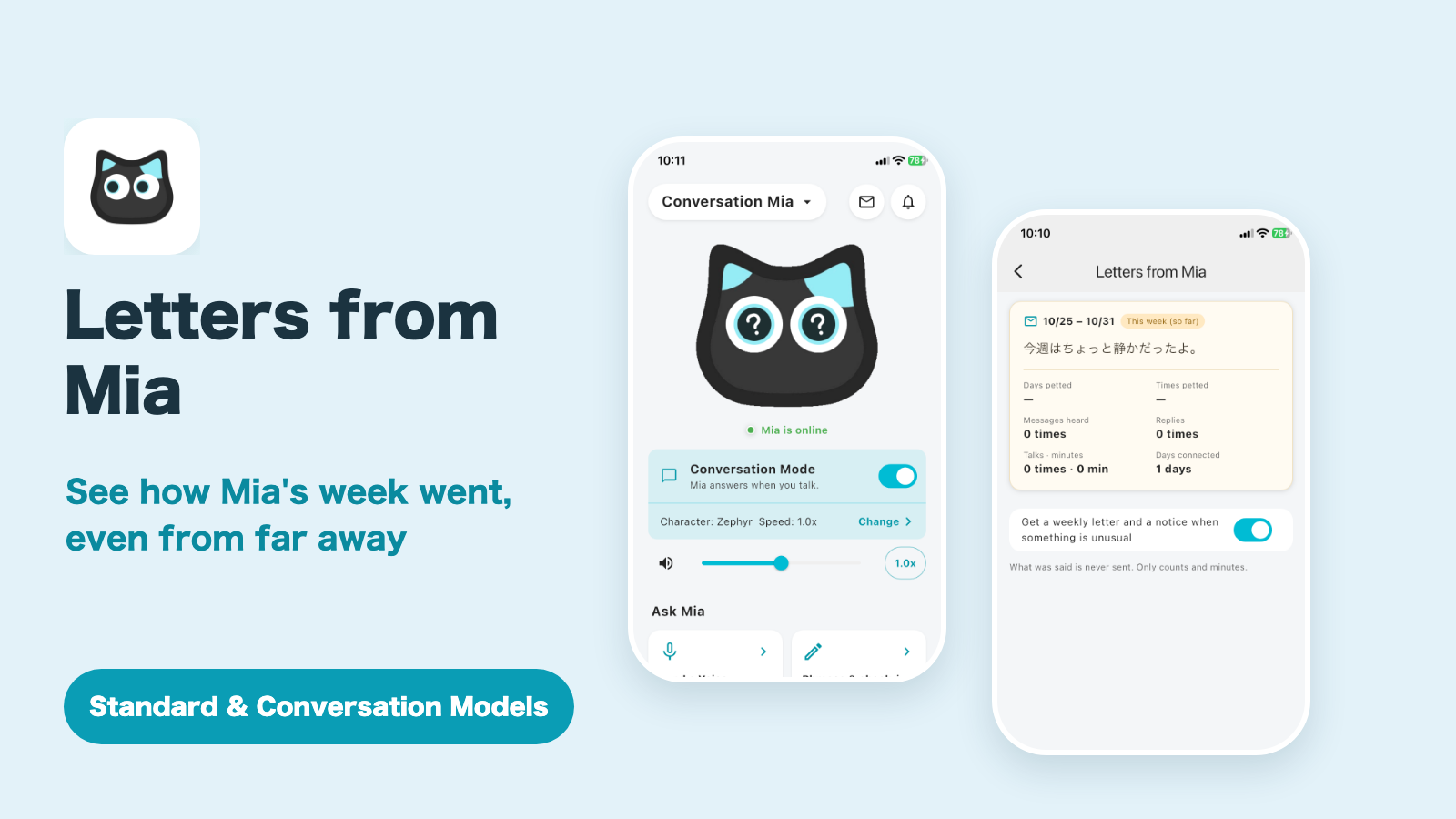
The Mia app has a new feature, Letters from Mia, that tells you how Mia's week went.
Every Sunday at 6 PM, Mia sends the family a letter saying "here's what happened this week." It covers the days she got head pats, how many family messages she listened to, and how many times she chatted and for how long. It is a small clue for the times when you think "I wonder how Mia is doing" but a phone call feels like too much.
This article explains how to read the letter, which notifications you will get, how to turn them off, and what does and does not reach you.
Letters from Mia is most useful for families who use "Send Your Voice."
The weekly letter shows whether Mia played the voice you sent and whether your parent replied. You can use the letter without sending any voice messages, but the more you send, the more the letter has to say.
Only counts and times reach you.
What was said, what the replies were, and any recordings are never sent. Your parent has nothing new to do on their side.
Supported models
| Model | Supported |
|---|---|
| Conversation Model | Yes (pat days, messages, and chat count and time) |
| Standard Model | Yes (pat days and messages heard. Chat count and time do not appear, because there is no Conversation Mode) |
Opening it from the envelope icon on the home screen
You open the letter from the envelope icon at the top right of the app's home screen, just to the left of the notification bell.
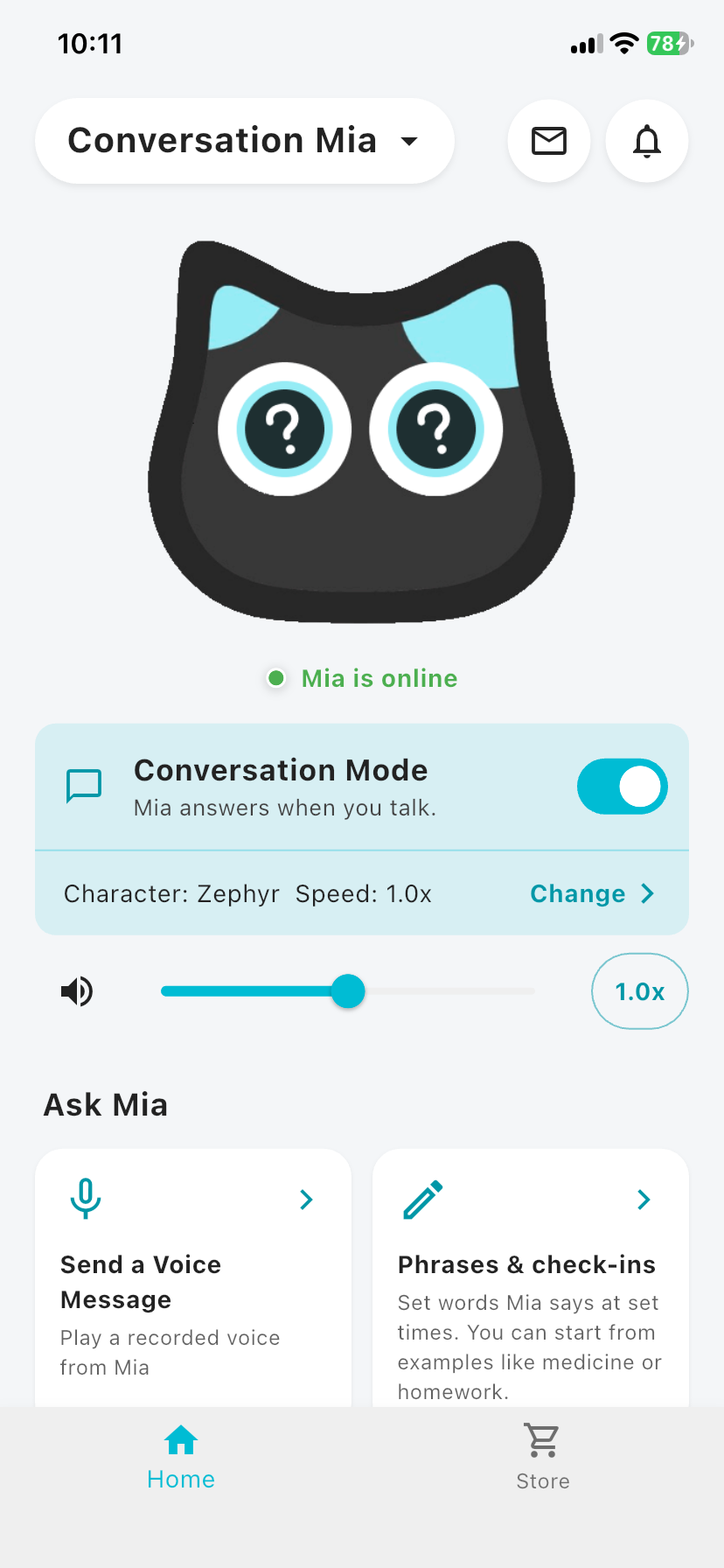
- Open the app's home screen.
- Tap the envelope icon at the top right.
- The "Letters from Mia" screen opens, with this week and earlier weeks gathered in one place.
When a new letter has arrived, a dot appears on the envelope icon. It disappears once you open the letter. Weeks are listed with the newest at the top.
What the letter says
Each week's record is shown with the items below.
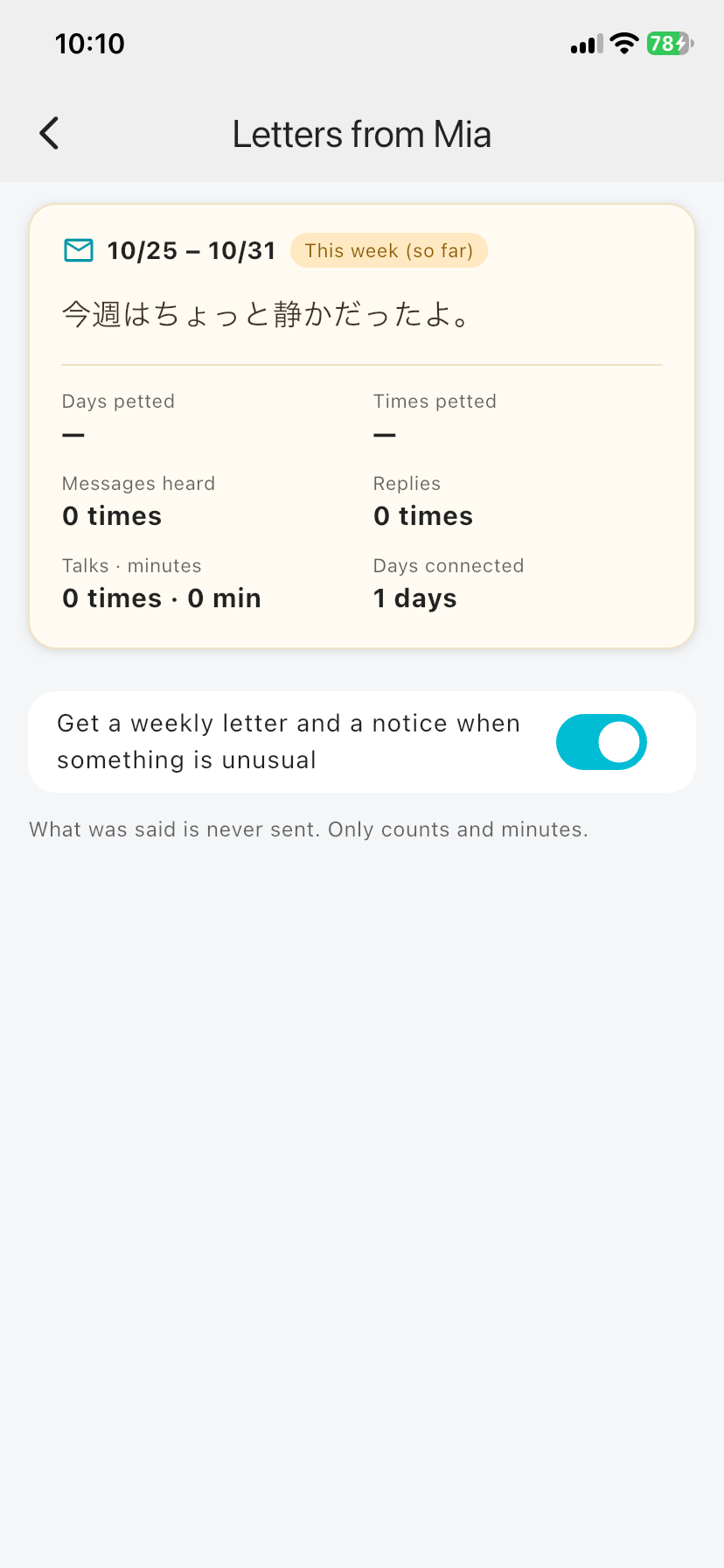
| Item | What it tells you |
|---|---|
| Days petted / Times petted | The number of days Mia's head was petted, and the total number of pats |
| Messages heard | How many family voice messages Mia played (Send Your Voice) |
| Replies | How many times your parent replied to Mia (the content is never sent) |
| Talks · minutes | How many times they chatted in Conversation Mode and for how long in total (Conversation Model only) |
| Days connected | The number of days Mia was connected to Wi-Fi |
Mia also writes a line at the top of the letter, for example:
This week I got head pats on 5 days. I listened to 3 family messages and replied twice. We chatted 4 times, 35 minutes in all.
If nothing was recorded, the letter says "It was a little quiet this week." A quiet week does not necessarily mean something is wrong.
Using it with "Send Your Voice"
"Send Your Voice" lets you record your own voice, or your child's, and send it to your parent's Mia. Your parent plays it simply by touching Mia's head.
After sending a voice message, you may wonder, "Did they listen?" With the weekly letter you can see:
- Messages heard: how many times Mia played the voices you sent
- Replies: how many times your parent replied to Mia
- Days petted: whether Mia is being petted on days other than when she plays a message
For example, if you make it a habit to send a voice every Sunday, next week's letter might say "I listened to 3 family messages." You know your voice arrived without making a call.
You also get a notification in the app right after your voice is played (the first play only). The weekly letter looks back over the whole week.
How to use "Send Your Voice", and the story behind it, are covered in this article.

When the letter arrives
Once a week, on Sunday at 6 PM
Every Sunday at 6 PM (in the time zone of the phone running the app), you get a push notification with last week's letter (Sunday to Saturday). Tap it to open the letter.
To open it from the app, tap the envelope icon on the home screen (see "Opening it from the envelope icon on the home screen" above).
The screen shows the current week so far at the top, followed by up to four finished weeks.
Same-day alerts, only when something is different
In two cases you are told the same day, without waiting for the weekly letter.
| Alert | Condition |
|---|---|
| Looks like there was no time with Mia today | Mia was connected, but she was not petted and no one chatted with her that day (checked at around 9 PM) |
| Looks like Mia has been offline for a day | Mia has been offline for 24 hours in a row. The message asks you to check the Wi-Fi |
You get each alert only once. The offline alert is not sent at night (10 PM to 8 AM) and arrives in the morning instead.
Mia units with older firmware that do not report pat counts will not trigger the "no time with Mia" alert.
Turning notifications off and on
Use the switch on the letter screen.
- Turning off "Get a weekly letter and a notice when something is unusual" stops both the weekly letter and the same-day alerts.
- Records keep being collected, and you can still open the letter screen.
- The setting is per account, so one family member can turn it off without affecting the others.
Can the whole family see it?
Every family member whose account can use Mia receives the letter on their own phone. Nothing needs to be done on your parent's phone or on Mia herself. All they do is pet her.
What does not reach you
The letter is made as a note from Mia, not as a monitoring record. The following is never sent:
- What was said, what the replies were, or any recordings
- Sounds around Mia, or who is nearby
- Minute-by-minute activity during the day
Mia does not record all the time. The counts and times are deleted automatically after 30 days.
For Standard Model owners
The letter works on the Standard Model too. Because the Standard Model has no Conversation Mode, though, chat count and time do not appear in the letter.
With the Conversation Model, the letter also tells you how often and how long they chatted each day. The more they talk, the livelier Mia's letters become.
🐱 Learn more about the Conversation Model and buy
Mia (Black) Conversation Model / Mia (White) Conversation Model
FAQ
When does the letter arrive?
Every Sunday at 6 PM. If nothing was recorded the previous week (for example, Mia was not used), no letter is sent.
I am not getting notifications.
Check that notifications are on for the app on your phone, and that the switch on the letter screen is on.
"Days petted" shows "–".
This appears when Mia has not reported any pat counts for that week. Older firmware may not report them. Update the firmware from the app and try again.
Will I find out what my parent said?
No. Only counts and times are sent. What was said is not included in the letter or the alerts.
How far back can I see?
Records are deleted after 30 days, so the screen shows the current week and the last few weeks. For older weeks, only some days may remain.
Does it work in the English app?
Yes. The letter is written in the language of your phone (Japanese, English or Korean).
Summary
- Mia sends the family a letter about her week every Sunday at 6 PM
- You see pat days, messages heard, and chat count and time. What was said never reaches you
- Same-day alerts go out when something is different (no time with Mia, or offline for 24 hours)
- You can turn notifications off at any time with the switch on the letter screen
- It works on both the Standard and Conversation Models (chat count and time are Conversation Model only)
If you have questions, contact us from "Help & Contact" in the app.
👀 You may also like:
👉 2026 Guide: AI Pet Robots for Elderly Loneliness – A Comparison of 10 Companion Robots
👉 2026 Edition: 9 Recommended Pet Robots Under $150 – Cheap, Cute, and Healing Models
👉 Monthly and Maintenance Costs of Pet Robots: Moflin, LOVOT, Mia, and More
👉 Mia – Your Chatty AI Cat Companion Robot with 100+ Expressions