How to & Features | Page 3 | Mia
🎉ミーア会話モデルがリリースされました!詳細はこちら→

How to & Features

How to & Features

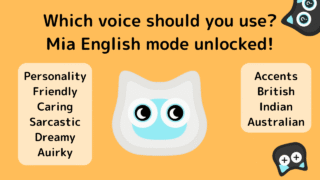
[New feature] Mia supports English mode! You can enjoy 5 different personalities and 3 different accents!

The cat-shaped robot “Mia” now supports English mode! It plays everyday greetings and encouraging phrases in easy English. You can choose from five personalities and three accents (British English, Indian English, and Australian English) and play pre-recorded English phrases at random.
How to & Features

How to initialize the Mia device

If your Mia cat robot stops talking or its eyes don’t move, and restarting doesn’t help, try initializing the device. You’ll need a Phillips screwdriver to open the unit and follow steps to enter Safe Mode. Easy-to-follow for beginners.
How to & Features

Wi-Fi connection via ESP Touch app

If Wi-Fi connection fails in the Mia app, the following screen will appear.If you're unable to connect to Wi-Fi after multiple attempts, please tap the "If Wi-Fi connection fails repeatedly" button. Then, a button labeled "How to connect Wi-Fi using ESP Touch app" will appear.
How to & Features

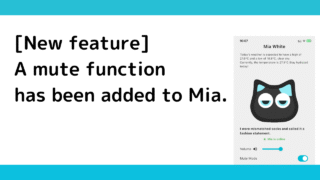
[New feature] A mute function has been added.

The mute function has now been added to Mia.What is the mute function?This feature allows Mia to stop talking even durin...
How to & Features

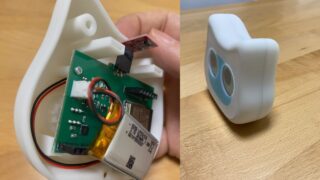
Mia can be made into a built-in battery with a lithium-ion battery.

Introduction.Mia, currently in beta release, is rechargeable, but it can be disassembled and fitted with lithium-4 batte...
How to & Features

[For Purchasers] Frequently Asked Questions

Find answers to the most frequently asked questions for Mia purchasers, including troubleshooting Wi-Fi connection issues, app settings, device operation, and tips to ensure your Mia cat companion works smoothly in your home.
How to & Features

FAQ (Frequently Asked Questions)

FAQ (Frequently Asked Questions)What do I need to use Mia?You need an adapter or a PC compatible with a USB Type-C cable...
How to & Features

Web Instruction manual

Quick Start GuideThank you for purchasing "Mia".What you can do with MiaMia is a talking cat-shaped robot that speaks va...
How to & Features

Free Repair Policy

1. If the product malfunctions during the warranty period while being used in accordance with the instructions in the in...
How to & Features

Setting up Wi-Fi connectivity between the Mia device and the app

Here are the steps for setting up the connection between the Mia device and the app. Download the app → Register as a user → Launch the Mia device and display the QR code → Launch the app's camera and scan the QR code → Connect to Wi-Fi → Enter user information → Complete.
Copied title and URL