What Is Kynooe?
Kynooe is a modular AI robot arm launched through Kickstarter. The project name is “Kynooe: Not Just a Robotic Arm — Your Real-World Partner.” Instead of positioning a robot arm as an industrial tool for specialists, Kynooe brings the category closer to desks, homes, content creation, smart home automation, education, and developer projects.
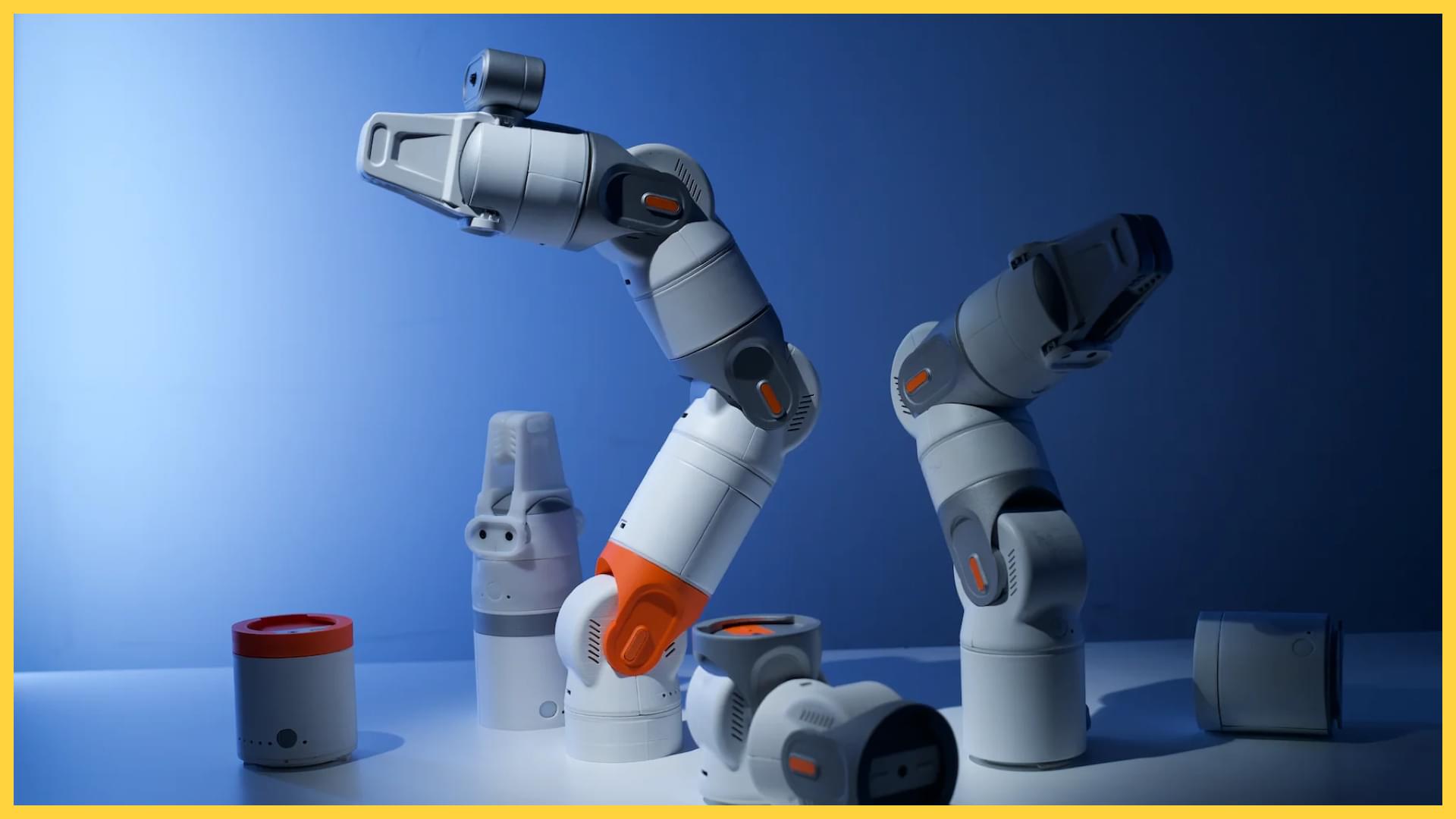
Image source: Kynooe / BIKMAN TECH


The main ideas are no-code operation, plug-and-play modules, AI-assisted commands, on-device AI face tracking, 3D-printed extensions, an open-source SDK, and a Robot Hub for sharing robot workflows.
Traditional robot arms often require programming, calibration, special software, and technical knowledge. Kynooe tries to lower that barrier by using app-based control and AI assistance, turning the arm into a tool that users can assemble, teach, and adapt.
The caution is that Kynooe is still a new crowdfunding-based robot rather than a mature retail appliance. Before buying, it is important to evaluate shipping, warranty, Japanese-language support, app continuity, replacement parts, and long-term software updates.
Key Takeaways
What Kynooe Is
- A Kickstarter modular AI robot arm for personal use
- Designed around no-code control and smartphone app operation
- Built from modules such as joints, grippers, cameras, lights, and custom attachments
- Uses AI face tracking for camera and creator workflows
- Supports 3D-printed extensions and an open-source SDK concept
- Aims to let users share robot workflows through Robot Hub
What Looks Good
- It makes robot arms more approachable for non-specialists
- No-code operation lowers the first-use barrier
- It can fit content creation, desk work, smart home automation, education, and development
- The modular design lets users change the arm for different tasks
- SDK and Robot Hub support could make the product more useful over time
What Needs Caution
- Kickstarter products have different risks from normal online purchases
- General retail buyer reviews are still limited
- Japanese app support, Japanese voice support, and Japanese-language support need checking
- A moving robot arm requires careful safety checks around children and pets
- Real precision, durability, noise, and attachment quality depend on hands-on reviews
Who It May Suit
- Creators who want automatic camera or lighting support
- Makers who want a “third hand” for desk work
- People interested in smart home automation
- Robotics learners, educators, and prototyping teams
- Buyers who understand crowdfunding delays and specification changes
Quick Take
Kynooe turns the idea of “giving AI a body” into a desk-friendly modular robot arm.
Its appeal is not just manual control. The combination of no-code setup, AI face tracking, natural language commands, module swapping, and workflow sharing makes it more flexible than a basic desktop arm. It could help move a camera, reposition a light, hold small objects, or automate repetitive desk tasks.
It is not a simple comfort robot for everyone. A robot arm depends heavily on placement, motion range, safety, setup, and attachments. Since Kynooe comes from crowdfunding, shipping schedule, warranty, support, app updates, and language support matter as much as the product idea.
If you want a robot you can build workflows around, Kynooe is interesting. If you want an easier daily companion for conversation, family communication, and gentle voice prompts, Mia is the more straightforward option.
Price and Buying Notes
Kickstarter Funding
Kynooe’s Kickstarter campaign raised $151,607 against a $10,000 goal. It had 226 backers, with an average pledge of $670.83.
The campaign ran for 35 days, from May 20, 2026 to June 24, 2026. It attracted attention from robotics and gadget audiences because it greatly exceeded its funding goal.

Price Range
The average pledge was about $670, which is about ¥107,200 at 160 JPY/USD.
Some early reward coverage also mentioned an early price around 430 euros. Actual cost depends on the chosen reward, modules, shipping, taxes, and included accessories.
| Item | Details |
|---|---|
| Kickstarter goal | $10,000 |
| Amount raised | $151,607 |
| Backers | 226 |
| Average pledge | $670.83, about ¥107,300 at 160 JPY/USD |
| Campaign period | May 20, 2026 to June 24, 2026 |
| First batch shipping | Around September 2026 |
| Second batch shipping | Around October 2026 |
Buying From Japan
If you are considering Kynooe from Japan, check these points before ordering:
- Whether Japan is included in the shipping regions
- Shipping cost, customs duties, and consumption tax
- Wireless certification and local regulatory handling
- Japanese app UI, Japanese voice input, and Japanese manuals
- Return, replacement, and refund terms
- Repair address and international shipping burden
- Availability of replacement parts, attachments, and consumables
- Whether AI features or Robot Hub require future fees
Kynooe is difficult to judge by base price alone. Grippers, cameras, lights, mounts, extra modules, and 3D-printed parts can change the real value of each reward tier.
What Kynooe Can Do
Setup and Getting Started Video
The setup flow is simple in concept: power on the robot, connect it to the app, let the app recognize each module, save the configuration, and choose an operation mode.
Video source: YouTube, “Unboxing & Getting Started with Kynooe”
The video shows the app recognizing powered-on modules and recreating their orientation and movement as a matching digital model. After recognition, the user taps “Save” to store the configuration.
When a flapper module or another module is attached, the matching setup is selected in the app. By assembling multiple modules in sequence, the user builds the full robot arm.
One important detail is the spacer between modules. To build the IK, or inverse kinematics, model correctly, the spacers need to be attached in the right places. Missing spacers can make the app’s digital model and the physical arm movement drift apart.
The app can synchronize a one-to-one digital twin of the physical robot. After setup, the arm can be controlled in end-effector mode for intuitive movement of the tip, or in joint control mode for finer control of each joint.
Kynooe also plans to keep improving the app, hardware, and firmware through OTA updates. For a crowdfunding robot, that ongoing update path is an important part of the buying decision.
No-Code Robot Arm Control
Kynooe’s main promise is no-code control.
Many robot arms require coordinate input, joint control, scripts, or specialized software. Kynooe instead uses a smartphone-style interface and AI-assisted operation to make the first steps easier.
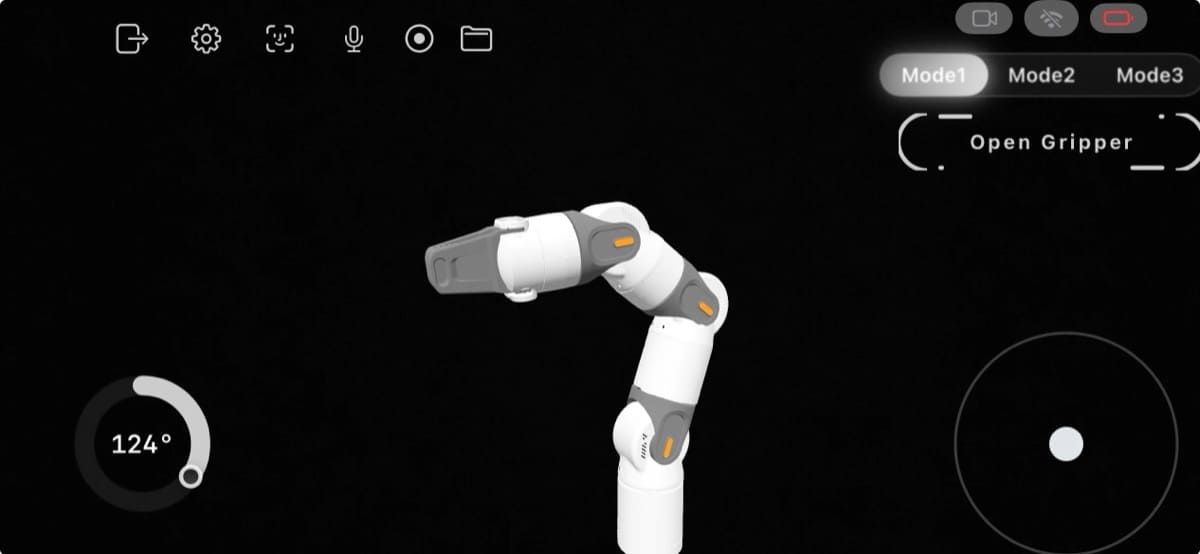
Image source: Kynooe / BIKMAN TECH
Kynooe combines app-based control, visual interfaces, and AI assistance. If the experience works as intended, users can treat the arm less like a programming device and more like a tool they can teach.

Modular Attachments
Kynooe is built around modularity.
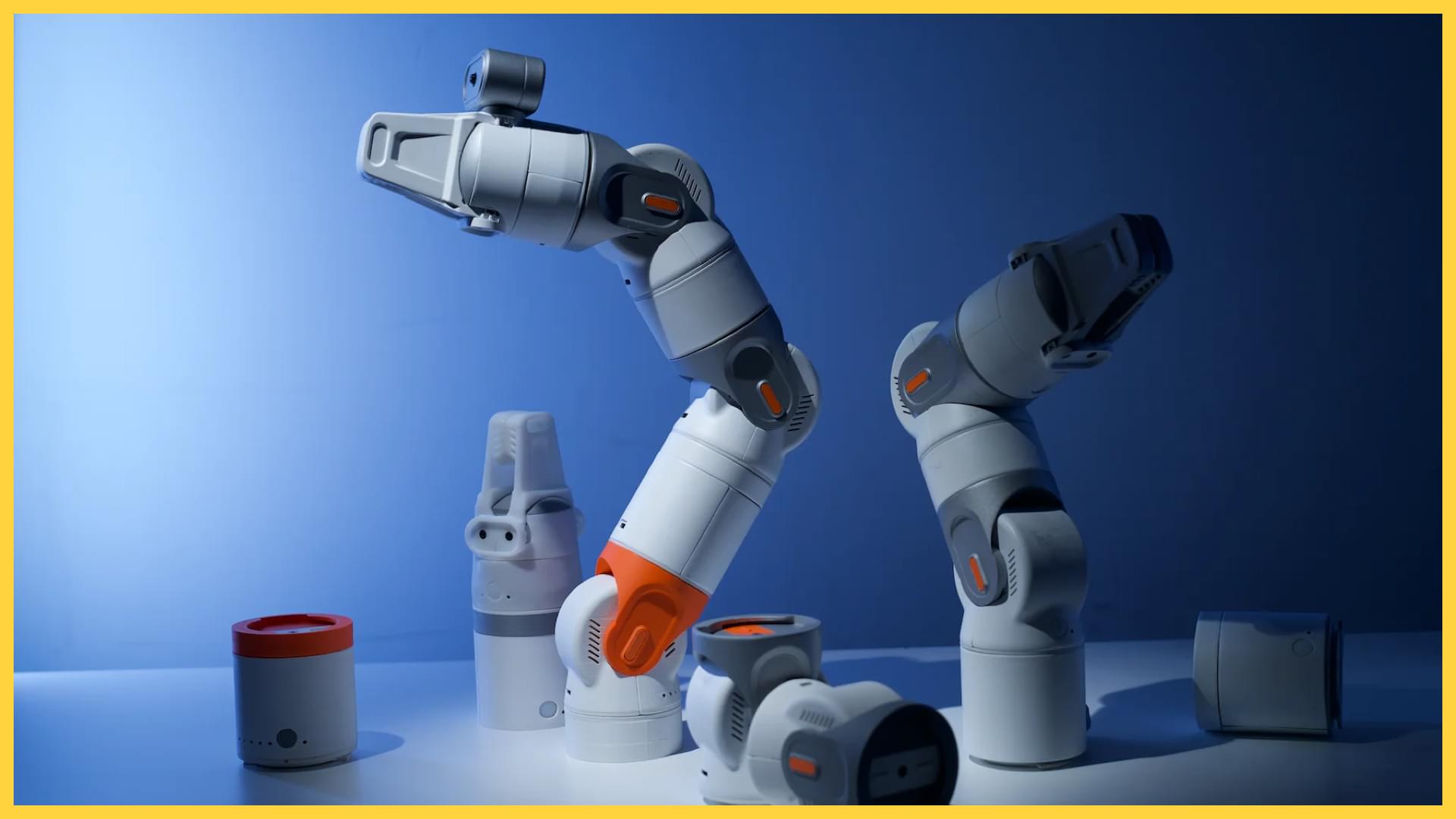
Users can change attachments and tools for filming, lighting, holding objects, desk tasks, experiments, and education. Support for 3D-printed extensions also makes it more appealing for makers and developers.
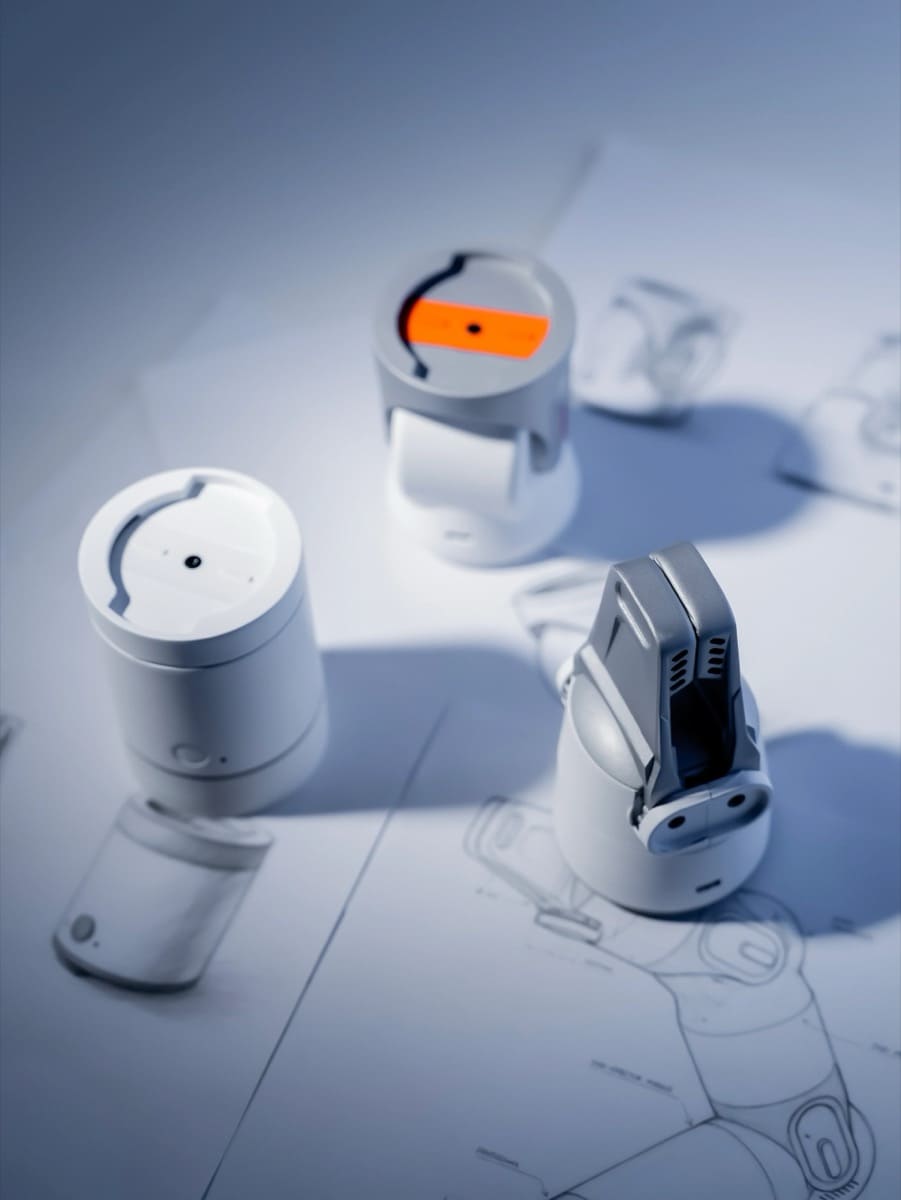
Image source: Kynooe / BIKMAN TECH
The value of this kind of product depends not only on the hardware in the box, but also on the future attachment ecosystem. Before buying, check what is included in the reward, how much extra modules cost, and whether replacement parts can be purchased later.
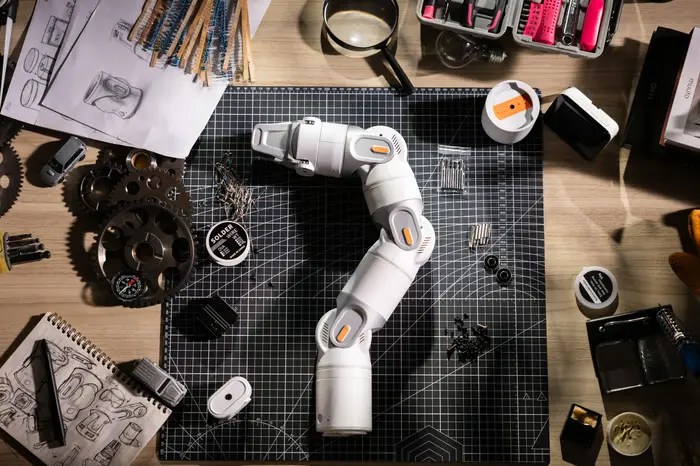
AI Face Tracking for Filming
One clear use case is filming support.
With on-device AI face tracking, Kynooe can adjust the camera direction or framing as the subject moves. This can help with cooking videos, craft tutorials, product reviews, livestreaming, online lessons, and desk work recordings where both hands are busy.
The difference from a normal phone gimbal or webcam is physical movement. As a robot arm, Kynooe can change position and angle, and could work with cameras, lights, or object holders.
The practical value depends on tracking accuracy, motor noise, smoothness, mounting stability, and camera freedom. Creators should watch hands-on videos before relying on it for production work.
Natural Language Commands
Kynooe also leans into AI-powered natural language operation.
Commands such as “remember this position,” “film from this angle,” “follow my face,” or “raise the light a little” could make robot control feel much more accessible.
Natural language control also raises expectations quickly. Important details include language support, speech recognition accuracy, whether voice or text input is used, how failed commands are corrected, and how dangerous movement is prevented.
Robot Hub and Shared Skills
Kynooe’s Robot Hub is meant to let users train, publish, and share robot behaviors and workflows.
If it works well, Kynooe becomes more than a single hardware product. Users could download or share workflows for filming, education, desk automation, smart home routines, and experiments.
The caution is long-term operation. App updates, SDK documentation, community management, backward compatibility, and server continuity will determine whether Robot Hub becomes useful after the first launch period.
SDK and Developer Expansion
Kynooe plans to release an open-source SDK on GitHub.
If the SDK is practical, developers could work with AI integrations, joint control, custom attachments, and custom workflows. For education, it could become a step-by-step robotics platform: start with app control, then move into deeper programming and AI control.
Before buying for development, check the GitHub repository, API documentation, sample code, supported languages, license, and firmware update path.
What Third-Party Coverage Suggests
A Consumer-Friendly Robot Arm
Kynooe is getting attention because it brings a robot arm closer to general users instead of keeping it in the industrial or research category.
Its possible use cases include home assistance, smart automation, content creation, and creative work. The central value is not being a magic all-purpose robot, but making robot arm workflows easier to approach.
Hands-On Reviews Are Still Early
Kynooe has been funded, but long-term retail buyer reviews are still limited.
BIKMAN TECH’s preview is optimistic about the concept, while also pointing out open questions around specifications, real-world validation, consumer robotics track record, and independent hands-on testing.
For crowdfunding robots, this matters. Campaign pages and launch videos show what is possible, but everyday precision, durability, support, and repair handling become clear only after broader use.
It Works Best for People With a Clear Use Case
Kynooe is closer to a tool than a finished household appliance.
A robot vacuum has a clear job: clean floors. Mia has a clear role: daily voice prompts, expressions, dialect speech, weather, and calendar reminders. Kynooe depends more on what the owner wants to build.
If you already know what you want to automate, Kynooe becomes more valuable. If you only want an AI robot that feels friendly out of the box, the setup and use-case design may feel like extra work.
Specification Summary
| Item | Kynooe |
|---|---|
| Product name | Kynooe |
| Type | Modular AI robot arm for personal use |
| Main uses | Filming support, desk work, automation, education, development, smart home, creative workflows |
| Control | Smartphone app, visual interface, natural language commands |
| Programming | No-code operation, with SDK plans for developers |
| AI features | Face tracking, AI-assisted operation, natural language control |
| Expansion | Modules, attachments, 3D-printed extensions, Robot Hub |
| SDK | Open-source SDK planned for GitHub |
| Sales status | Kickstarter-funded |
| Amount raised | $151,607 |
| Backers | 226 |
| Shipping plan | First batch around September 2026, second batch around October 2026 |
| Japanese support | Check before buying |
| Amazon reviews | General retail buyer reviews are still limited |
Buying Cautions
Kickstarter Is Not Normal Online Shopping
Kynooe is a Kickstarter product.
Backing a Kickstarter project is not the same as buying a finished item from a normal store. Specification changes, shipping delays, additional shipping costs, certification work, and support changes can happen.
Before backing or buying, review the reward contents, shipping schedule, project updates, comments, risk section, and refund policy.
A Moving Robot Arm Needs Safety Checks
Kynooe physically moves.
Even a desktop robot arm can create risks around motion range, force, speed, pinching, falling, tipping, and cable interference.
Check whether it has:
- Emergency stop controls
- App-based stop controls
- Safe behavior when children or pets touch it
- Pinch prevention
- Motion range limits
- Stable desk mounting
- Cable management
- Settings to prevent unwanted movement when unattended
Japanese Usability
Kynooe is an overseas crowdfunding product.
AI assistance and natural language control are attractive, but Japanese voice input, Japanese UI, Japanese tutorials, and Japanese-language support will strongly affect daily usability for buyers in Japan.
Attachment and Part Availability
Kynooe’s value depends on modules and attachments.
If extra attachments are expensive, unavailable in Japan, or too dependent on 3D printing, the real use cases may be narrower than expected. Check what comes in the reward, what can be bought later, and how broken modules can be replaced.
AI Features and Robot Hub Continuity
AI features and Robot Hub depend on software, servers, documentation, and community support.
Before buying for long-term use, check what works for free, whether subscriptions may apply later, when Robot Hub opens, what the SDK license allows, and what still works if cloud services change.
Who Kynooe Is For
Creators Who Need Free Hands
Kynooe fits camera and lighting workflows.
Cooking, crafting, electronics, illustration, product reviews, and handmade work often require both hands. If face tracking and angle control work smoothly, Kynooe could become useful for this kind of filming.
Makers Who Want to Build Automation
Kynooe is not mainly a character robot. It is a tool for people who want to build their own use cases.
Smart home links, 3D printing, SDK access, and Robot Hub workflows are most valuable to users who enjoy experimenting.
Education and Prototyping
If both no-code control and SDK access mature, Kynooe could work well in education.
Beginners can learn robot movement through the app, then advanced users can move into SDK control and AI integration.
Who Should Be More Careful
People Who Want a Mature Appliance
Kynooe is a new crowdfunding robot category.
If you want a stable appliance that works immediately for anyone, waiting for more hands-on reviews and retail support information may be wiser.
People Looking for Comfort or Conversation
Kynooe is a robot arm.
Even with AI features, its main value is work support, filming support, automation, and expansion. If you mainly want voice prompts, expressions, family conversation, or a gift for an older parent, a pet robot or conversation robot may fit better.
Young Children Using It Alone
A robot arm has moving joints.
Kynooe can be interesting for education, but small children should not use it alone without checking motion limits, emergency stop behavior, mounting stability, and pinch safety.
Kynooe vs. Mia
Kynooe and Mia can both be described as AI devices for everyday spaces, but they solve different problems.
| Comparison | Kynooe | Mia |
|---|---|---|
| Type | Modular AI robot arm | Talking AI cat-shaped pet robot |
| Main value | Work support, filming support, automation, development, expansion | Daily voice prompts, dialect speech, expressions, family communication |
| Placement | Desk, workbench, filming space | Desk, shelf, living room, bedside |
| Movement | Physically moving arm | Stationary body with voice and facial expressions |
| Voice and conversation | Natural language operation; Japanese support needs checking | Voice conversation, 47 Japanese dialects, 15 English characters |
| Daily support | User-created workflows and skills | Google Calendar integration, weather announcements, daily prompts |
| Expressions | Mainly arm movement and attachments | More than 100 facial expressions |
| Expansion | Modules, 3D printing, SDK, Robot Hub | Features designed for general home use |
| Price | Average pledge around $670, about ¥107,200. Actual reward varies | From ¥9,800 tax included |
| Best for | People who want to build robot workflows | People who want affordable daily voice prompts and comfort |
Kynooe is a tool for moving AI into physical work. It suits people who want filming support, making, smart home experiments, automation, or education.
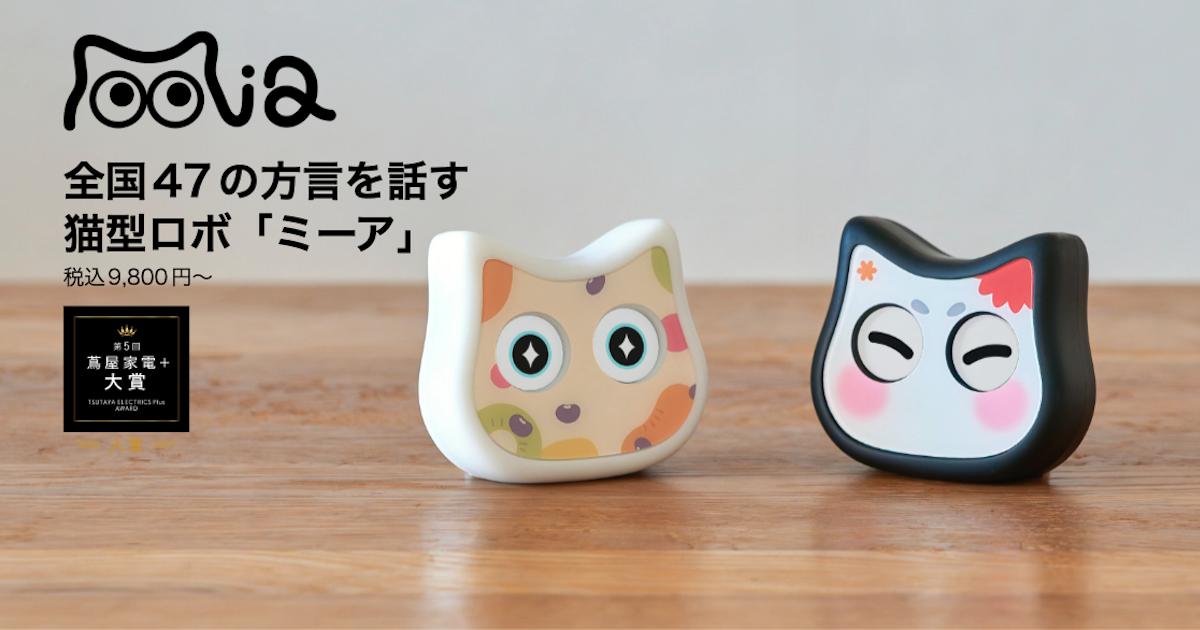
Mia is a robot for everyday voice presence. It speaks in 47 Japanese dialects, reacts with facial expressions, supports Google Calendar reminders and weather announcements, and includes 15 English characters for play and learning. It is easier to place in a family home, older parent’s room, or child’s room when the goal is daily communication rather than physical automation.
If you want to automate physical tasks, Kynooe is the more relevant option. If you want an affordable robot that talks, reacts, and creates small daily moments, Mia is easier to start with.
FAQ
Can You Buy Kynooe From Japan?
Kynooe was funded through Kickstarter. Before buying from Japan, check shipping availability, shipping cost, customs, warranty terms, and Japanese-language support.
How Much Does Kynooe Cost?
The average pledge was $670.83, about ¥107,300 at 160 JPY/USD. The actual cost depends on the reward tier, included modules, shipping, and taxes.
Can Kynooe Be Used Without Programming?
Kynooe is built around no-code operation. It uses an app, visual controls, and AI assistance. Developer features such as SDK access and Robot Hub may still involve technical work for advanced users.
Is Kynooe for Children?
It may be useful for education, but it is still a moving robot arm. Young children should not use it alone without adult supervision and safety checks.
Is Kynooe a Pet Robot?
No. Kynooe is a robot arm for work support, filming support, automation, education, and development. If you want comfort, voice prompts, or a conversation companion, compare it with cat-shaped or dog-shaped pet robots instead.
Are There Amazon Reviews?
Kynooe is a new Kickstarter product, so general retail buyer reviews are still limited. Use official updates, Kickstarter comments, independent reviews, and hands-on videos when evaluating it.
Summary
Kynooe is one of the more interesting attempts to make personal robot arms easier to use.
Its no-code operation, modular hardware, AI face tracking, natural language commands, SDK plans, and Robot Hub concept make it feel less like a fixed gadget and more like a tool that can grow around user workflows.
The caution is maturity. Because Kynooe comes from Kickstarter, buyers should check price, shipping, Japanese support, warranty, safety, attachments, and AI service continuity before committing.
Kynooe is for moving AI into physical work. Mia is for bringing voice, expressions, and daily communication into the room. The better choice depends on whether you want automation or companionship.
👀 You may also like:
👉 2026 Guide: AI Pet Robots for Elderly Loneliness – A Comparison of 10 Companion Robots
👉 2026 Edition: 9 Recommended Pet Robots Under $150 – Cheap, Cute, and Healing Models
👉 Monthly and Maintenance Costs of Pet Robots: Moflin, LOVOT, Mia, and More
👉 Mia – Your Chatty AI Cat Companion Robot with 100+ Expressions