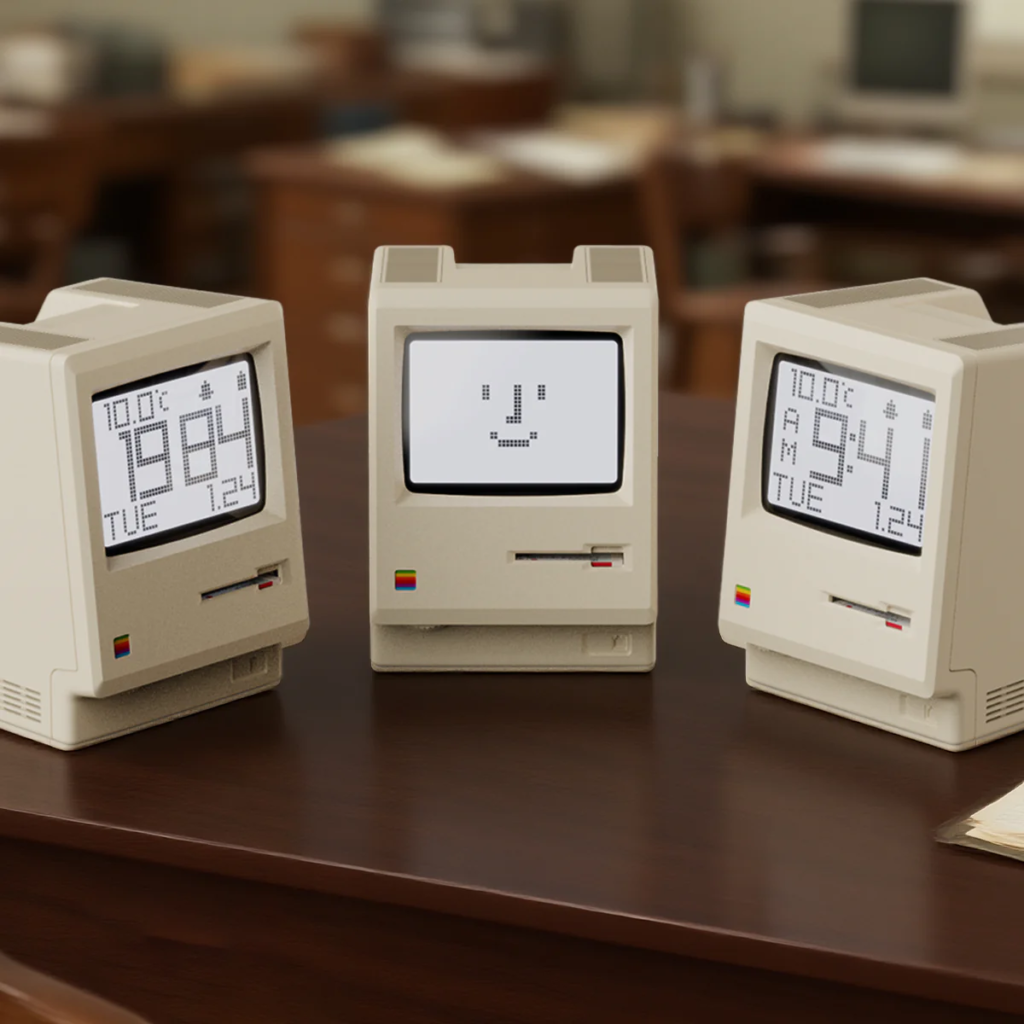
Maclock is a desktop clock that pays elaborate homage to the appearance of the legendary original Macintosh (and its successor, Macintosh Plus), a machine that rewrote personal computer history when it appeared in 1984, with astonishing resolution.
Product Overview: Features and Basic Structure
In the 1980s, when the starting salary for a college graduate was around 140,000 yen, a full Macintosh Plus set required several times that amount, or several hundred thousand yen. The form that many young people dreamed of someday possessing has been brought back to the present day in a form that is the size of the palm of your hand. This is not a mere scaled-down model, but rather, the developers’ extraordinary “love for Mac” can be felt in the surface texture, the design of the vents (heat exhaust ports), and even the proportions of the unique vertically integrated design of the time.
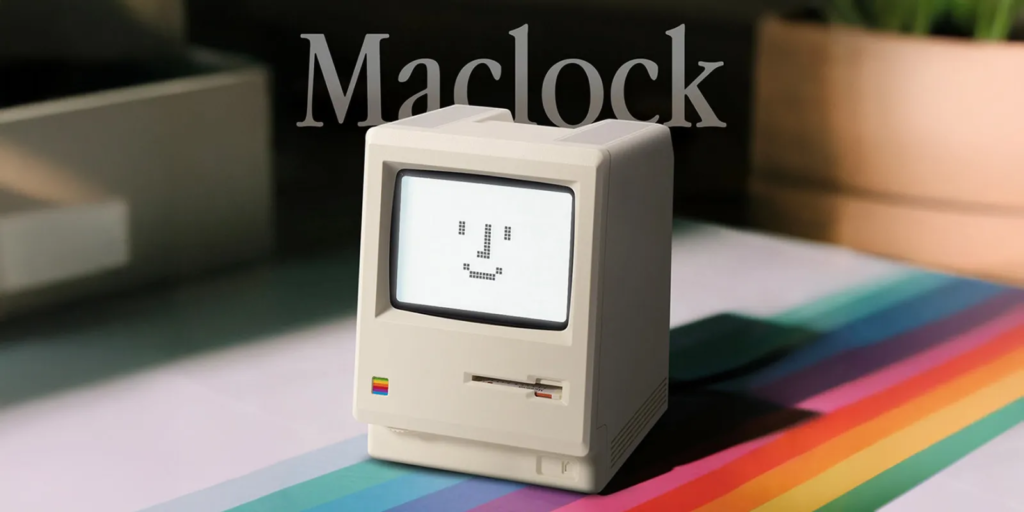
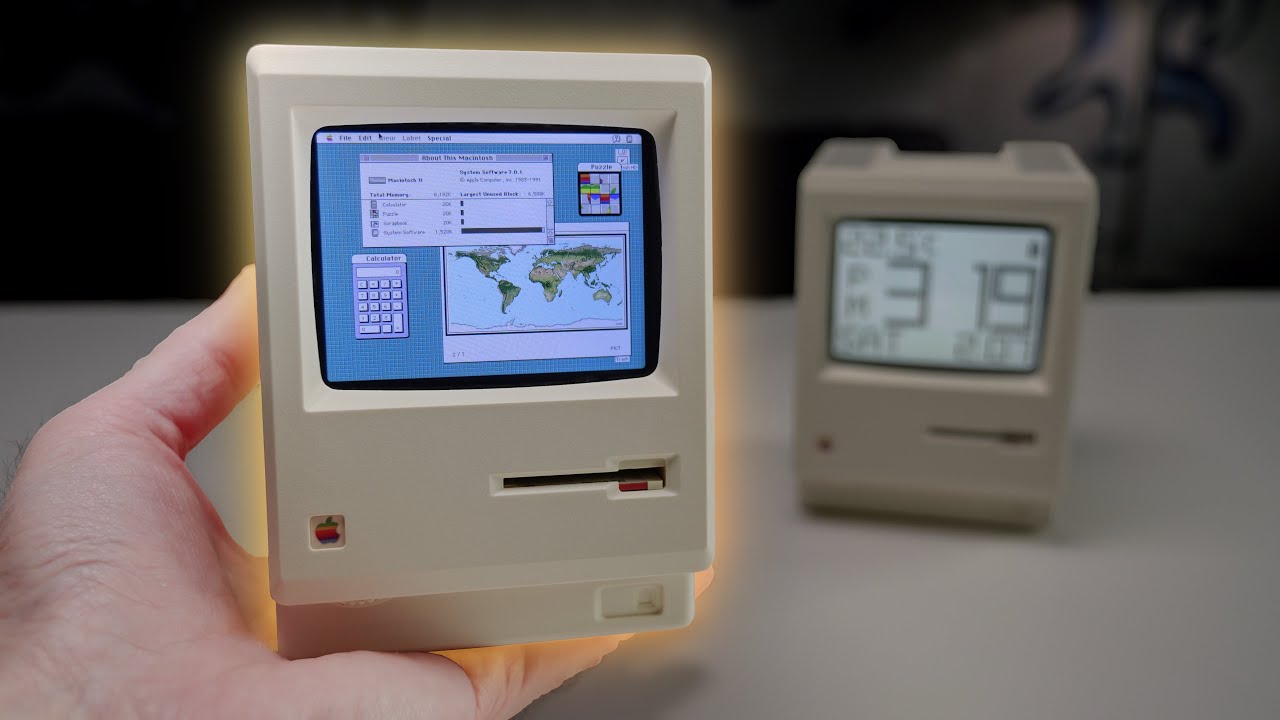
The true essence of this product lies in its “physical gimmick” that goes beyond mere imitation of design. To start up, a miniature “System Disk (3.5-inch floppy disk)” must be physically inserted into the drive slit, and the moment it is inserted, the screen lights up with a “beep” startup sound. In addition, a touch sensor is built into the depression on the top of the main unit where you place your finger when moving around on the original machine, and by gently stroking it, the backlight turns on, providing an intuitive sense of operation.
Inside is a 1200mAh lithium-ion battery, which can be charged from the USB Type-C port on the back. Just by placing it on your desk, this fan-favorite tribute gadget brings back to the modern work environment the “elation of having the future at hand” that everyone felt in the early days of computers in the 1980s.

Summary of key points
What is Maclock?
- Faithful reproduction of early Macintosh design: thorough attention to detail, including ivory white color and 3.5-inch drive slit on the front.
- Startup gimmick with physical media: power is turned on by inserting the included tiny floppy disk, a geeky interaction.
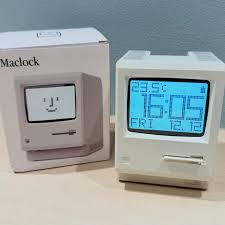
- Multifunctional information display: current time, date, day of the week, ambient temperature (Celsius/Fahrenheit), plus alarm function.
- High customizability: A sticker reminiscent of the Rainbow logo of the time is included. By applying the stickers yourself, you can sublimate them to become more iconic of the time.
good point
- Overwhelming satisfaction of ownership: just by placing it on your desk, it turns the place into a Silicon Valley of 1985.
- Gimmicks that are fun to touch: The disc insertion feeling and top surface touch sensor make the controls feel “physical” even though they are digital.
- Choice of LCD display modes: In addition to the practical clock display, the famous “smiley face (Happy Mac)” can be displayed.
- Convenience of Type-C power supply: Modern cable assets can be used without modification, and interior operation with a constant power supply is possible.
points of concern
- Stamina challenge: When the backlight is always on, the watch lasts only about 1.5 to 2 days, making it unsuitable for wireless watch operation.
- Unclear battery level: The indicator is rough, making it difficult to accurately determine the remaining battery level in percent.
- Visibility when not lit: With the backlight off, the LCD is dark, and visibility is quite low (although this could be taken as an intentional effect).
Users who may be suitable for
- Apple history-loving freaks: those who have taken out a loan for an early Mac or pay homage to its legend.
- People who are particular about their desk setup: people who are looking for “retro-futuristic” accessories that are not only functional but also tell a story.
- People who value “emotional value” more than practicality: Gadget lovers who enjoy even the time-consuming start-up procedure and limited stamina as a “charm.
rough conclusion
Maclock is “a time machine that lights a fire in the hearts of a generation that once yearned for the future and turns their desks into a special place.
Frequently Asked Questions (FAQ)
Bulleted summaries
- Price: After a bargain price immediately after the launch, the price is currently around 4,799 yen.
- What can it do? Clock, calendar, temperature display, alarm, and smiley face display.
- Power source: Built-in lithium-ion battery (1200mAh), USB Type-C rechargeable.
- Disadvantages? Battery life is short. An AC power supply is recommended for a constant backlight ON.
- How do I set it up? The roller and buttons on the bottom front of the main unit allow you to set up without any confusion.
What is the price?
At one time, it was sold at an astonishingly low price of 2,000 yen, but its high degree of perfection has concentrated its popularity, and its market price has now stabilized at around 4,799 yen. Although the price has gone up, it is still worth “too cheap” for core fans, considering this intricate modeling and the original activation gimmick.
I heard that the battery is weak. Is there any countermeasure?
Operation with only the built-in battery will reach its limit after 1.5 to 2 days if the backlight is used frequently. If the watch is to be used as a practical table clock, the correct solution is to connect a USB cable to the back of the watch at all times and operate it while directly supplying power from an AC adapter. This will keep the backlight always on and continue to decorate your desk as a beautiful “living object” even in a dark room.
What is the “ritual” of turning on the power?
There is no “switch” like on most gadgets. The power is turned on by pushing the included miniature **”System Disk “** into the front slit, just like the Macintoshes of yesteryear. This “clunk” insertion sensation, followed by a set of echoing startup sounds, is the best way to take users back to the 1980s in a flash.
What charging cable standards are supported?
It uses USB Type-C, the modern standard. It is a great point that cables for smartphones and PCs can be diverted without modification. However, since the power supply may become unstable with some combinations, such as quick chargers, we basically recommend the use of the included cable or a standard 5V adapter.
What items can be displayed?
In addition to the main “current time,” the user can switch to “calendar (year, month, day)” and “ambient temperature (°C/℉)” at the touch of a button. Of particular note is the “Happy Mac” mode, which has become so well-developed as an icon that many users want to display this symbol even if it eliminates the function as a clock.
Specifications Summary
| (data) item | Contents |
| Exterior Design | Vertically integrated portable design inspired by Macintosh Plus |
| battery | Built-in 3.7V / 1200mAh lithium-ion battery |
| Charging and power supply | USB Type-C (5V) / PC/AC adapter connection |
| control system | Capacitive touch sensor (top surface), clickable roller, 2 buttons |
| display items | Time (12h/24h), date, day of the week, room temperature, power icon |
| Attached Items | Miniature System Disk, charging cable, logo sticker, instructions |
| one’s size (as opposed to one’s size in general) | Size that fits in the palm of your hand (compact design measuring approximately 110 mm square) |
Reviews (Word of mouth)
Good Reviews
“The design is simple and stylish and blends well with the atmosphere of the room.
The display is easy to read and the operation is intuitive and convenient once you get used to it.
The alarm sounds at a good volume and I wake up refreshed every morning.
I am very satisfied with the quality of the product.”Source: Amazon.com Customer Reviews
“I bought it because it just looked so cute.
The exterior details, such as the curved screen and slits characteristic of CRTs, which are reminiscent of the original Mac, have been faithfully reproduced.
I was surprised that the included stickers even came with a portion to attach to the floppy disk. As a miniature, it has a high degree of perfection.The manual is available in both Japanese and English, so there are no problems with settings.
The font displayed on the screen is also dot-style, giving it a nicely retro feel. The touch-type backlight switch on the top of the main unit was unobtrusively convenient.The behavior of the temperature display is that the display is fixed while the backlight is on and updated when the backlight is off. This seems to be a specification to prevent errors due to heat from the backlight.”
Source: Amazon.com Customer Reviews
“The design is full of Macintosh love and the attention to detail is wonderful on this watch. The size is just right, and thanks to the screen ratio that is close to that of the actual device and the glass-like gloss, it doesn’t feel cheap at all.
The retro dot text display is easy to read, and the brightness can be finely adjusted, so it’s comfortable at my desk at night.
It is important to note that the display of remaining battery capacity is rough, and the temperature display is only a guide (maybe not that accurate?). It is better to think of it as a rough indication of the remaining battery capacity and the temperature display is only for reference.
I especially like the “startup ritual” of inserting the floppy and turning it on. Frankly, it would have been perfect if the startup sound was “that sound,” but even with that, it’s a “buy” for Mac lovers and retro gadget lovers! The stickers that come with it are nice, but they are a waste, so I will love it plain for a while.”
Source: Amazon.com Customer Reviews
Neutral and Dissatisfied Reviews
“The temperature display remains at 14.5°C. I think it is an initial defect, but since there is no warranty, I have given up.
I am writing about the delivery because the cause of the malfunction may be the delivery.
The delivery company was Amazon, and even though I had specified hand-delivery, it was left in a place where it would get wet in the rain, and I received an email saying, “We have handed your order directly to the resident. The mail said, “We handed your order directly to the resident.
I was home at the time and there was no chime or phone call.
Amazon delivery is so problematic, shouldn’t we be able to specify Yamato?”Source: Amazon.com Customer Reviews
“If only this function were perfect! The one thing that would make it seem like a good idea is the automatic turn off of the backlight.
Because of the lack of an automatic turn off feature, I sometimes leave it on and the battery is up in a few days.
Other than that, it is a very nice watch.Oh, and it would be great if it could automatically set the time using NTP.
It would require Wi-Fi, but I think the value of the product would increase dramatically.
If the backlight auto-off and NTP auto time adjustment functions were added, it would be 5 stars for sure.”Source: Amazon.com Customer Reviews
“The instructions are incorrect on how to set the time.
There is no problem with the clock and calendar functions, but the temperature display or does not change from 21.5°C.”Source: Amazon.com Customer Reviews
comprehensive evaluation
Maclock is not just a tool for ticking off the time, but “a device to soothe the souls of those who followed that frenzied computer evolution in real time.
Certainly, there are many weak points in terms of battery life, visibility, and other “modern watch” standards. However, it is rare to find a product that can remind us of the passion of the time at a price in the 2,000 to 4,000 yen range, and with a single device for constant USB connection, these weaknesses can be turned into advantages as a “shiny object that decorates your desk.
Place this Maclock next to your favorite miniature guitar or the latest high-tech device. You will find a unique space where “retro” and “future” coexist.
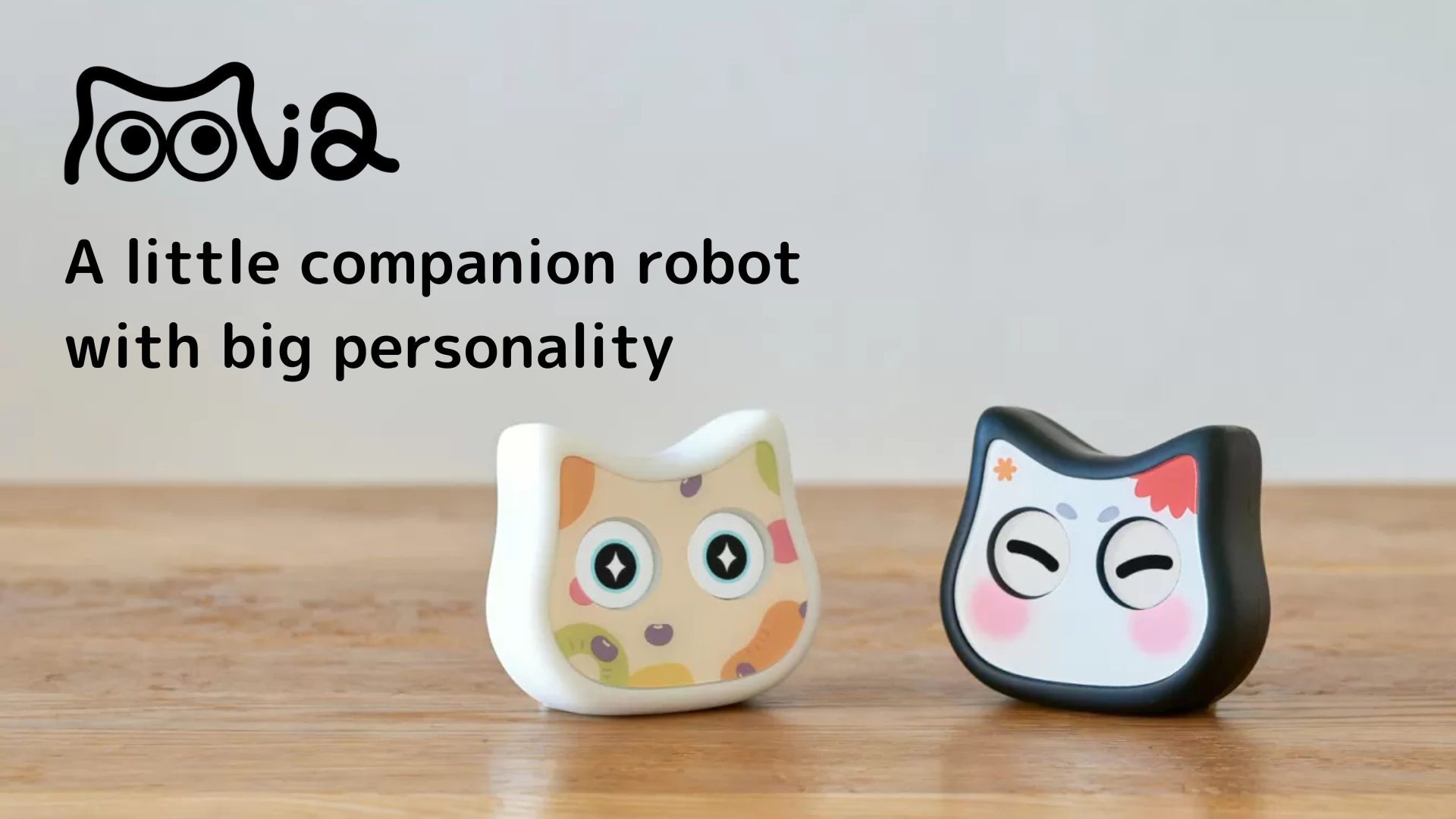
Comparison with “Mia,” a talking cat-shaped robot
| (data) item | Maclock | Mia |
| design ability | Inorganic beauty and historical homage | Organic and friendly cat-shaped healing |
| Main Value | Nostalgia for the past and the joy of ownership | Future AI Experience and Everyday Communication |
| price range | Around 4,799 yen (preference, inexpensive) | 9,800 yen and up (AI function included in the price) |
| interaction | Physical disk insertion and touch operation | Speech in dialects and more than 100 rich facial expressions |
| Location | On the desk (constant power supply is recommended) | Living room or bedroom (blends in anywhere) |
| Long-term enjoyment | Universal beauty as an icon | Continuous message updates and personalization |
Key points of comparison: Mia emphasizes “warmth that accompanies daily life. With its unique Japanese dialect of speech and affordable price of less than 10,000 yen, it is a suitable choice for those who want to easily incorporate everyday healing and familiarity into their daily lives.
👇 Talking cat-shaped robot “Mia” that speaks 47 dialects nationwide
summary
Maclock is the ultimate desktop object for “all those who love the computer culture of the 1980s and have not forgotten its spirit.
Whether you were ready to “jump off the clean slate” to get your hands on a Mac back in the day, or whether you learned of its history later and admired it, the moment you insert a floppy disk into this tiny enclosure and turn on the backlight, you will feel the excitement of those days come back to life in your heart. This is a gem that should be picked up by adults who can love it because it is not a perfect practical product, and who can afford to enjoy even such an inconvenience.
👀 Also read this article.
👉 [2026 Edition] 6 Latest Pet Robots to Heal Pet Losses – Thorough Comparison of Cat, Dog, and Healing Models
👉 [2026 Edition] Recommended pet robots for under 10,000 yen.
👉 [Latest in 2026] Thorough Comparison of Monthly and Maintenance Costs of Pet Robots – List of Running Costs of Popular Models such as Moflin, LOVOT, Mia, etc.
👉What is Mia, an AI pet robot that speaks 47 dialects nationwide?