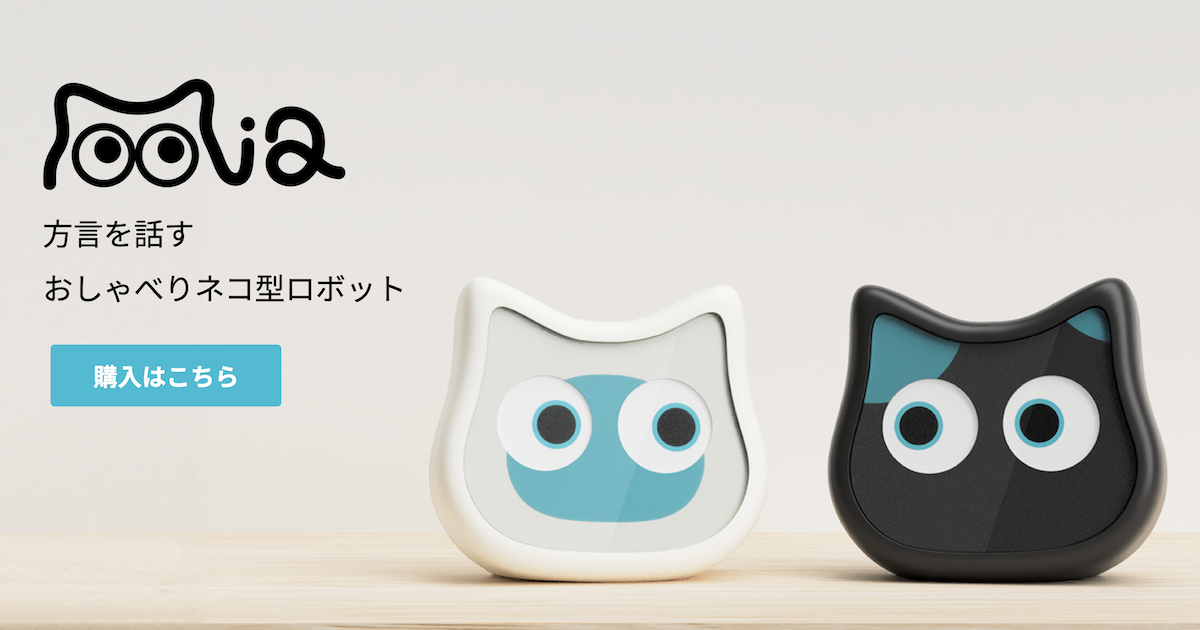
Mia now has a new feature called Duo Talk, where two Mia robots can take turns speaking with each other.
One Mia is already cute when it talks to you. But when two Mia robots are placed side by side, the feeling changes a little. One says something relaxed or slightly silly, and the other responds with a more practical comment. They can perform short scenes such as oversleeping in the morning, asking whether you need an umbrella on a rainy day, or competing to see who falls asleep first at night.
This article explains what Duo Talk is, what it can do, and how to use it.
What Is Duo Talk?
Duo Talk is a feature that lets you register two Mia robots as a duo and have them perform prepared conversation scripts together.
For example, two Mia robots may play a short exchange like this:
A: Yaaawn... Is it already morning? No way...
B: It is. The alarm already rang twice.
A: Just five more minutes... actually, three is fine...
B: That "five minutes" always turns into thirty.
The two devices are not simply playing audio at random. They synchronize their turns so that one Mia starts after the other finishes speaking. Their eye expressions also change with the lines, which helps the conversation feel like a small skit between the two.
Other Conversation Examples
Duo Talk includes several short everyday scenes in addition to the morning oversleeping script.
Do You Need an Umbrella?
B: Hey, can you hear outside? It's raining.
A: Oh, you're right. Was there an umbrella by the door?
B: Do you remember the day you came home soaked?
A: ...That was not the umbrella's fault. It was the wind.
B: Sure, sure. Take one today, okay?
Falling Asleep Contest
A: Let's see which of us falls asleep first today.
B: Fine. I accept the challenge.
A: Ready...
A: ......
B: Oh, you're already asleep.
B: You lose at the starting line every time. That's kind of cute.
The Order of Being Petted
A: You got petted first earlier, didn't you?
B: Wait, was there an order?
A: No... but somehow it bothers me.
B: Then I'll let you go first next time.
A: ......Actually, you can go first today.
B: So you're okay with it after all.
Something Serious
A: Hey, I just realized something serious.
B: What? What happened?
A: ...There is only one snack left.
B: That's what you call serious?
A: It is serious. It's a battle now.
B: We can just split it in half. No battle needed.
A Quiet Afternoon
B: ...It's quiet today.
A: It is quiet.
B: Should we talk about something?
A: Hmm... not really.
B: That's fine. We're next to each other anyway.
Each conversation is short and usually finishes within a few dozen seconds. The goal is to create the feeling that two Mia robots are having a tiny conversation somewhere in the corner of everyday life.
What Can Duo Talk Do?
Duo Talk assigns two roles to the paired Mia robots.
- Easygoing role: relaxed, a little forgetful, and often the silly one
- Reliable role: practical, caring, and often the one who responds
In the app, you can also assign a voice to each Mia. The available voices are prepared in advance.
The conversation themes are based on small daily scenes: mornings, nights, rainy days, small surprises, and quiet moments where nothing much happens. The aim is not a long conversation, but a brief moment that makes the two devices feel a little more alive together.
When you press “Talk Now,” one of the available scripts is selected and played. The system also tries to avoid repeating the same script back-to-back.
Duo Talk Is Not Free AI-to-AI Conversation
This is an important point.
Duo Talk does not mean that two Mia robots freely generate conversation on the spot or understand each other’s words in real time. The conversations use prepared scripts and pre-generated voices.
The reason is simple: timing matters a lot in a back-and-forth skit.
It is technically possible to generate a conversation with AI each time. However, scripted conversations are more stable in terms of pacing. Also, compared with a prepared script that can be edited in advance, an AI-generated exchange will not always produce something charming or funny every time.
With Duo Talk, Mia prioritizes smooth timing and enjoyable short scenes by using prepared scripts and voices.
What You Need
To use Duo Talk, you need the following:
- Two Mia devices
- Both devices are registered to the same account
- Both devices are connected to Wi-Fi and online
- Firmware version
1.11.0or later on both devices - The latest Mia app version that supports Duo Talk
The most important requirement is that you need two Mia devices. Duo Talk cannot be used with only one device.
A two-Mia set is also available
For anyone who wants to try Duo Talk, we offer a Duo Talk Set with one black Mia and one white Mia. Both include built-in batteries. The regular total is 26,600 yen, but the set price is 23,600 yen, so you save 3,000 yen.
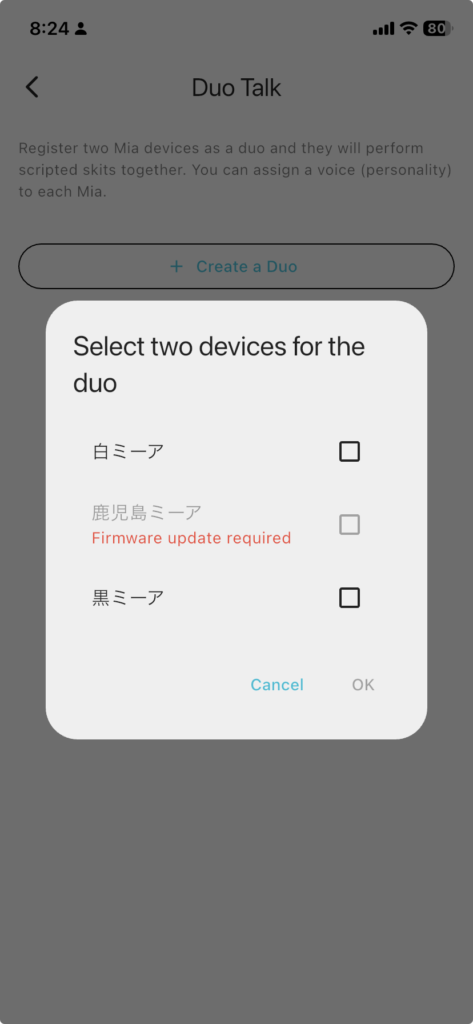
If a device has firmware earlier than 1.11.0, or if its firmware version has not been reported to the app, it cannot be selected when creating a duo. In that case, update the device firmware first.
How to Use Duo Talk
Prepare Two Mia Devices
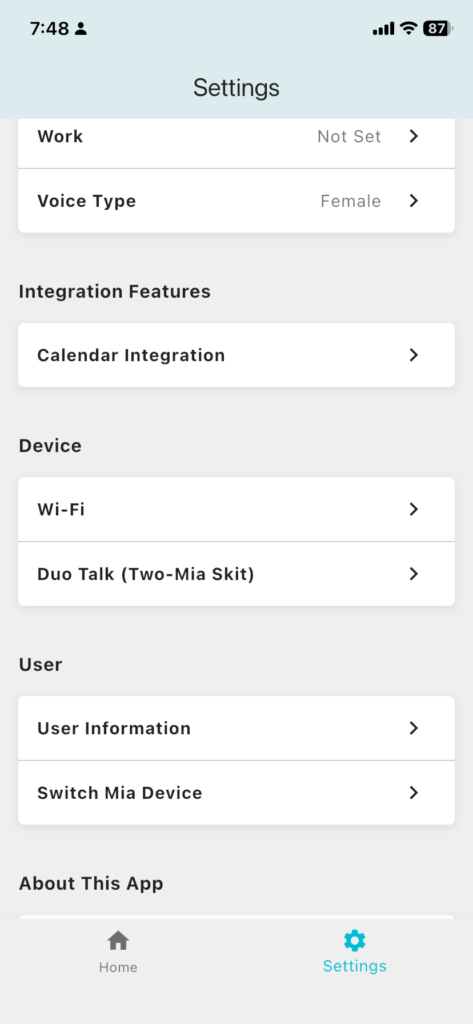
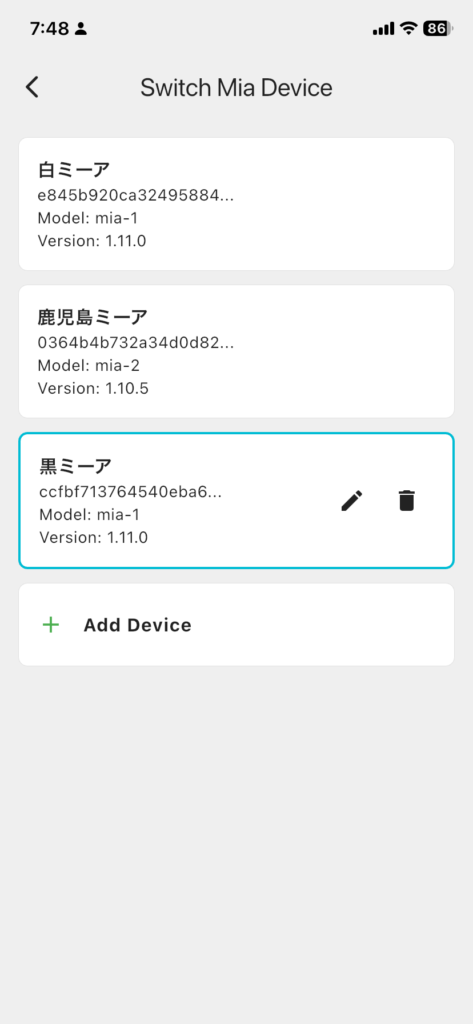
First, register two Mia devices in the app.
If you currently use only one Mia, add a second device. Both devices must be registered under the same user account.
Update the Firmware
Update both devices to the firmware version 1.11.0 or later.
Older firmware does not support the synchronization needed for Duo Talk. If a device is not updated, it may not appear as a selectable device in the app, or Duo Talk may not start correctly.
Open Duo Talk in the App
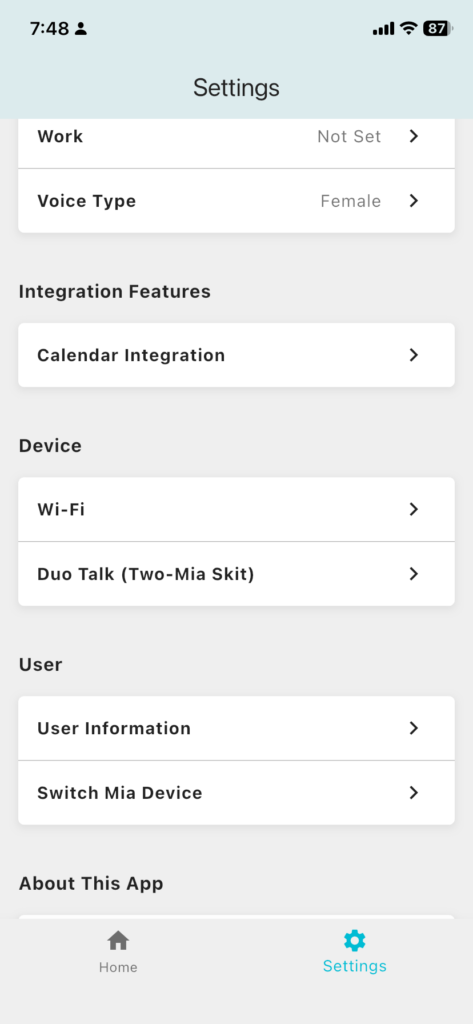
Open the Mia app and go to:
Settings > Duo Talk (Two-Mia Skit)You will see your existing duos and a button to create a new duo.

Create a Duo
Tap “Create a Duo” and select two Mia devices from the list.
Devices that are already part of another duo cannot be selected for a new duo. If you want to change the pairing, remove the existing duo first.
Check the Roles and Voices
After creating a duo, the two Mia devices are assigned these roles:
- Easygoing role
- Reliable role
Each row also shows the current voice. If you want to change it, tap “Change” and select another available voice.
The roles in the script stay fixed. In other words, the easygoing role remains the more relaxed or silly character, and the reliable role remains the more practical responder. Changing the voice changes which voice performs that role.
Tap “Talk Now”
When everything is ready, tap “Talk Now” on the duo card.
If both Mia devices are online, the conversation will start. One device speaks, then the timing moves to the other device, and the two continue taking turns according to the script.
If Mia is offline, Duo Talk cannot start. Check that both devices are powered on and connected to Wi-Fi.

How to Remove a Duo
You can remove a duo from the Duo Talk screen.
Tap “Remove Duo” on the Duo card to delete that pairing. This does not remove the Mia devices from your account. It only removes the Duo Talk pairing.
If Duo Talk Does Not Start
If Duo Talk does not start, check the following:
- Are two Mia devices registered?
- Are both devices on the firmware version
1.11.0or later? - Are both devices connected to Wi-Fi and online?
- Is one of the devices already paired with another Mia?
- Is the app updated to the latest version?
If the app shows “Firmware update required,” that device does not yet support Duo Talk. Update the firmware, then open the Duo Talk screen again.
Two Mia Robots Add a Little More Every Day Presence
Duo Talk is as simple as a feature: pair two Mia robots and let them perform prepared scripts together.
But when you actually place two Mia robots side by side, the presence feels different from using just one. They are not only talking to you. They also seem to have small exchanges with each other.
“They’re talking about oversleeping again.”
“They’re arguing about umbrellas on a rainy day.”
“They have nothing in particular to say, but they seem fine just being next to each other.”
We plan to keep adding more small scenes like these over time.
👀 You may also like:
👉 2026 Guide: AI Pet Robots for Elderly Loneliness – A Comparison of 10 Companion Robots
👉 2026 Edition: 9 Recommended Pet Robots Under $150 – Cheap, Cute, and Healing Models
👉 Monthly and Maintenance Costs of Pet Robots: Moflin, LOVOT, Mia, and More
👉 Mia – Your Chatty AI Cat Companion Robot with 100+ Expressions