November 2026 | Page 22 | Mia
🎉ミーア会話モデルがリリースされました!詳細はこちら→

2026-11

How to & Features

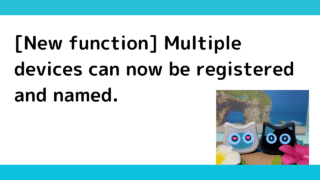
[New function] Multiple devices can now be registered and named.

The Mia app has been updated! You can now manage multiple Mias with a single account. Nickname settings and individual settings for each device are also supported. To use these convenient new features, you need to update to the latest version of the app (1.10.1).
How to & Features

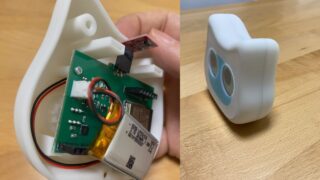
Mia can be made into a built-in battery with a lithium-ion battery.

Introduction.Mia, currently in beta release, is rechargeable, but it can be disassembled and fitted with lithium-4 batte...
How to & Features

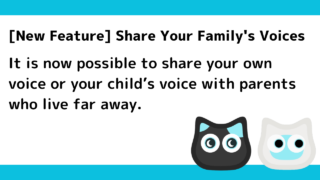
What Is Mia’s “Family Voice Message” Feature? How to Use It

Mia, the cat-shaped AI robot, now has a Family Voice Message feature that lets you send your own or your child's recorded voice directly to your parents' Mia, even from far away. Your parents just touch Mia's head to play it — no smartphone or app needed. This article covers how to use it, what to keep in mind, and how it differs from existing features.
How to & Features

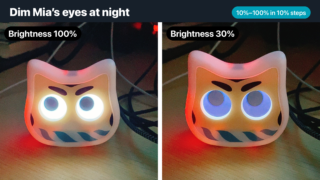
[Standard & Conversation Models] You Can Now Dim Mia’s Eyes: A Simple Fix for Night-Time Glare

Mia app 1.24.0 lets you dim Mia's eyes with a slider from 10% to 100% in 10% steps. See photos in bright and dark rooms, how to set it, and the firmware needed.
How to & Features

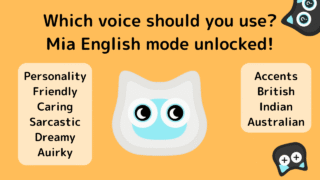
[New feature] Mia supports English mode! You can enjoy 5 different personalities and 3 different accents!

The cat-shaped robot “Mia” now supports English mode! It plays everyday greetings and encouraging phrases in easy English. You can choose from five personalities and three accents (British English, Indian English, and Australian English) and play pre-recorded English phrases at random.
How to & Features

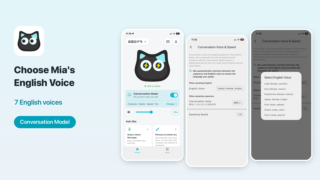
[Conversation Model] Choose Mia’s English Voice From 7 Options, Separate From the Japanese Voice

Mia app 1.24.0 lets you choose Mia's English voice in Conversation Mode from 7 voices. English and Japanese voices are set separately, and Mia switches as you speak.
How to & Features

[New Feature] Mia now supports seven character voices! For an even more enjoyable English experience!

Seven new character voices are now available for Mea! Enjoy everyday life even more with a variety of voices, including Trump, Homer, Snow White, and more. Perfect for learning English, chatting with family and friends, or as a gift. Check out the new healing and entertainment experience delivered by this cat-shaped robot!
How to & Features

How to Use Duo Talk: Two Mia Robots Chatting With Each Other

Duo Talk lets two Mia robots perform short scripted conversations together. This guide explains what the feature does, why it uses prepared scripts, what you need, the required firmware version, how to pair two Mia devices in the app, and what to check if it does not start.
How to & Features

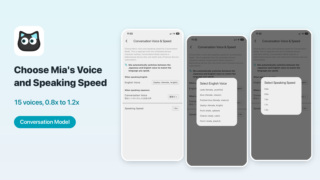
[Conversation Model Only] Choose Mia’s Conversation Voice From 15 Characters and Change Her Speaking Speed

Mia app 1.22.0 lets you choose Mia's Conversation Mode voice from 15 characters, with previews, and set her speaking speed from 0.8x to 1.2x. See where to set it.
How to & Features

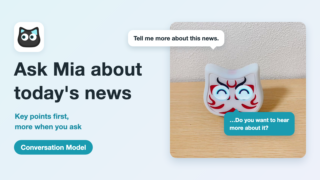
[Conversation Model] Ask Mia About the Latest News: Key Points First, and More When You Say “Tell Me More”

Ask Mia in Conversation Mode for today's news and she looks it up online and gives you the key points. Say "tell me more" and she goes on, then asks if you want to hear more. Explanations come in a few sentences, everyday questions in one, and a long story stops when you touch her head. With videos of real conversations in English.
Copied title and URL