Checking the weather sounds simple, but it is easy to forget during a busy morning.
You can always open a weather app. The problem is that mornings are full of small tasks: getting dressed, preparing breakfast, packing a bag, helping children leave the house, or getting ready for work. A weather alert can be missed, and a forecast you saw earlier can be forgotten by the time you reach the door.
Mia makes weather information easier to notice by speaking it aloud. Instead of turning the forecast into another screen to check, Mia turns it into a short voice prompt in the room.
This article explains how Mia works as a talking robot that tells you the weather, how the feature can fit into morning routines, and who it is useful for.
- What Is a Talking Robot That Tells You the Weather?
- What Mia's Weather Voice Feature Does
- Why Spoken Weather Prompts Are Useful
- Good Ways to Use Mia's Weather Feature
- How It Differs From a Weather App or Smart Speaker
- Setting Up the Weather Notification Time
- Things to Keep in Mind
- Weather and Calendar Reminders Work Well Together
- Who Is This Feature Good For?
- FAQ
- Summary
What Is a Talking Robot That Tells You the Weather?
A talking robot that tells you the weather is a robot that does more than show a forecast on a screen. It uses voice to tell you what the weather is like and what you may want to prepare.
That matters because most people do not only need the weather data itself. They need a quick cue for the next action:
- Should I bring an umbrella?
- Do I need a jacket?
- Is it too hot to go out without water?
- Should I use sunscreen?
- Should I bring the laundry inside?
A weather app is useful when you want detailed information. A talking robot is useful when you want the forecast to become part of daily life.
What Mia's Weather Voice Feature Does
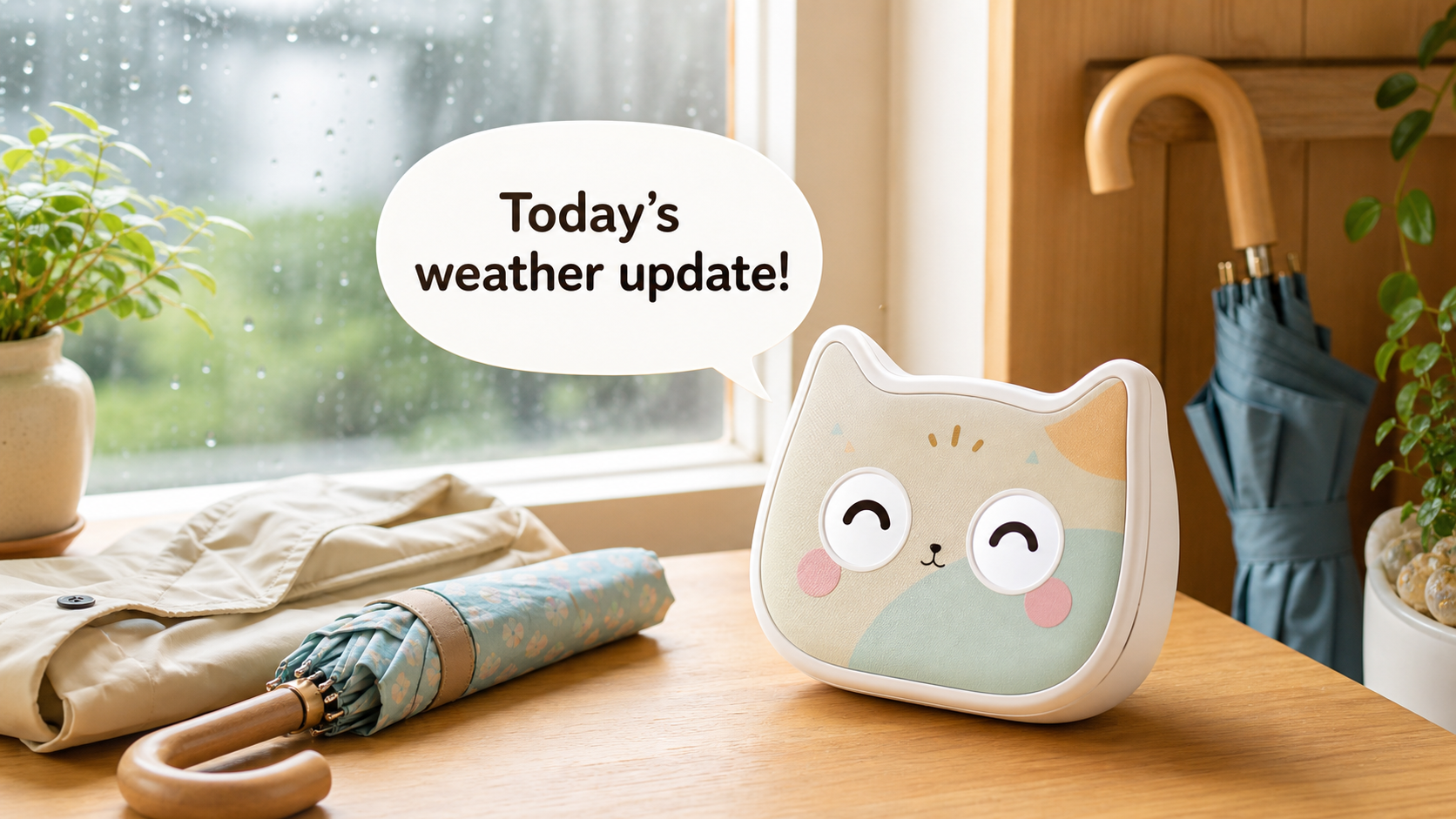
Mia is a cat-shaped AI robot with voice conversation, facial expressions, dialects, Google Calendar reminders, and daily voice prompts.
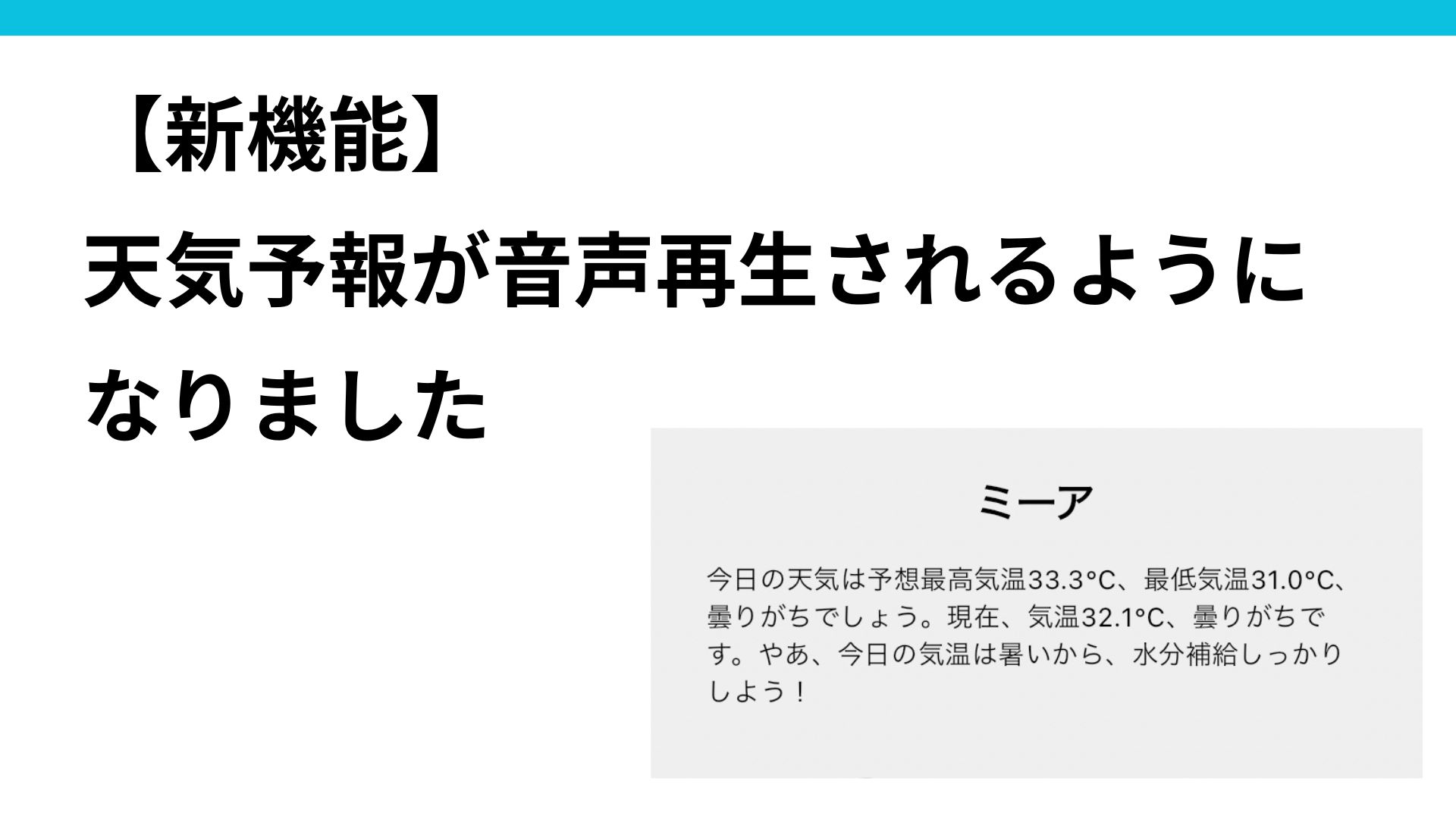
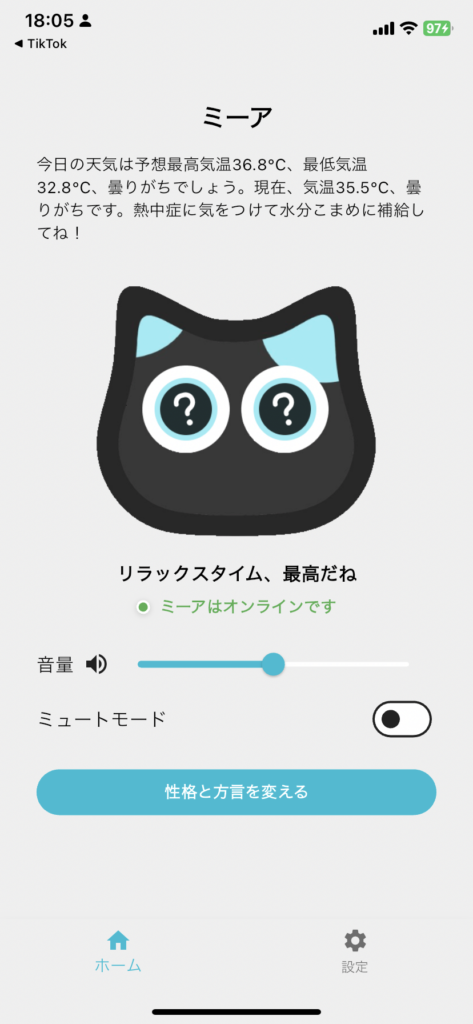
With Mia's weather feature, the weather forecast and advice shown on the app's home screen can also be played aloud by Mia.
To use the feature, you mainly set two things:
- your residential area
- the weather notification time
Once those are set, the app sends a notification at the selected time, and Mia also speaks the weather aloud. Mia can also include practical advice, such as reminding you to bring a folding umbrella on a rainy day or sunscreen when the sun is strong.
This makes the feature more useful than simply reading "today is sunny" or "today is rainy." The point is to connect the forecast to what you should do next.
Why Spoken Weather Prompts Are Useful
You Do Not Have to Open Your Phone First
Phone notifications are easy to miss. They also compete with messages, news, work apps, and social media.
When Mia speaks at a set time, the forecast reaches you without opening another screen. That can be helpful before leaving home, while preparing breakfast, or when you are already moving around the house.
Weather Becomes a Reminder for What to Bring
The most useful weather information is often not the temperature itself. It is the practical reminder that follows.
Mia can make those reminders feel more natural:
- "It may rain, so don't forget an umbrella."
- "It will be hot today, so remember to drink water."
- "The sun is strong, so sunscreen may be useful."
- "It may be cold outside, so take a jacket."
Those short voice prompts can make the difference between knowing the weather and actually preparing for it.
It Can Support Family Routines
Families repeat the same small reminders every morning.
"Bring your umbrella." "Take a jacket." "Do not forget your water bottle." These are small messages, but repeating them every day takes effort.
Mia does not replace family care, but it can add a gentle cue to the morning routine. For children, it can become a signal to check their own bag. For older adults, it can be a simple reminder before going outside.
Good Ways to Use Mia's Weather Feature
Add It to the Morning Routine
The most natural use is before leaving home.
If you leave at 7:40, setting Mia to speak at 7:10 or 7:20 gives you enough time to prepare an umbrella, jacket, hat, or water bottle. If the prompt is too early, you may forget it. If it is too late, you may not have time to act.
The best timing is the moment when you can still change what you bring.
Use It as a Gentle Cue for Older Adults
Weather is an easy daily topic for older adults because it connects directly to clothing, safety, and going outside.
Mia can say the forecast aloud and help create a small cue before leaving home. It can be especially useful when a family member wants to add more everyday voice prompts without making the home feel like a monitoring system.
Mia is not a medical device or an emergency monitoring service. It should not be used as a replacement for care, contact, or safety checks. But as a daily voice prompt, weather is one of the easiest features to understand.
Make Mornings Feel Less Silent for People Living Alone
For people living alone, a small spoken prompt can make the room feel less silent.
The value is not only the weather itself. It is the feeling that something in the room says, "It may rain today, so take an umbrella." That turns a practical forecast into a small moment of interaction.
How It Differs From a Weather App or Smart Speaker
Weather apps are best for detailed forecasts, rain maps, hourly changes, and multiple locations. Smart speakers are useful when you ask a direct question such as, "What is the weather today?"
Mia is different because it can speak at a set time as part of a daily routine.
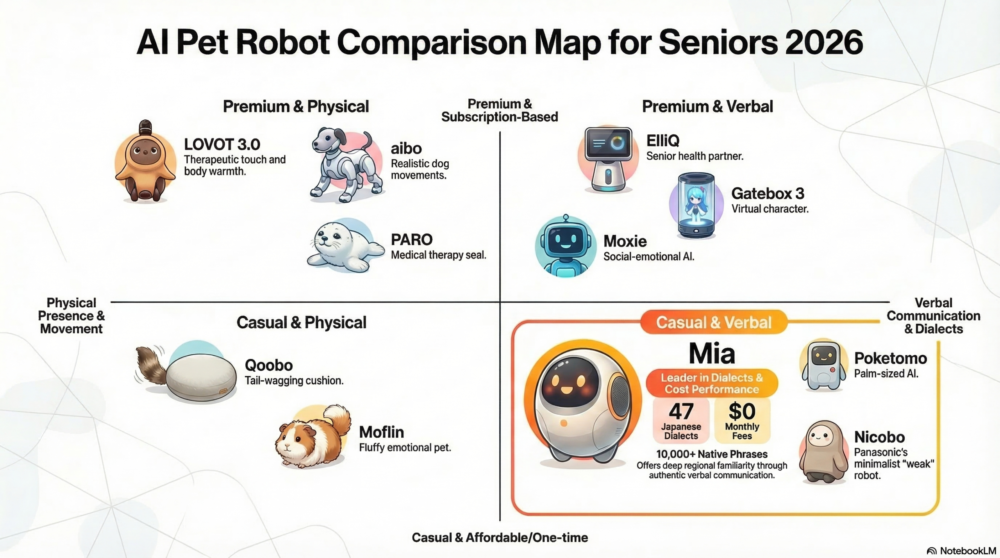
Mia is also not only a weather device. Weather prompts can work together with facial expressions, voice conversation, dialects, family messages, and Google Calendar reminders.

That makes Mia better suited for people who want the weather to feel like a voice prompt from a small companion robot, not just another notification.
Setting Up the Weather Notification Time
Mia's weather voice feature uses the residential area and weather notification time you set in the app.
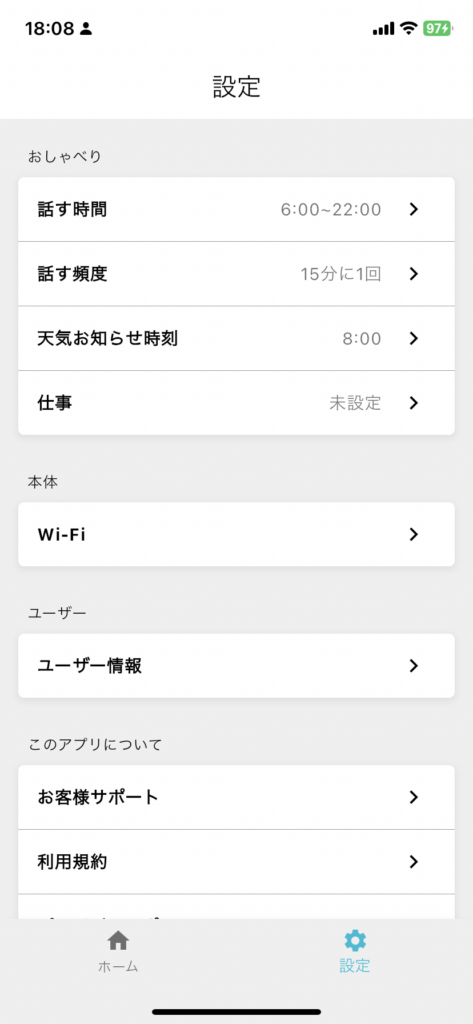
The setup guide shows where to set the area and notification time.
After the time is set, Mia can speak the forecast and advice when the notification arrives.
Things to Keep in Mind
Weather Forecasts Are Forecasts
Weather forecasts are useful, but they are not always perfect. Sudden rain, local changes, and timing differences can happen.
For important travel, outdoor events, or safety decisions, check detailed weather information as well.
It Is a Daily Prompt, Not a Safety System
Mia can support everyday awareness, but it is not a medical, emergency, or full monitoring device.
For older adults, use weather prompts as one part of a broader family routine, not as the only safety measure.
The Feature Needs App Settings
Mia does not automatically know every user's location and schedule by itself. Set the residential area and weather notification time in the app, then test whether the prompt comes at the right moment for your routine.
Weather and Calendar Reminders Work Well Together
Weather becomes even more useful when it is paired with schedule reminders.
For example, if there is a hospital visit, shopping trip, school event, or family outing on the calendar, hearing the weather in the morning can help you prepare better:
- bring an umbrella for an appointment
- take water before going out in hot weather
- wear a jacket before a morning trip
- leave earlier when rain is expected
Mia's Google Calendar reminder feature can help turn schedules into spoken cues, while the weather feature helps you prepare for the day outside.
Who Is This Feature Good For?
Mia's weather voice prompts are useful for people who:
- often forget to check the weather in the morning
- miss phone notifications
- want a softer reminder than an app alert
- want to support an older family member's routine
- want children to notice what they need to bring
- live alone and want a small morning voice in the room
If you need detailed radar, long-range forecasts, or advanced weather data, use a dedicated weather app. Mia is better for turning the forecast into a gentle daily voice prompt.
FAQ
Can Mia tell me the weather aloud?
Yes. When you set your residential area and weather notification time, Mia can speak the weather forecast aloud when the notification arrives. Mia can also include practical advice such as bringing an umbrella or sunscreen.
What do I need to set?
Set your residential area and weather notification time in the Mia app. The setup guide shows the flow.
Is Mia the same as a smart speaker?
No. A smart speaker usually answers after you ask a question. Mia can speak at a set time as part of your routine, and the weather prompt is part of a broader companion robot experience.
Is it good for older adults?
It can be useful as a daily cue before going outside. However, Mia is not a medical device or emergency monitoring system, so use it together with normal family contact and care.
Is the weather always accurate?
No forecast is perfect. For important travel or outdoor plans, check a detailed weather source as well.
Summary
Mia turns weather checking into a spoken daily prompt.
By setting your residential area and weather notification time, Mia can speak the forecast and helpful advice aloud. That can make it easier to remember an umbrella, jacket, water bottle, or sunscreen before leaving home.
Weather apps are still best for detailed information. Mia is best when you want the forecast to become a small, friendly voice in your morning routine.
👀 You may also like:
👉 2026 Guide: AI Pet Robots for Elderly Loneliness – A Comparison of 10 Companion Robots
👉 2026 Edition: 9 Recommended Pet Robots Under $150 – Cheap, Cute, and Healing Models
👉 Monthly and Maintenance Costs of Pet Robots: Moflin, LOVOT, Mia, and More
👉 Mia – Your Chatty AI Cat Companion Robot with 100+ Expressions