ミーア編集部 | Page 11 | Mia
🎉ミーア会話モデルがリリースされました!詳細はこちら→

ミーア編集部

How to & Features

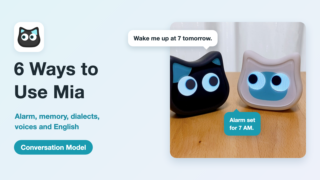
[Conversation Model] 6 Ways to Use Mia: Morning Alarm, Memory, Japanese Dialects, Voices and English

How do you actually use Mia's Conversation Model day to day? See six everyday scenes with real videos: a voice alarm in the morning, a cat that remembers what you told her, news and quick questions, Japanese dialect replies, 15 voices, and talking in English.
How to & Features

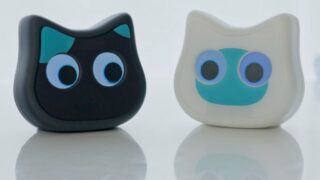
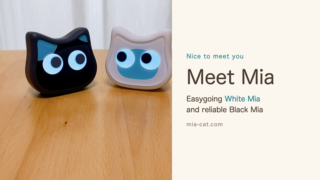
Meet Mia: White Mia and Black Mia Introduce Themselves

Meet Mia, the cat robot whose job is bringing your family's voices home. Get to know easygoing White Mia and reliable Black Mia: their personalities, favorite things, how they spend the day, how the two siblings get along, and what Mia does and doesn't do.
How to & Features

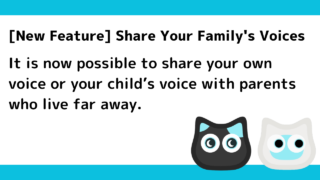
What Is Mia’s “Family Voice Message” Feature? How to Use It

Mia, the cat-shaped AI robot, now has a Family Voice Message feature that lets you send your own or your child's recorded voice directly to your parents' Mia, even from far away. Your parents just touch Mia's head to play it — no smartphone or app needed. This article covers how to use it, what to keep in mind, and how it differs from existing features.
How to & Features

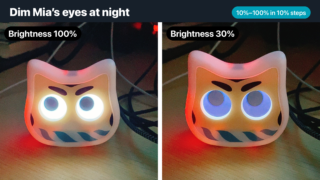
[Standard & Conversation Models] You Can Now Dim Mia’s Eyes: A Simple Fix for Night-Time Glare

Mia app 1.24.0 lets you dim Mia's eyes with a slider from 10% to 100% in 10% steps. See photos in bright and dark rooms, how to set it, and the firmware needed.
How to & Features

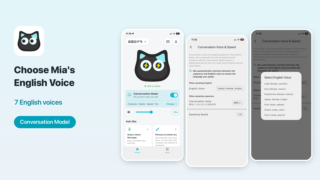
[Conversation Model] Choose Mia’s English Voice From 7 Options, Separate From the Japanese Voice

Mia app 1.24.0 lets you choose Mia's English voice in Conversation Mode from 7 voices. English and Japanese voices are set separately, and Mia switches as you speak.
How to & Features

How to Use Duo Talk: Two Mia Robots Chatting With Each Other

Duo Talk lets two Mia robots perform short scripted conversations together. This guide explains what the feature does, why it uses prepared scripts, what you need, the required firmware version, how to pair two Mia devices in the app, and what to check if it does not start.
How to & Features

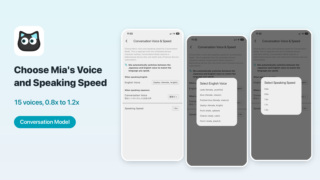
[Conversation Model Only] Choose Mia’s Conversation Voice From 15 Characters and Change Her Speaking Speed

Mia app 1.22.0 lets you choose Mia's Conversation Mode voice from 15 characters, with previews, and set her speaking speed from 0.8x to 1.2x. See where to set it.
How to & Features

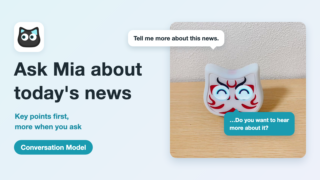
[Conversation Model] Ask Mia About the Latest News: Key Points First, and More When You Say “Tell Me More”

Ask Mia in Conversation Mode for today's news and she looks it up online and gives you the key points. Say "tell me more" and she goes on, then asks if you want to hear more. Explanations come in a few sentences, everyday questions in one, and a long story stops when you touch her head. With videos of real conversations in English.
How to & Features

Mia’s Conversation Mode: How It Works and How to Use It

Mia, the AI cat robot, now talks back. Learn what you need (the Conversation Model and the $2/month Premium plan), how to start a chat by tapping her head, the 3-minute auto-timeout, and how it differs from the Standard Model.
How to & Features

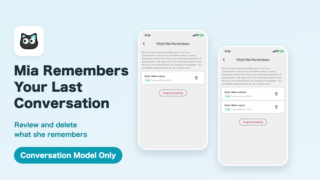
[Conversation Model Only] Mia Now Remembers Your Last Conversation: How to Use “What Mia Remembers”

In Conversation Mode, Mia remembers family names, plans, favorites and things that happened, and brings them up naturally next time. Since app 1.25.0 she also asks how a past plan went. See what she remembers, what she never remembers, and how to review and delete memories.
Copied title and URL